Best Vibe Coding Tools in 2026
Compare the best vibe coding tools in 2026 by use case, from app builders like Layerwise, Lovable, and Bolt to coding agents like Cursor and Claude Code.
Table of contents
The best vibe coding tool depends on who is building and what they need at the end: a live app with users, a feature in an existing codebase, or a quick prototype to share. This guide groups eleven tools by use case, starting with Layerwise, which we make.
Vibe coding means building software by describing what you want to an AI model and steering the result through conversation. The tools fall into two broad groups. App builders take a description and give you a running app, usually with hosting included. Coding agents and AI editors work inside a codebase and assume you manage the stack around it.
Published by Layerwise. Layerwise is our product, so it appears first. Competitor descriptions, free plans, and starting prices were checked against official vendor pages on November 28, 2026. Prices are monthly with monthly billing unless noted, and they change often, so confirm on each vendor's site before you buy.
How we grouped these tools
We sorted each tool by the job it does best:
- Building and publishing a full app without writing code yourself. You describe the app and get a database, sign-in, and a public address along with the code.
- Building in the browser with nothing to install. Hosted builders where the project lives on the vendor's platform.
- Working in a repository you already have. Coding agents for developers who own their stack and deployment.
- Working in an AI code editor. Editors and IDE assistants for people who read and write the code alongside the AI.
If a term in this guide is new to you, the vibe coding glossary explains it in plain language.
Best vibe coding tools at a glance
| Tool | Best for | Free option | Starting paid plan |
|---|---|---|---|
| Layerwise | Building and publishing full-stack web apps from a desktop app | $5 in monthly credits, 10 messages/day | Pro: $15/month |
| Lovable | Full-stack web apps built and hosted in the browser | 5 daily build credits, up to 30/month | Pro: $25/month |
| Bolt | Websites, apps, and prototypes in the browser | 1M tokens/month, 300K daily limit | Pro: $25/month |
| Base44 | No-code apps with backend, auth, and hosting built in | 25 message credits/month, up to 5 apps | Starter: $16/month, billed annually |
| v0 by Vercel | Next.js apps deployed to Vercel | 7 messages/day | Plus: $30/user/month |
| Replit | A cloud workspace for web and mobile apps | 3-day Core trial for eligible new users | Core: $20/month |
| Claude Code | Developers in an existing repository | Not on Claude Free | Claude Pro: $20/month |
| Codex | Developers who already use ChatGPT | Included in ChatGPT Free for quick tasks | ChatGPT Go: $8/month |
| Cursor | An AI-first code editor with agents | Limited agent and chat usage | Plus: $8/month (Grok models only) |
| Devin Desktop (formerly Windsurf) | An agent-first IDE | Light agent quota, unlimited Tab completions | Pro: $20/month |
| GitHub Copilot | AI help inside the editor and GitHub workflow you already use | 2,000 completions/month, limited chat and agent | Pro: $10/month |
Prices were checked on November 28, 2026. Credits, tokens, messages, and quotas are different units, so equal prices do not buy equal amounts of work.
Best for building and publishing a full app without coding
1. Layerwise
Who it's for: People who want to describe a web app, watch it take shape, and publish it with its backend already set up. Typical projects include internal tools, client portals, and booking or CRM apps.
What it does well: Layerwise is a desktop app for macOS, Windows, and Linux. You describe the app in your own words, and the agent writes the code in a project folder on your computer while a live preview runs beside the chat. The agent can click through that preview and read its console to test its own work, it asks you when a choice is yours to make, and each turn lists the files it changed.
Every project comes with what a web app needs to go live: a database with a data browser, Storage for images and documents, email sign-in with verification and password reset, app email, analytics, and server logs. There is no service to sign up for and no API key to paste. When the preview looks right, select Publish to put the app on a layerwise.site address, and connect a custom domain on Pro and higher plans. Each publish is a separate release you can roll back.
You choose the model. The model picker covers families including Claude, GPT, Gemini, DeepSeek, and Kimi, billed at each provider's token price, and the Usage view shows what each request cost. If you already pay for ChatGPT or Claude, choose My Codex or My Claude for a chat, and it runs on that plan instead of Layerwise credits. You can switch a chat between Layerwise models, My Codex, and My Claude at any time, and it keeps its history. See Build with your ChatGPT plan and Build with your Claude plan.
Database
Store app data. Browse and edit your tables.
Authentication
Sign-in, verification, and password reset emails.
Publishing
Deploy a release and get a live URL to share.
Custom domains
Give your published app an address of its own.
Analytics
See visits, popular pages, and traffic sources.
Server logs
Inspect backend requests and follow logs live.
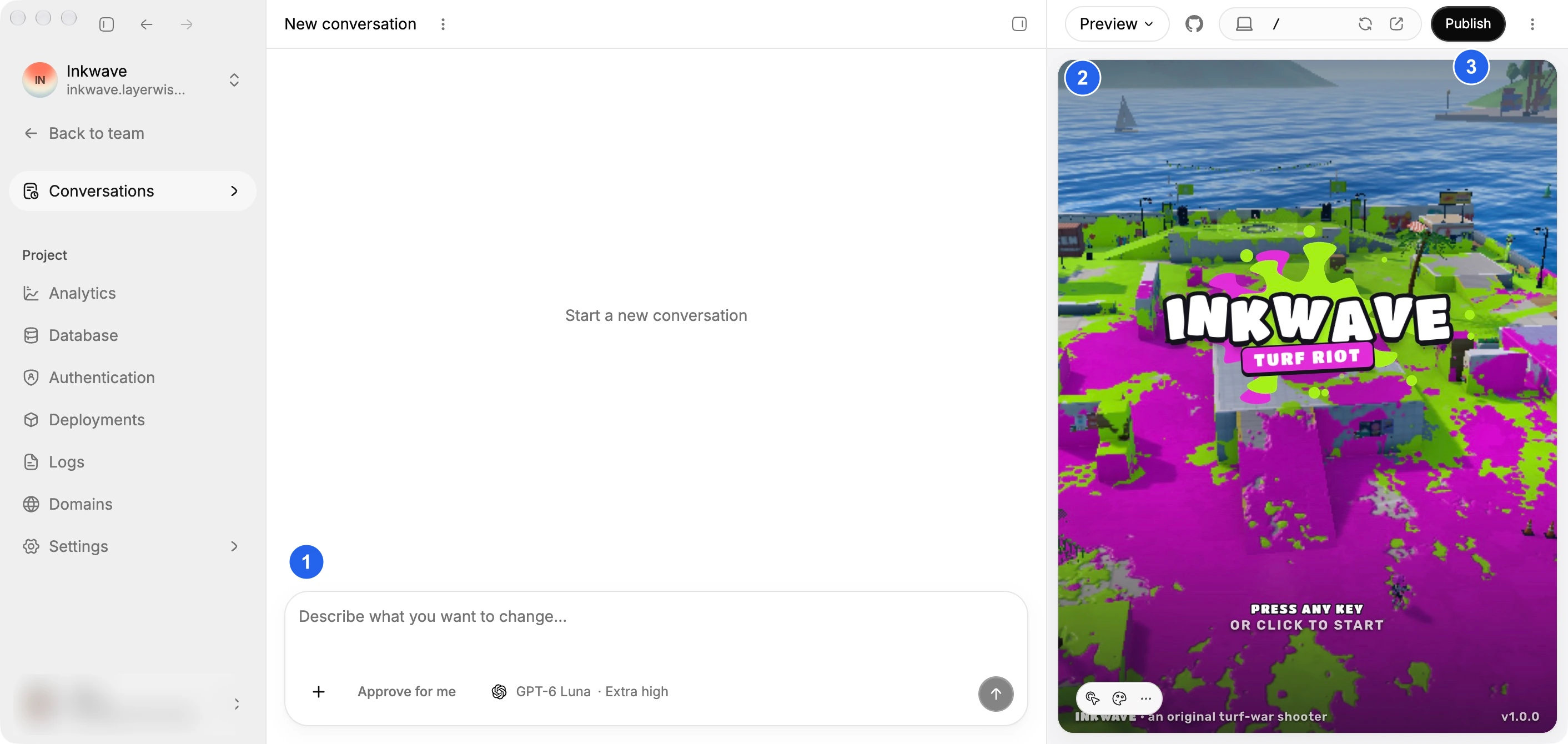
Trade-offs: Layerwise is a desktop app, so you install it before you start, and your computer needs to stay available while you build and publish. It builds web apps; if you need a native iOS or Android app, look at Replit. Built-in sign-in is email-based. Moving an app to different hosting may require changes to its backend, authentication, and deployment setup.
Pricing: Free is $0 with $5 in monthly credits, 10 public projects, and up to 10 messages per day with supported open-weight models. Pro is $15/month with $15 in monthly credits and unlimited projects, and Business is $30/month with $30. Plans are priced per team, with no per-seat fees. Credits pay for AI and for what your published apps use. See Layerwise pricing.
Best browser app builders for non-coders
These tools run in a browser tab and host the app for you. They're a good fit when you want nothing to install and are comfortable keeping the project on the vendor's platform.
2. Lovable
Who it's for: People who want to build a full-stack web app from a description and keep building, hosting, and editing in one browser-based product.
What it does well: Lovable describes itself as a full-stack AI development platform for building web apps in natural language, with code you can edit. Its documentation says an app includes the frontend, backend, database, authentication, and integrations, and you publish it to a live URL. Projects can sync to GitHub, GitLab, or Bitbucket. The free plan includes unlimited collaborators and lovable.app domains.
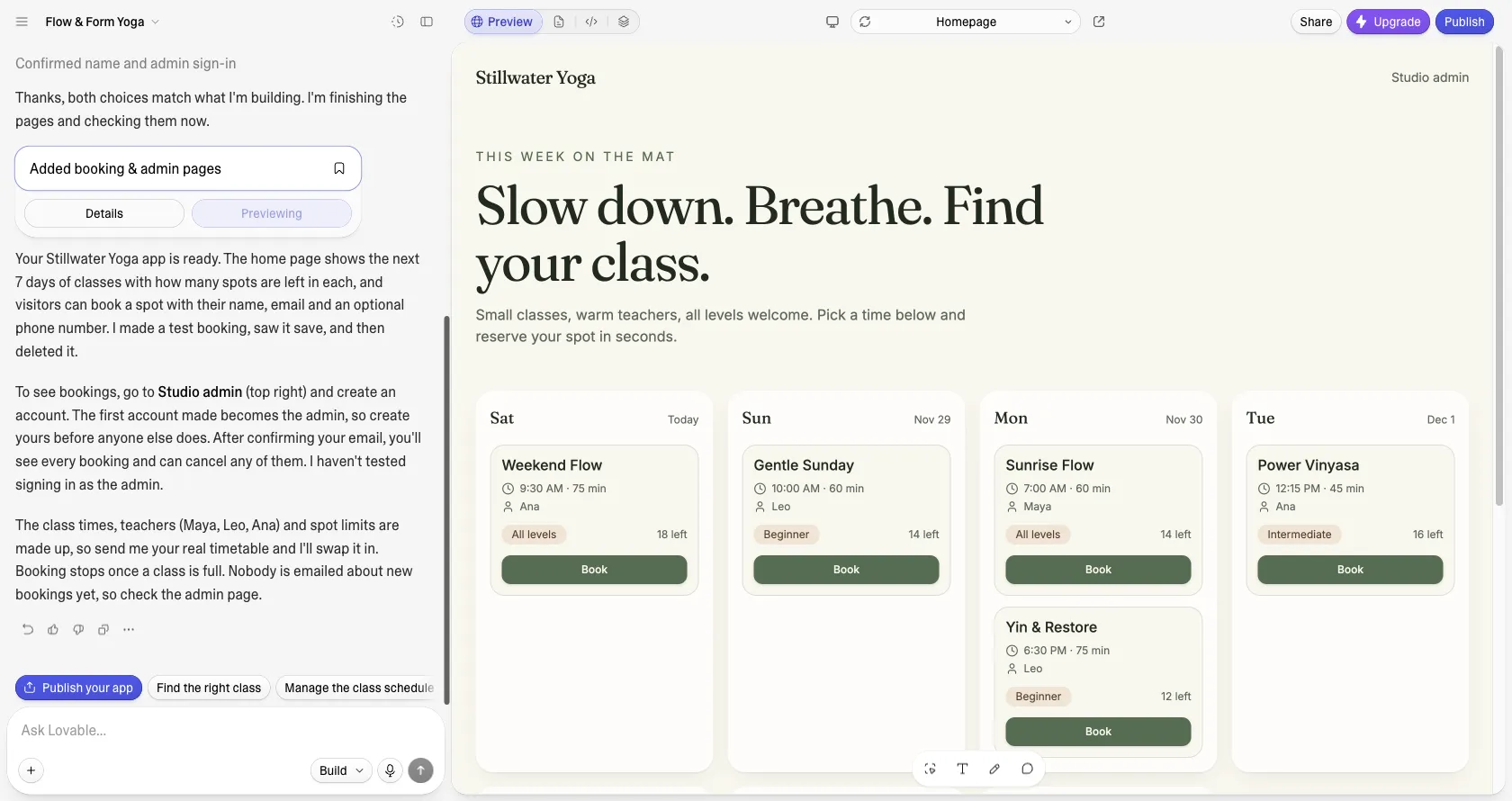
Trade-offs: Usage is measured in credits, and building, Cloud services, and AI features in your app each have their own allowance, so it's worth checking which one a project draws on. We cover the differences in more detail in Best Lovable Alternatives.
Pricing: Free is $0 with 5 daily build credits, up to 30 a month. Pro is $25/month with 100 monthly credits, according to Lovable pricing.
3. Bolt
Who it's for: People who want to start a website, app, or prototype by chatting in the browser.
What it does well: Bolt pitches itself as a way to create apps and websites by chatting with AI. Bolt Cloud adds hosting, unlimited databases, and integrations, so a project can go from prompt to a hosted site in the same tab. The free plan includes website hosting and up to 3 collaborators.
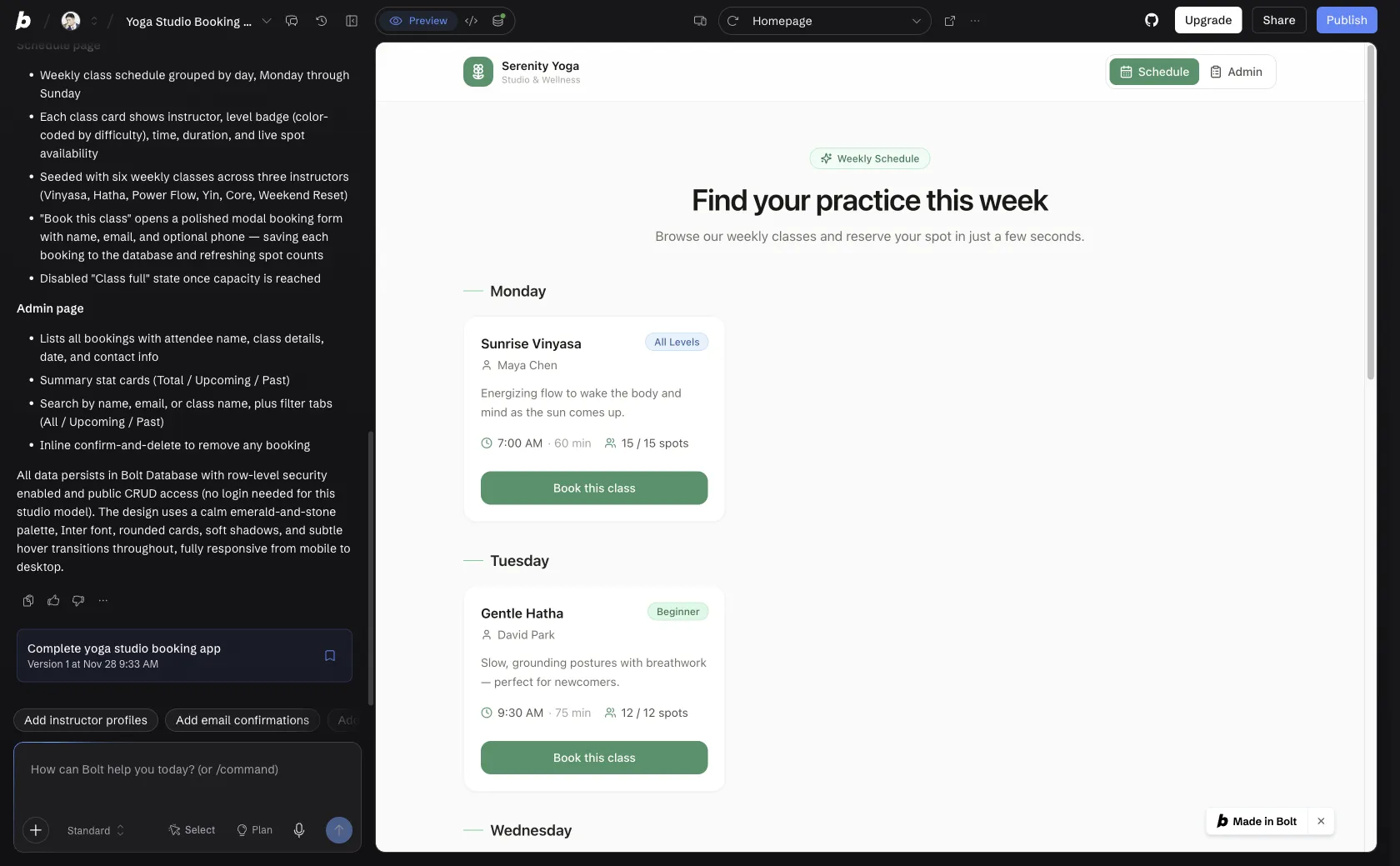
Trade-offs: Sites on the free plan show Bolt branding, and tokens don't roll over from month to month. Token use depends on the size of the project and the request, so a large app spends its allowance faster.
Pricing: Free includes 1M tokens a month with a 300K daily limit. Pro is $25/month and starts at 10M tokens a month with no daily limit, according to Bolt pricing. For a side-by-side look, read Layerwise vs Bolt.
4. Base44
Who it's for: People who want a no-code builder and don't want to think about the backend at all.
What it does well: Base44 calls itself a no-code AI platform for building apps, websites, and AI agents. Its site says apps come with backend, authentication, payments, and hosting already built in. Even the free plan includes authentication, database functionality, and analytics.
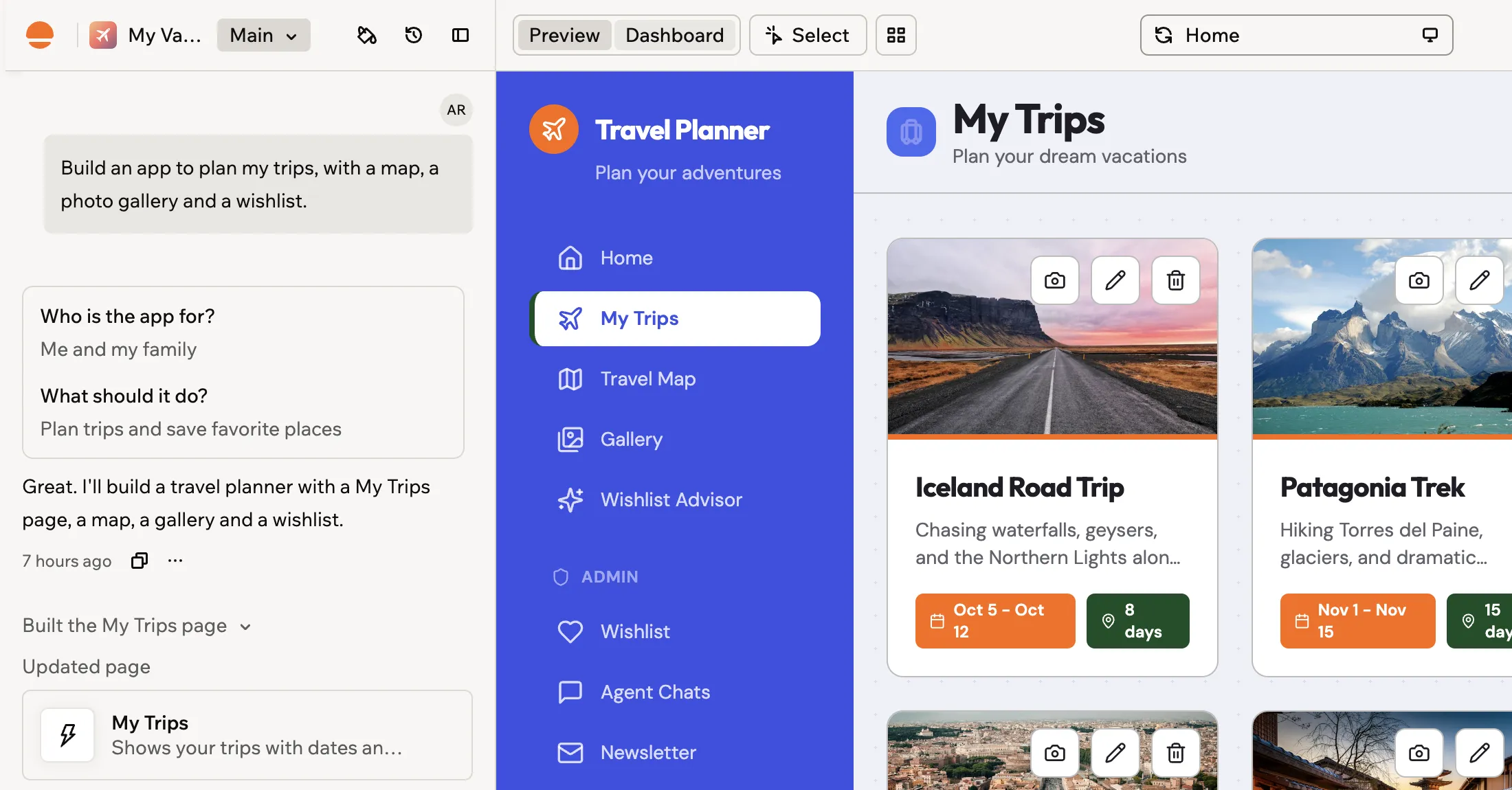
Trade-offs: Plans include two allowances, message credits for building and integration credits for what your app does, and their use varies by action and model. Base44 lists its prices with annual billing.
Pricing: Free includes 25 message credits and 100 integration credits a month, for up to 5 apps. Starter is $16/month billed annually, with 100 message credits and 2,000 integration credits, according to Base44 pricing.
Best for Next.js apps on Vercel
5. v0 by Vercel
Who it's for: Designers, product managers, and developers who work with Next.js and want to deploy on Vercel.
What it does well: Vercel describes v0 as an AI agent that helps anyone create real code and full-stack apps and agents. It builds with Next.js, Tailwind, and shadcn/ui, and deploys to Vercel with one click. If your team already runs on Vercel, v0 output fits that workflow closely.
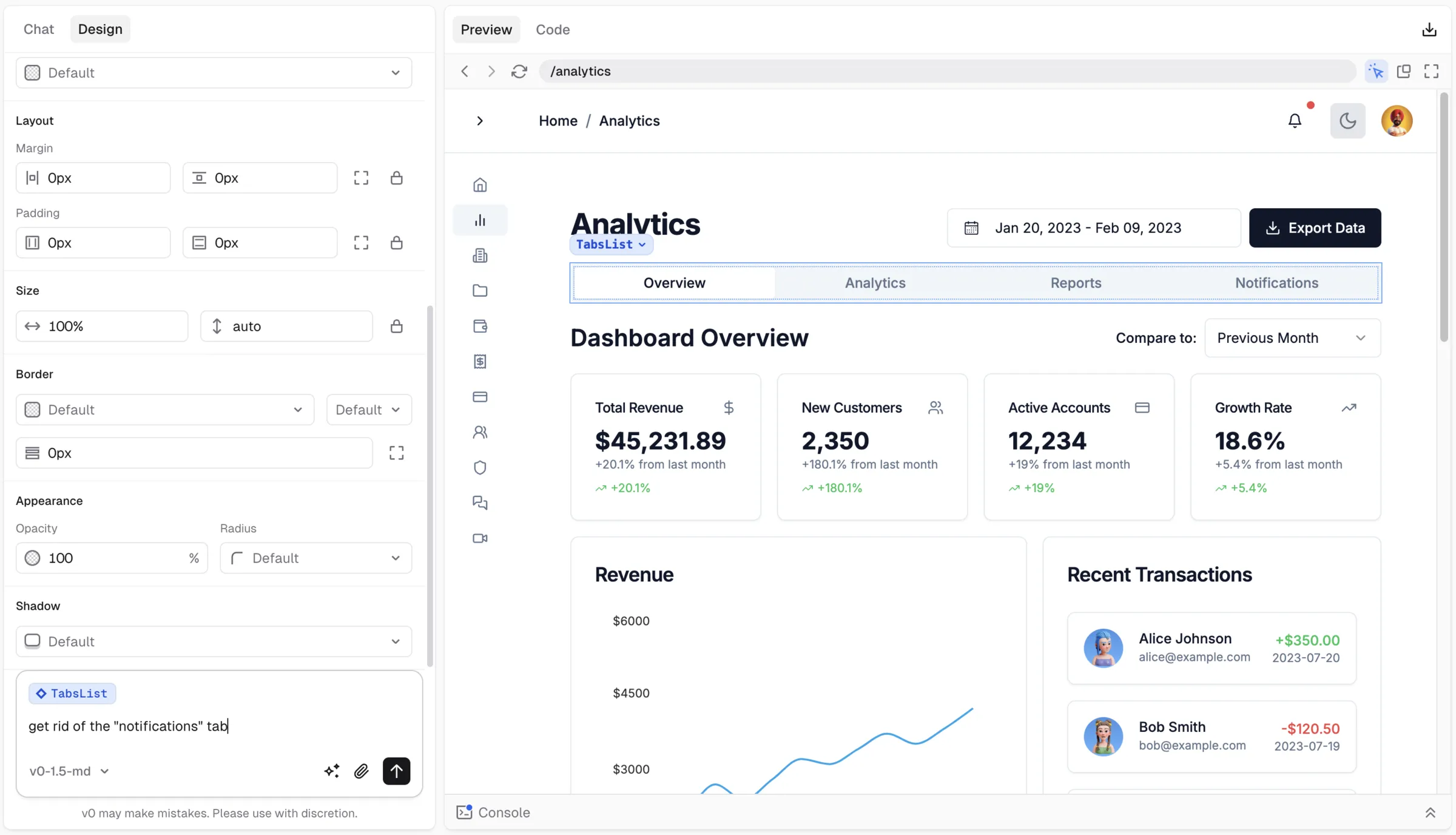
Trade-offs: Paid plans are priced per user, so costs grow with the size of the team. The free plan's daily message limit suits trying v0 more than building a full app. Our Layerwise vs v0 comparison goes deeper.
Pricing: Free is $0 with a limit of 7 messages per day. Plus is $30/user/month with $30 in monthly credits per user, plus $2 in daily credits when you log in, according to v0 pricing.
Best cloud workspace for web and mobile apps
6. Replit
Who it's for: Builders who want an AI agent and a full cloud development environment in one place, including for mobile apps.
What it does well: Replit Agent turns a plain-language description into a published app. Replit lists a database, authentication, hosting, and monitoring among its built-in services, and its project types include websites, mobile apps, designs, and slides. Pro adds database rollback up to 28 days.
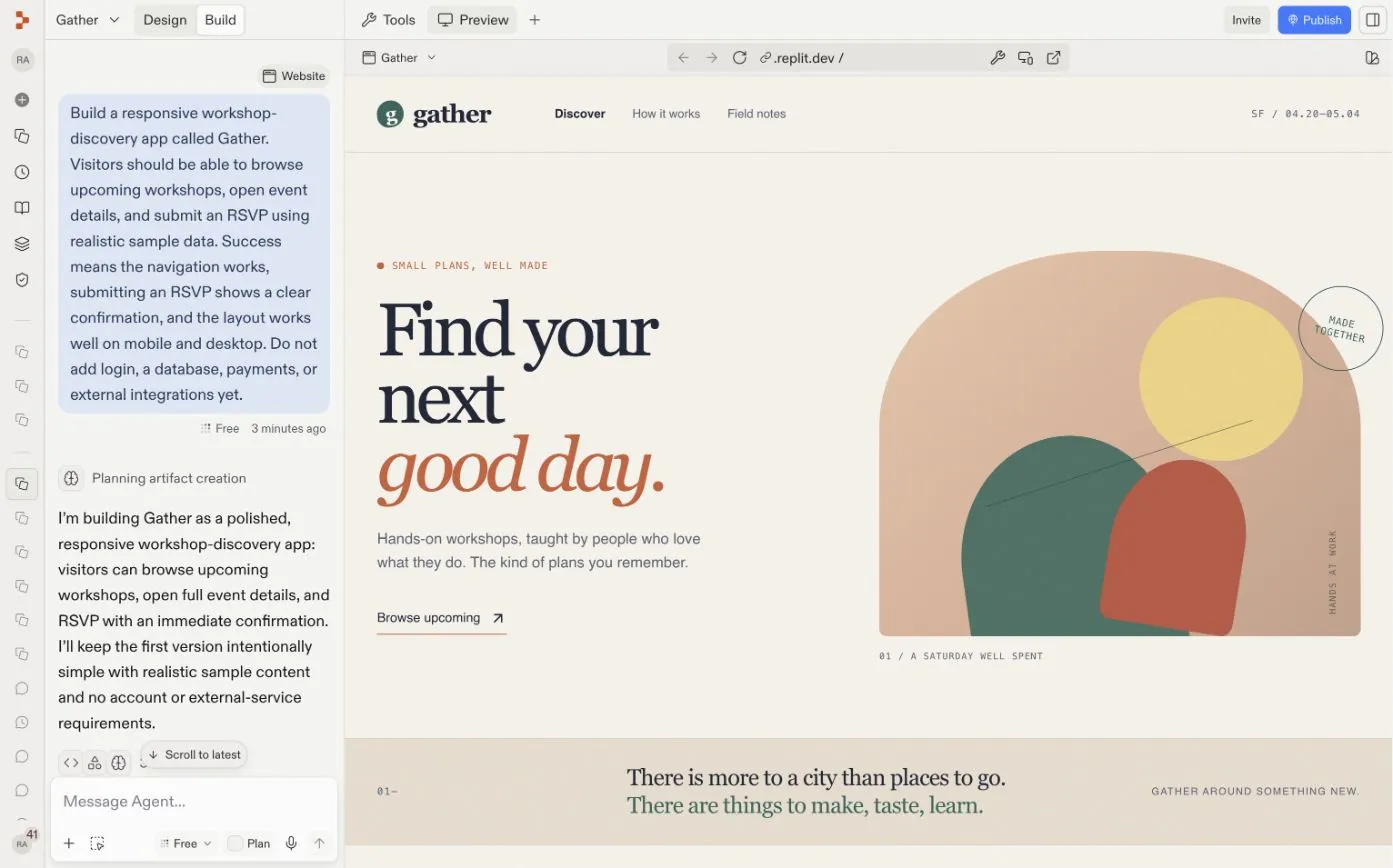
Trade-offs: Replit's free Starter plan is no longer available to new builders as of November 2026; eligible new users can try Core with a 3-day free trial instead. Monthly credits cover both AI work and services such as publishing and databases, so estimate both together.
Pricing: Core is $20/month, or $18/month billed annually, and includes $20 toward more powerful models, according to Replit pricing. Compare the details in Layerwise vs Replit.
Best for developers in an existing repository
These are coding agents. They're excellent at reading a codebase, making changes across files, and running commands. They don't provide a database, sign-in, or hosting, so you bring your own.
7. Claude Code
Who it's for: Developers with an existing repository, deployment process, and preferred services.
What it does well: Anthropic describes Claude Code as an agentic coding tool that reads your codebase, edits files, runs commands, and integrates with your development tools. It's available in the terminal, IDE extensions for VS Code and JetBrains, a desktop app, and the browser. CLAUDE.md files, skills, hooks, subagents, and MCP servers let you shape how it works on your project.
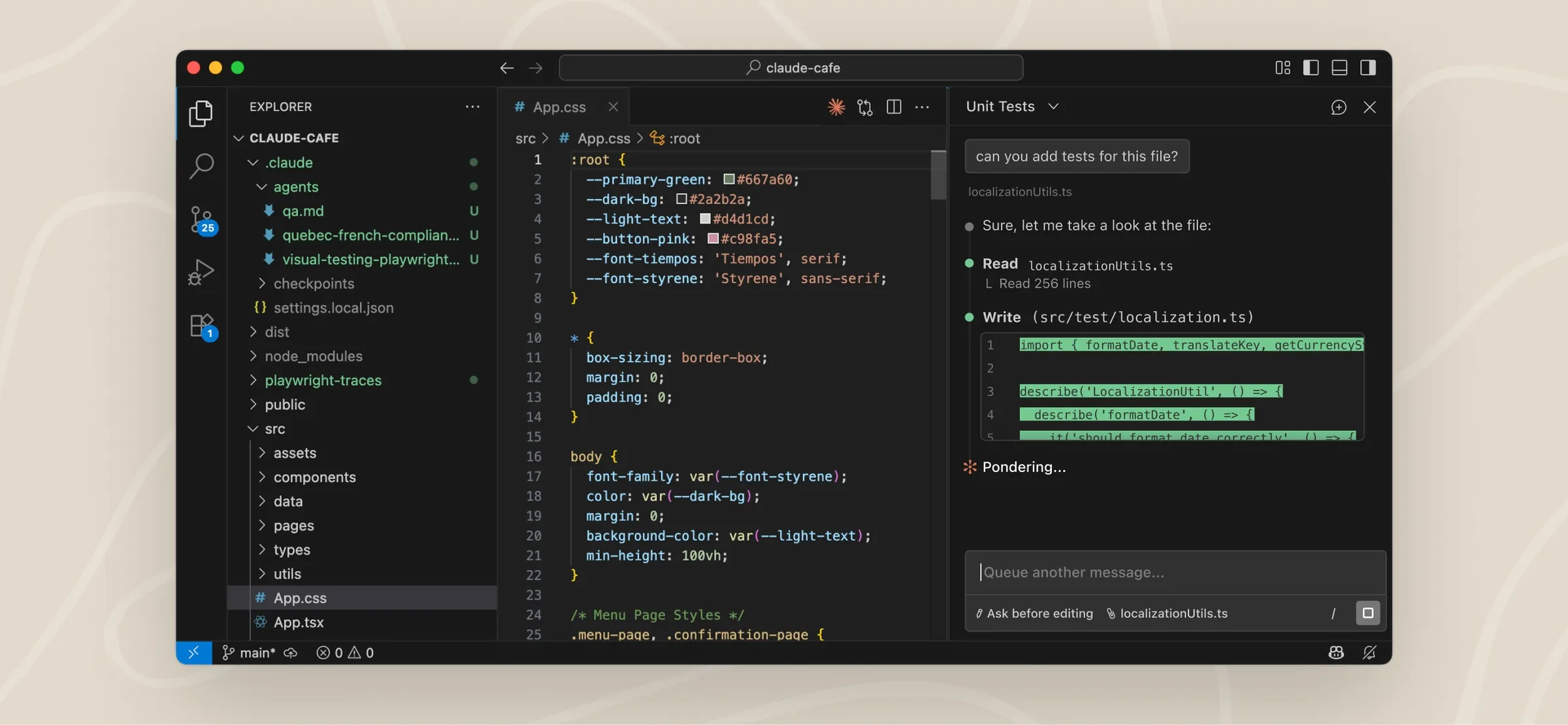
Trade-offs: Claude Code leaves the database, authentication, hosting, and monitoring to you. That flexibility suits an established project, but a new app needs more setup than in an app builder.
Pricing: Claude Code is included in Claude Pro at $20/month, or $17/month billed annually, and in Max from $100/month. The Claude Free plan doesn't include it, according to Claude pricing.
Layerwise can run the Claude Code on your computer with your Claude plan through My Claude, adding a preview, a backend, and publishing around it. Read Layerwise vs Claude Code to see how they work together, or how Layerwise works as a Claude Code GUI.
8. Codex
Who it's for: Developers who already use ChatGPT and want a coding agent on the same plan.
What it does well: OpenAI's Codex is included with ChatGPT plans, from Free through Enterprise. It works in the ChatGPT desktop and mobile apps, on the web, in the Codex CLI and IDE extension, and in Codex Cloud, which runs tasks in the cloud. You can also use it with an API key, billed at API rates.
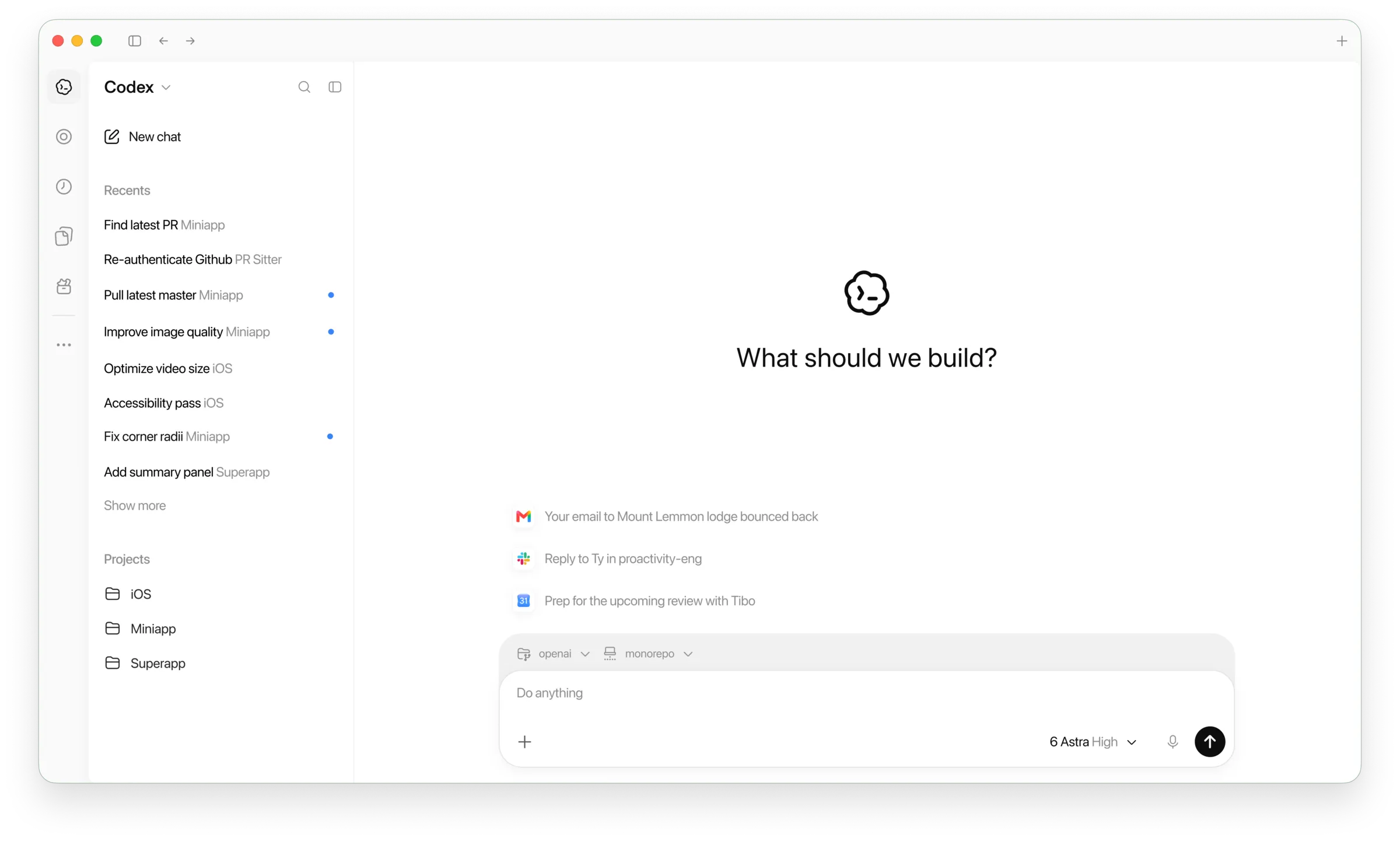
Trade-offs: Like Claude Code, Codex works on your code and leaves the app's services and hosting to you. On ChatGPT Free, OpenAI positions it for exploring quick coding tasks, so larger projects need a paid plan.
Pricing: ChatGPT Go is $8/month and Plus is $20/month, according to Codex pricing. Layerwise can run Codex on your ChatGPT plan through My Codex on every Layerwise plan.
Best AI code editors
AI editors suit people who want to read and steer the code as it changes.
9. Cursor
Who it's for: Developers who want an AI-first editor with agents built in.
What it does well: Cursor describes itself as "your coding agent for building ambitious software." Its plans include an in-editor Agent, cloud agents that keep working away from your computer, and Bugbot code reviews on higher tiers.
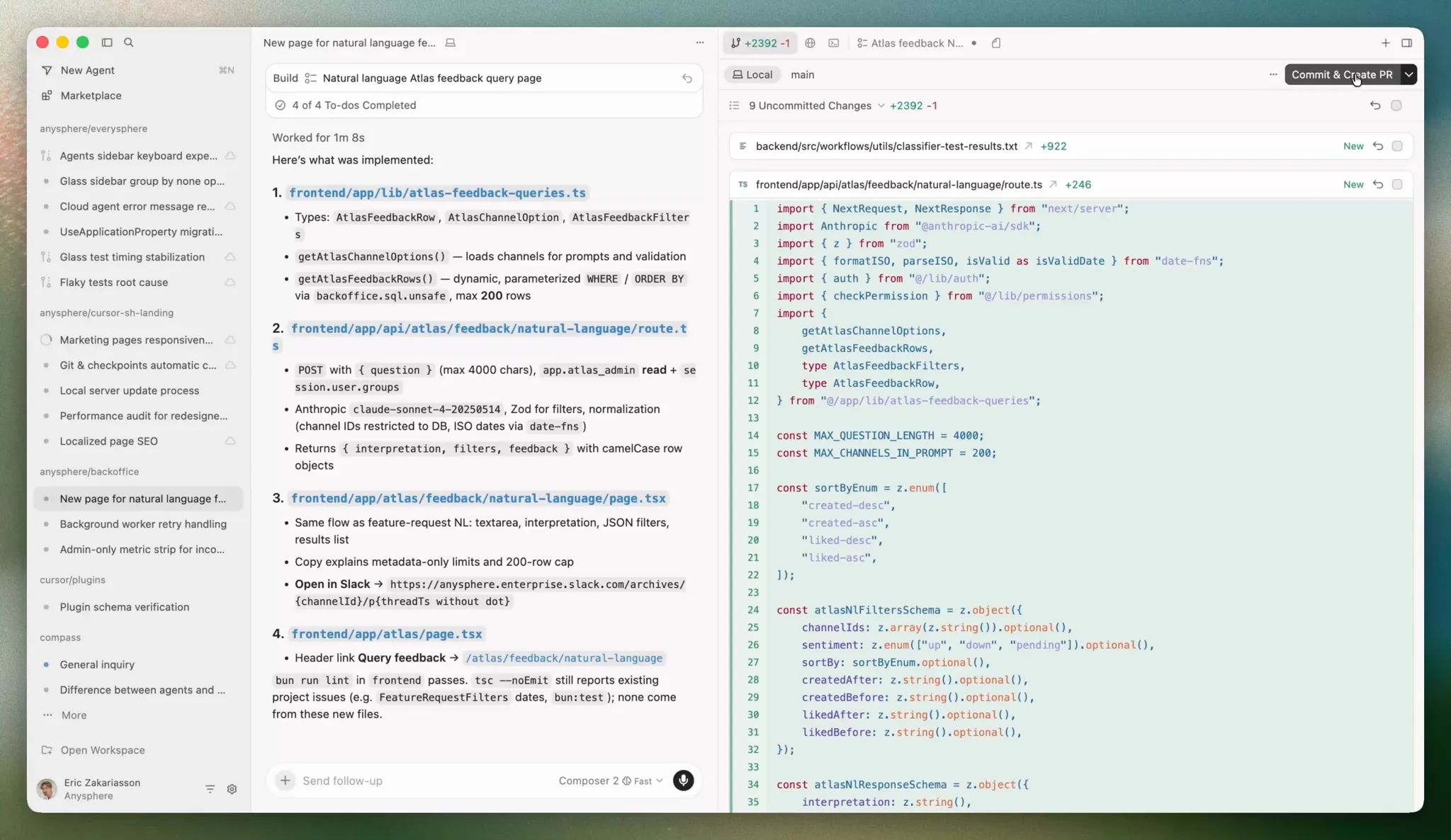
Trade-offs: Cursor's current plans use new names and limits. The $8 Plus plan includes Grok models only; third-party models, cloud agents, and AI code reviews start on Premium, where third-party model usage is billed at API list price. Older Hobby, Pro, and Ultra plans continue for existing customers.
Pricing: Free includes limited agent and chat usage. Plus is $8/month, and Premium is $30/month with 4x the usage of Plus, according to Cursor pricing.
10. Devin Desktop (formerly Windsurf)
Who it's for: Developers who want an IDE organized around running several agents at once.
What it does well: Cognition renamed Windsurf to Devin Desktop. Its FAQ describes it as the same IDE with the same features under the Devin brand, with the Agent Command Center as the main view and the classic Windsurf editor still available. Pro adds cloud agents and lets you use your ChatGPT plan.
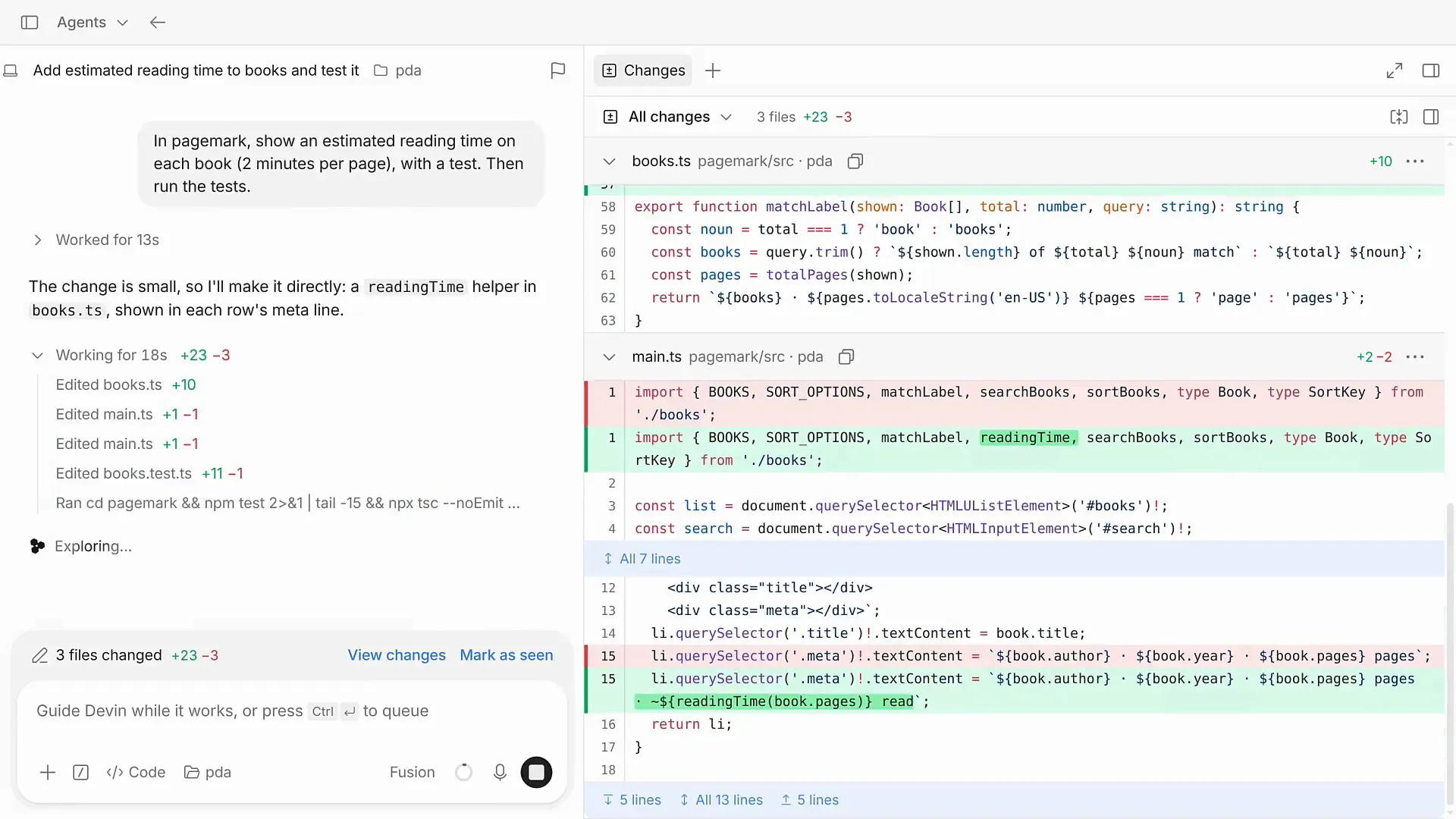
Trade-offs: If you followed Windsurf, expect a new name and a different default view. Cognition says existing plans and pricing are unchanged.
Pricing: Free is $0 with a light agent quota, unlimited inline edits, and unlimited Tab completions. Pro is $20/month with higher quotas and full model availability, according to Devin pricing.
11. GitHub Copilot
Who it's for: Developers who want AI help inside the editor they already use, tied to their GitHub workflow.
What it does well: GitHub calls Copilot an AI coding agent that helps you write, understand, and ship software. It works in VS Code, Visual Studio, JetBrains IDEs, Xcode, Vim, Neovim, Zed, and Eclipse, as well as the CLI, a desktop app, the web, and mobile. On paid plans, Copilot in the cloud can take an issue and return a pull request for you to review.
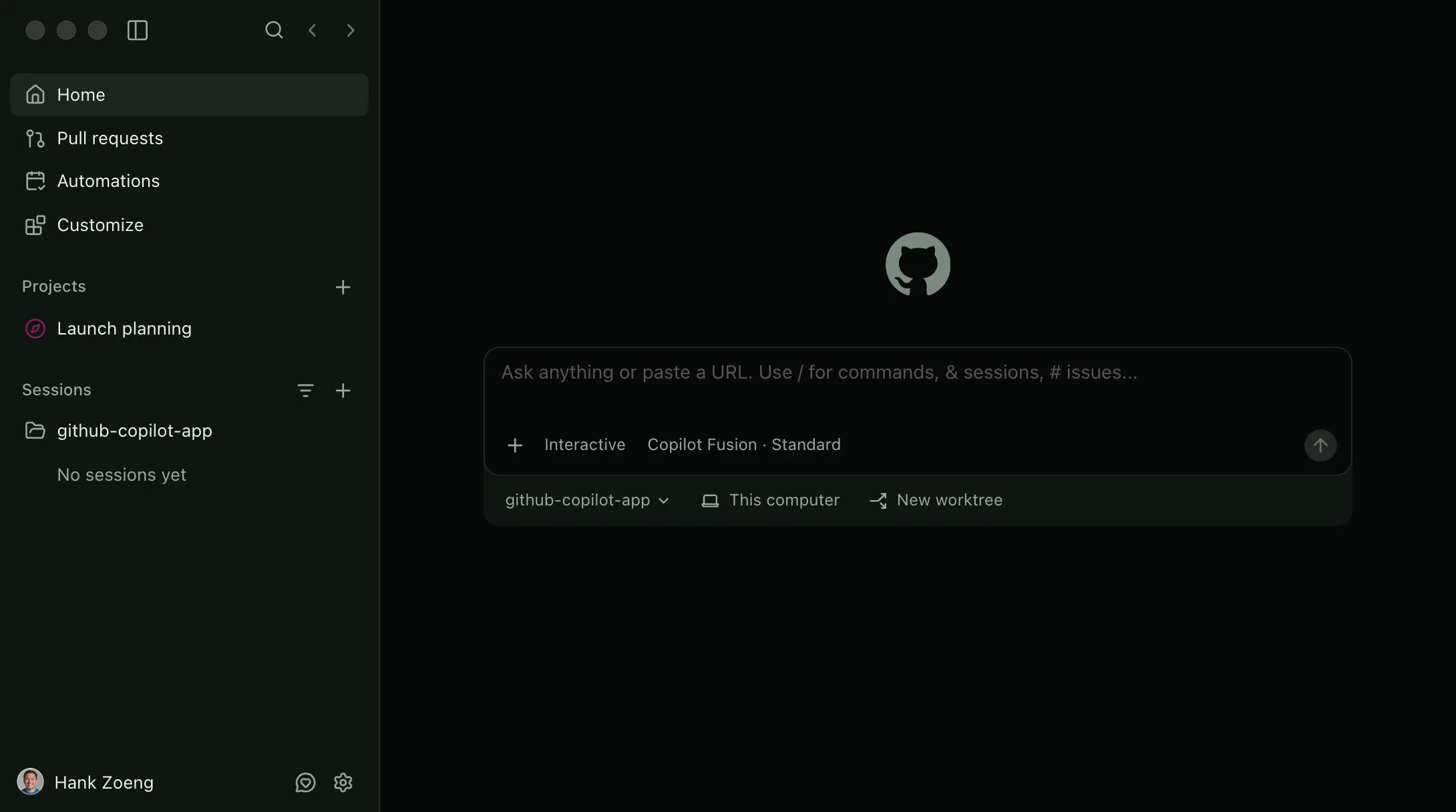
Trade-offs: The free plan includes limited chat and agent usage and doesn't include Copilot in the cloud. Like the other developer tools, Copilot assumes you handle the stack and deployment.
Pricing: Free includes 2,000 completions a month. Pro is $10/month with unlimited completions, Copilot in the cloud, code review, and model selection, according to Copilot plans.
How to choose a vibe coding tool
Start with the result you need:
- You want a live web app with sign-in and a database, and you don't write code: Layerwise, Lovable, Bolt, or Base44. Layerwise adds model choice, your own ChatGPT or Claude plan, and project files on your computer.
- You want nothing to install: Lovable, Bolt, Base44, v0, and Replit all run in the browser.
- You need a native mobile app: Replit lists mobile apps among its project types.
- Your stack is Next.js on Vercel: v0 fits most closely.
- You already have a repository and a deploy process: Claude Code or Codex in your terminal, or Cursor, Devin Desktop, or Copilot in your editor.
- You already pay for ChatGPT or Claude: Codex and Claude Code run on those plans. Layerwise can use them too, for building and publishing full-stack apps.
- You're watching cost: Compare free allowances first. Codex is included in ChatGPT Free, Copilot Free includes 2,000 completions a month, and Layerwise Free includes $5 in monthly credits.
Run the same test in your top two
Feature lists only go so far. Pick one small app, such as a booking form that saves entries and sends a confirmation email, and build it in your top two choices. Add sign-in, publish it, and test it with a second account. Then compare how long it took, what it cost, and how easy it was to fix the first bug. If something breaks along the way, our vibe coding errors guide explains the most common messages and what to ask the AI to do about them.
Before real users depend on it
Whatever tool you pick, treat the result like any other software. Check that one user can't see another user's data, keep secrets out of client code, and look at the logs after launch. In Layerwise, each publish is a separate release with its own logs and rollback, and approval modes let you confirm each edit and command before the agent runs it. The prompting guide covers how to describe features so the agent gets them right the first time.
Frequently asked questions
What is the best vibe coding tool?
It depends on what you're building. For a full-stack web app you can publish without writing code, with your choice of model and your own ChatGPT or Claude plan, try Layerwise. For a browser-only builder, try Lovable, Bolt, or Base44. For Next.js on Vercel, try v0. For mobile apps, try Replit. For an existing codebase, try Claude Code, Codex, Cursor, Devin Desktop, or GitHub Copilot.
What is the best free vibe coding tool?
Most tools on this list have a free plan, and each limits it differently. Layerwise Free includes $5 in monthly credits, 10 public projects, and up to 10 messages a day with open-weight models, plus database, sign-in, and publishing. Bolt Free includes 1M tokens a month, Lovable Free includes 5 build credits a day, and v0 Free allows 7 messages a day. For developers, Codex is included in ChatGPT Free for quick tasks, and Copilot Free includes 2,000 completions a month. Replit no longer offers a free plan to new builders.
What is the best vibe coding tool for beginners?
Pick an app builder that sets up the backend for you, so you can focus on describing the app. Layerwise, Lovable, Bolt, and Base44 all handle hosting and the database. Layerwise also keeps a live preview beside the chat and asks you questions when a choice is yours, which helps when you're not sure what to ask for. Start with the quick start, and keep the glossary handy for unfamiliar terms.
Is vibe coding good for production apps?
It can be, if you test it like any other software. Review how the app handles sign-in and permissions, test with more than one account, and watch the logs after launch. Tools that give you separate releases, backend logs, and rollback make it easier to find and fix problems once real people use the app. Have someone review the generated code before the app handles sensitive data or payments.
Do I own the code I build with these tools?
With Layerwise, you keep the rights to what you build, and the project is a folder of ordinary files on your computer that you can connect to GitHub or export. Lovable syncs projects to GitHub, GitLab, or Bitbucket, and coding agents work in your own repository. Check each vendor's terms for the details on your plan.
To see Layerwise in action, start on the vibe coding page or follow Build a Full-Stack Web App with AI.
YOUR NEXT PROJECT
Give your idea a live URL.
Choose your model, build in a live preview, and publish with your project’s backend connected.
Download LayerwiseBuild your first app