

Authentication
Every project ships with built-in email authentication and delivery — no auth provider or email service to set up.
Every project includes a working authentication system. Sign in, email verification, and password reset are wired into your app from the first release, and Layerwise delivers the authentication emails for you — there is no separate auth provider or email service to configure.
What's included
- Email sign in and sign up for your app's end users.
- Email verification and password reset flows.
- Authentication emails — the one-time codes and links these flows send are delivered by Layerwise.
- Sessions and secrets are managed automatically; there are no keys to set or rotate.
- User management for local development and published apps.
Locally, authentication works the same way in the preview as it does in production.
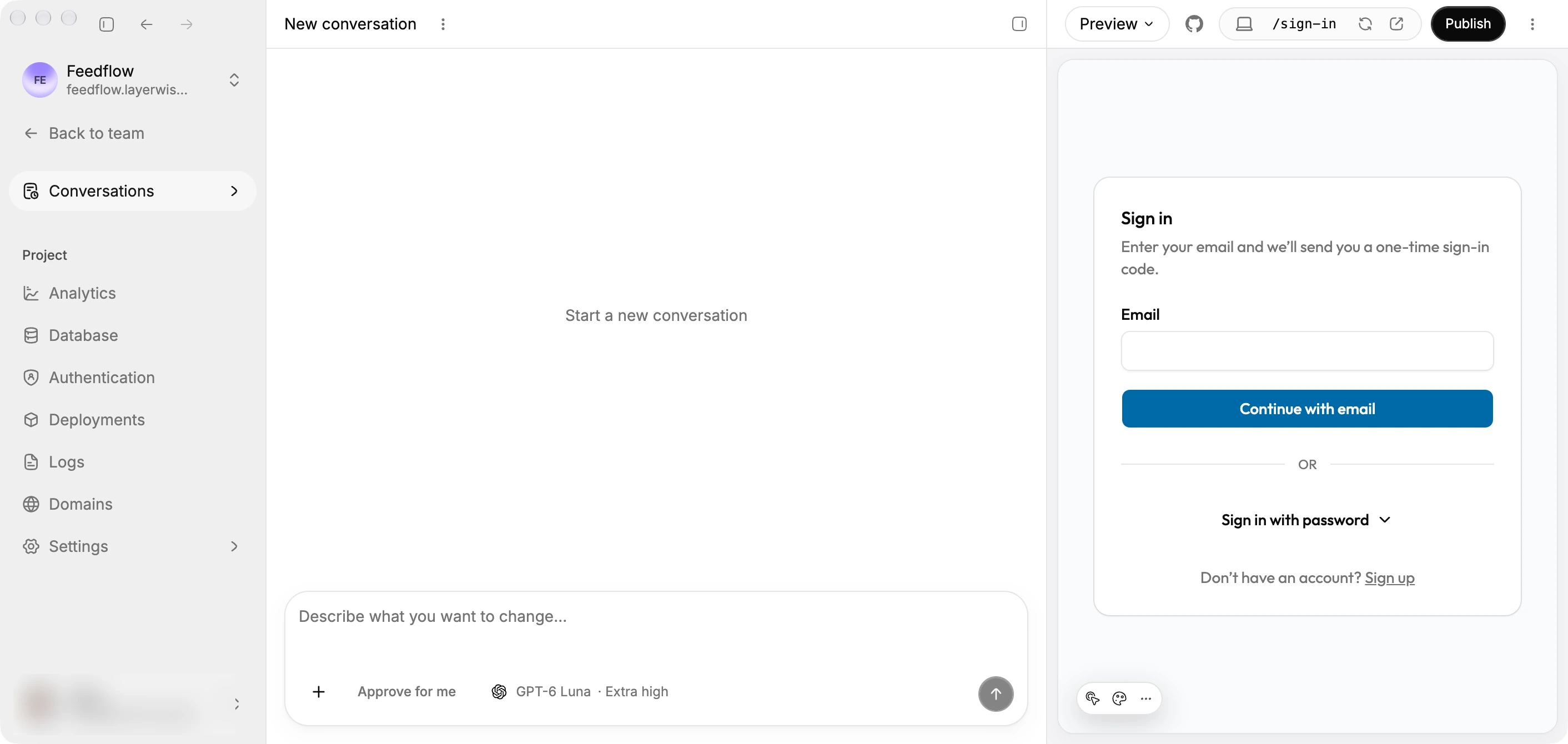
A project's email sign-in screen.
Manage users
Open Authentication from the project sidebar to view and manage your app's users.
- Switch between Local and Online to manage users in the local preview or the published app. Online becomes available after the project's first publish.
- Search by name or email. Use Filters to narrow the list by account status or email verification status.
- Sort the list by user, status, verification status, or creation date. The table also shows each user's ban reason and ban expiration.
- Click Add user to create an account with a name, email, and verification status. A password is optional. Leave it blank to create a passwordless account that signs in with an email code.
- Open a user's actions menu to ban or unban them, set a new password, or delete the account.
Team viewers can browse users but cannot make changes.
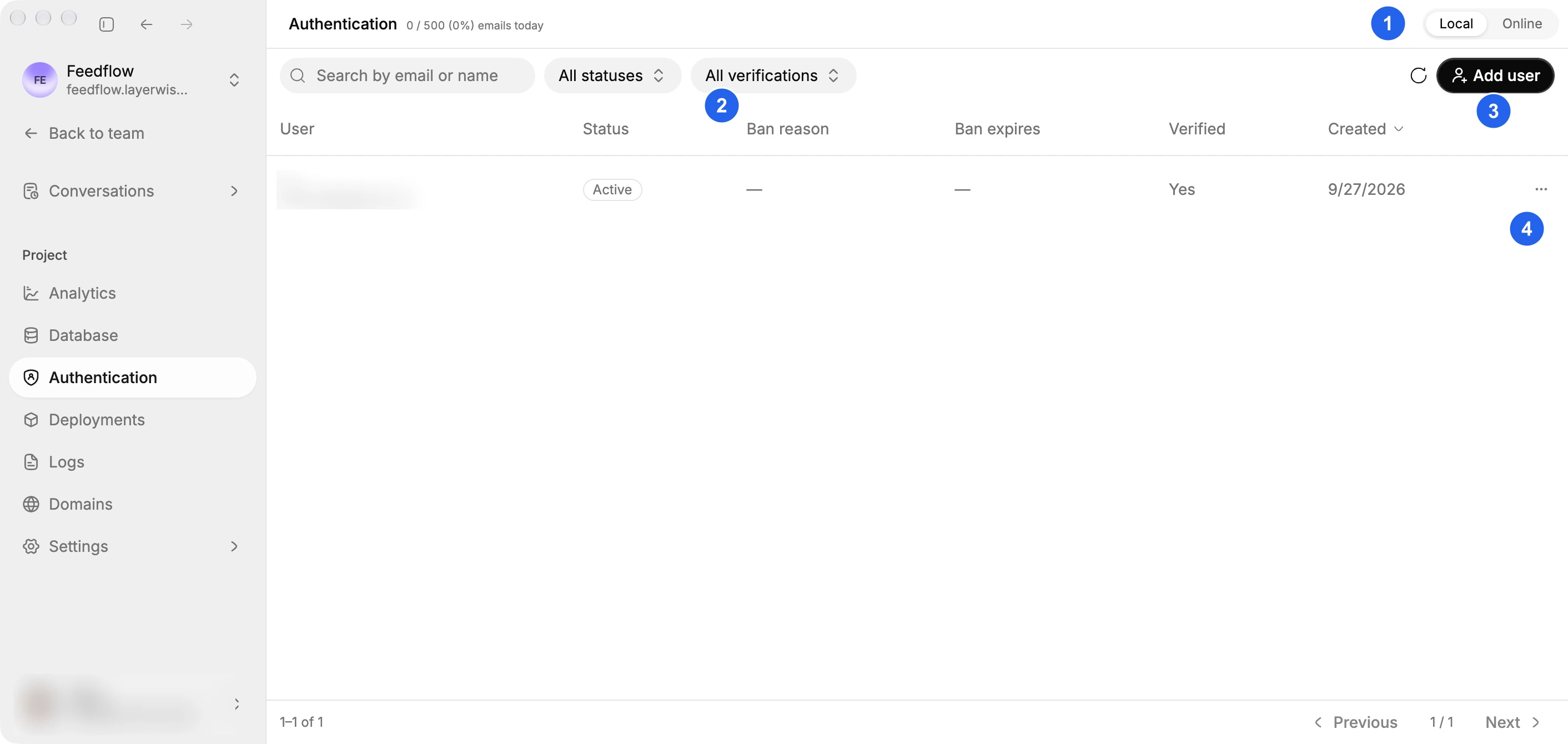
(1) Choose the environment, (2) filter users, (3) add an account, or (4) open a user's actions. Personal details are blurred.
Ban a user
Choose Ban user from the user's actions menu. Enter a reason and, optionally, a future expiration date and time. Leave the expiration blank for a permanent ban.
Banning a user revokes all of their active sessions. The table displays the ban reason and expiration until you unban the user.
Delete a user
Deleting a user permanently removes the user and their sessions and linked accounts. This action cannot be undone.
Local and Online data
Local and Online use separate databases. Changes are not copied between them.
- Local changes affect the local preview database. Start the project preview before managing local users.
- Online changes affect the published app's production authentication data immediately.
Authentication emails
Authentication emails are the login codes, verification links, and password reset messages your app sends to its own users. They are separate from the emails Layerwise sends to you as an account holder.
Because Layerwise handles delivery, you do not need to connect an email provider (such as an SMTP server or a transactional email service) to your app.
Limits
Your app can have an unlimited number of users on every plan — Layerwise never caps how many people can sign up, even on Free. Only authentication email delivery has a daily limit, based on your plan:
| Plan | Total users | Authentication emails per day |
|---|---|---|
| Free | Unlimited | 10 |
| Pro | Unlimited | 100 |
| Business | Unlimited | 500 |
| Enterprise | Unlimited | Unlimited |
If a team reaches its daily limit, Layerwise pauses new authentication emails until midnight in the team's time zone. Sign-in attempts that need a fresh email will not go through until the limit resets or the plan is upgraded. Upgrade the plan for a higher daily limit.