Layerwise vs Replit
Compare Layerwise vs Replit on model choice, AI pricing, local files, hosting credits, and app types. Find the right AI app builder.
Table of contents
Layerwise is a Replit alternative for people who want to choose their AI model, see token prices, and build full-stack web apps on their own computer. It also keeps AI building credits separate from the resources that run a published app.
Layerwise and Replit both turn a description into a working app with a backend and a published URL. Replit is a broader cloud development platform: its Agent works in a cloud workspace that supports many languages, several deployment types, and native mobile apps. Layerwise focuses on full-stack web apps, with project files and the preview running on your device.
This Layerwise vs Replit comparison covers model choice, AI pricing, where your project runs, and how development spending relates to your live app.
Published by Layerwise. Competitor features and monthly starting prices were checked against official sources on October 11, 2026. Features marked Coming soon are in development. Availability varies by plan and configuration.
Layerwise vs Replit at a glance
| What matters | Layerwise | Replit |
|---|---|---|
| AI model for building | Choose supported models on every plan | Choose models in Power or Max mode on Core and Pro |
| AI cost visibility | Model prices, token usage, and costs | Effort-based pricing with per-checkpoint costs |
| Development workspace | Local project files and preview | Cloud workspace on web, desktop, and mobile; SSH for local editors |
| Published app budget | Separate from AI building credits | Agent, publishing, and databases share monthly credits |
| Languages and app types | Full-stack web apps | Many languages, web apps, and native mobile apps |
| Hosting options | Project releases with custom domains | Autoscale, Static, Reserved VM, and Scheduled deployments |
| Starting paid plan | Pro: $15/month | Core: $20/month |
| Own Codex / Claude Code | Coming soon: use your local agent and account allowance | MCP lets those tools work with Replit Apps |
| Backend and publishing | Included project database, email auth, and publishing | Built-in PostgreSQL, Replit Auth or Clerk, and publishing |
The model row describes the agent that builds your app. Models used by AI features inside the finished app are a separate choice.
Choose the AI model that builds your app
Layerwise gives you a model picker with supported families including Claude, GPT, Gemini, DeepSeek, and Kimi. Choose an available model when creating a project or starting a conversation. The Free plan includes open-weight models, and paid plans add closed-weight and frontier models.
The Layerwise model directory lists model names, providers, capabilities, and prices. You can compare options before spending credits.
Replit's Agent modes are Free Mode, Power Mode, and Max Mode. Its model selector lets Core and Pro builders choose an available model in Power or Max, or select Auto, and adjust an Effort setting. Free Mode always uses intelligent model routing, and Replit notes that model selection is still rolling out.
Both products now offer some model choice. The difference is scope: Layerwise makes the model an explicit choice for every building conversation, while Replit's no-cost Free Mode chooses the model for you.
See model prices and actual token costs
Layerwise displays prices for input, output, cache reads, and cache writes. The Usage view records the model, token consumption, and cost of requests, with project information so you can see where your budget goes.
Replit uses effort-based pricing. Paid Agent work is billed per checkpoint based on the complexity of the request, and Replit asks for confirmation before a paid action starts. You can view the cost of individual checkpoints in the Agent tab. Replit's announcement explains that this replaced a flat price per checkpoint.
Effort-based pricing works well if you would rather not think about tokens. Layerwise suits people who want to compare model prices before a task and review token-level costs afterward.
Keep AI building credits separate from your live app
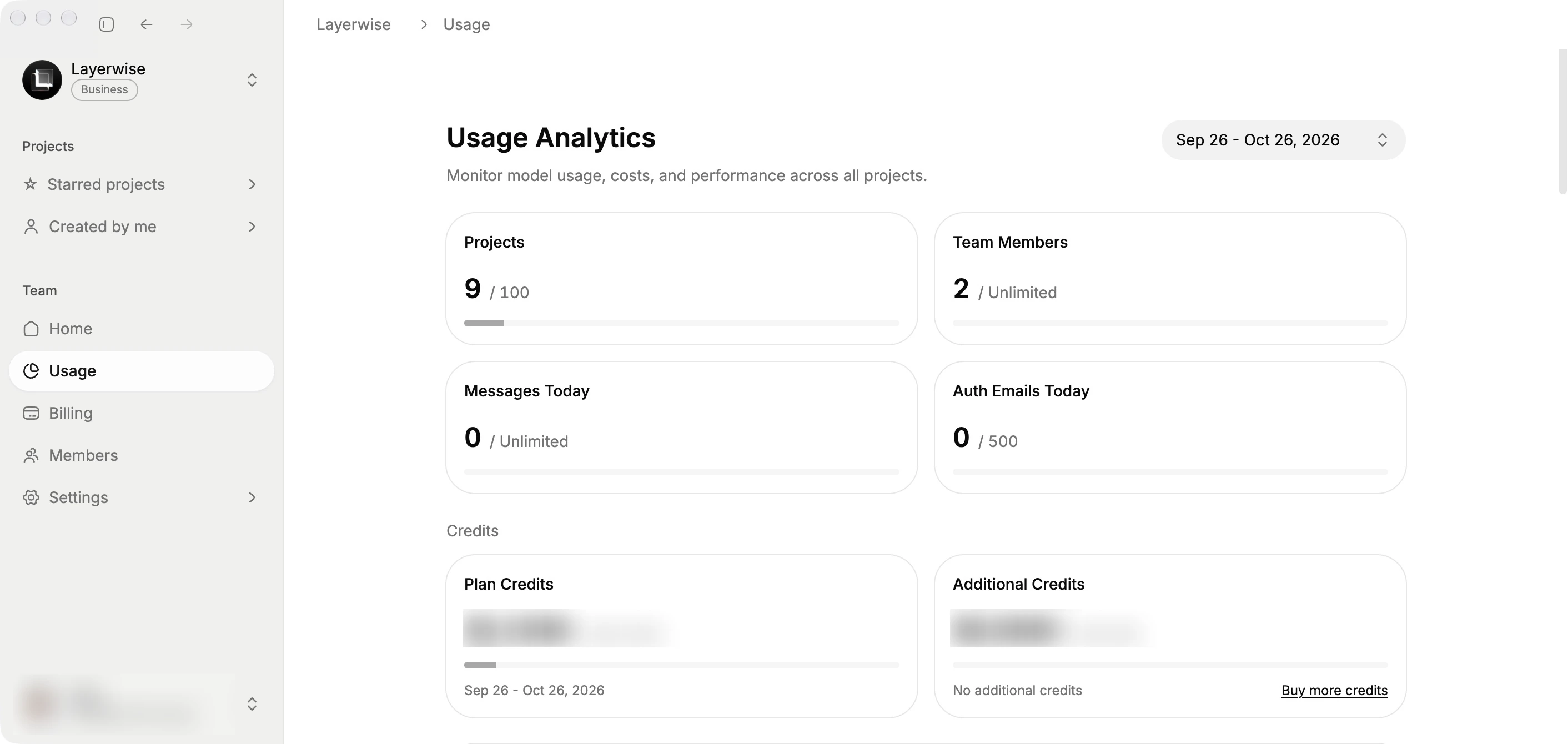
An app can be serving customers while you are still working on its next feature. The budget for that development matters differently from the resources keeping the app online.
Layerwise AI credits pay for model usage during development. When those credits run out, further Layerwise model calls require more credits. Exhausting AI building credits alone does not pause your published app. It continues under your plan's running-resource limits.
Those limits still apply. A database that reaches its storage cap can pause the app, and authentication email delivery has its own daily allowance. The database guide and authentication guide explain those resources.
Replit's Core plan includes monthly credits that apply to Agent, publishing, network transfer, database storage, and AI integrations. Publishing costs come out of those credits first, then usage-based fees apply. With spending controls, you can set a usage limit; when you reach it, usage-based services are blocked until the next billing cycle or until you raise the limit.
One shared balance is flexible, since a single pool covers building and hosting. The tradeoff is that heavy Agent use and a growing app draw from the same budget. In Layerwise, spending your AI development allowance does not itself stop people from using an app you already published.
Build on your computer or in the cloud
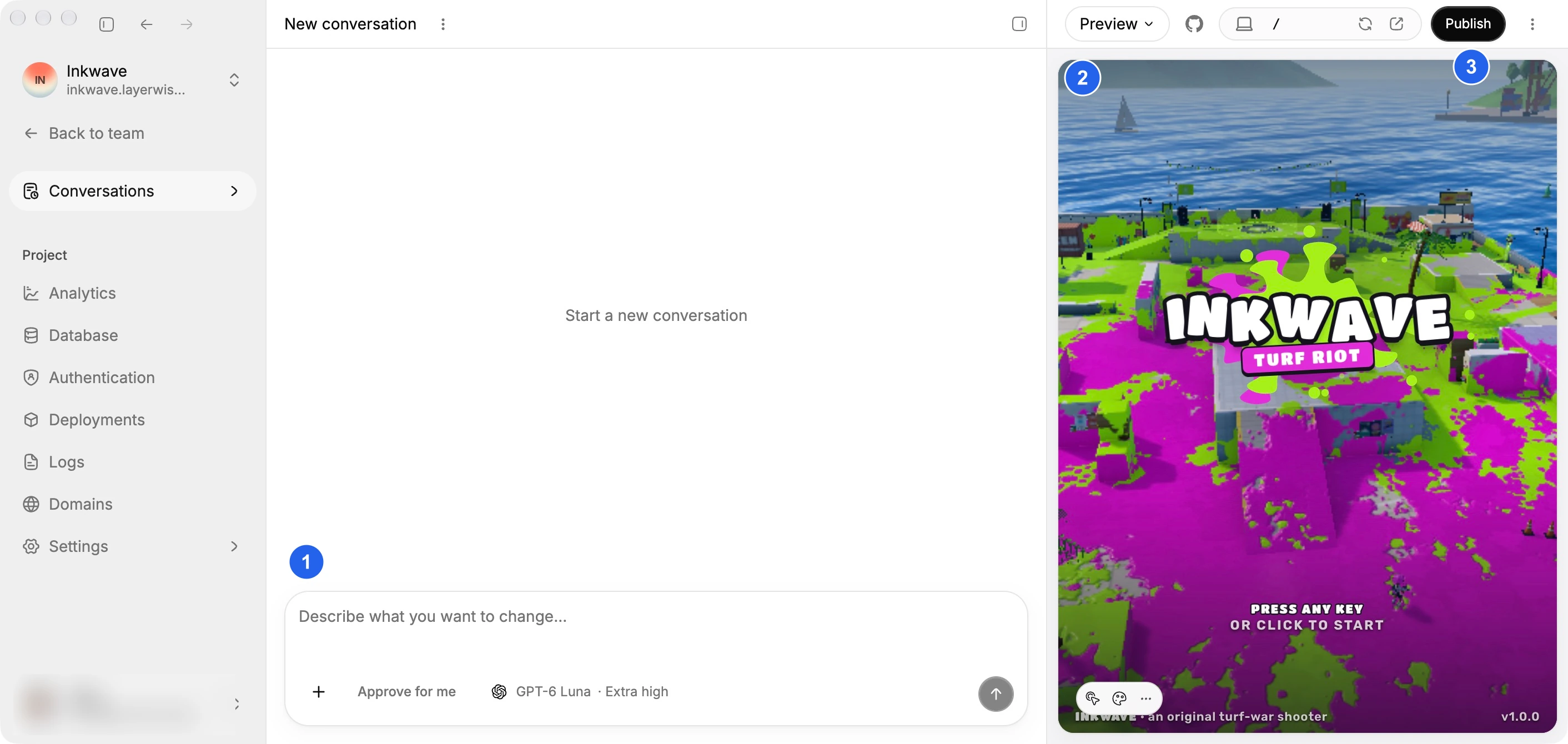
Layerwise creates real project files on your device. The assistant, built-in editor, and local preview use the same workspace. You can open that folder in an installed editor or terminal and work directly on the source.
The code and GitHub guide covers opening the workspace, ZIP export, and creating a connected repository.
Replit runs your project in a cloud development environment. Its desktop app for Windows, Mac, and Linux offers the same experience as the web, and your work stays in sync with replit.com. Paid plans can use SSH to edit a Replit App from VS Code or Cursor. You can also download a project as a ZIP or connect GitHub.
A cloud workspace lets you pick up the same project from a browser, desktop app, or phone. Layerwise's local workspace keeps your files, preview, and project commands on your own machine by default. Local development still uses online AI services for model requests.
Where Replit is strong
Replit covers more ground than web apps. Its dependency management supports all programming languages through Nix. Agent can build native mobile apps with Expo and help you submit them for App Store review.
Its deployment types include Autoscale, Static, Reserved VM, and Scheduled. Reserved VMs suit bots and always-on background work, and Scheduled deployments run periodic tasks.
The Replit mobile app for iOS and Android lets you chat with Agent, edit your project, and publish from a phone. Agent can also test your app in a real browser, and the Pro plan supports up to 15 builders.
If your project is a Python script, a bot, a scheduled job, or a native phone app, Replit is built for that range. Layerwise focuses on full-stack web apps and the services around them.
Layerwise vs Replit pricing
Layerwise has a lower starting monthly price for its first paid plan. Compare the included resources alongside those prices:
| Monthly plan | Layerwise | Replit |
|---|---|---|
| Free | $0; $5 monthly AI credits; 1 public project; daily message limits | Starter: $0; daily Agent credits; 1 published app for 30 days |
| First paid | Pro: $15; $15 included monthly AI credits | Core: $20; monthly credits for Agent and cloud services |
| Next tier | Business: $30; $30 included monthly AI credits | Pro: $100; larger monthly credits and up to 15 builders |
Prices above are the monthly starting prices checked on October 11, 2026. See the current Layerwise plans, Replit pricing, and Replit's Starter plan for included resources, annual billing, and additional usage.
The credit units differ. Replit credits also pay for hosting and databases, while Layerwise AI credits pay for model usage. Plan tiers do not line up exactly, so compare team size, included resources, and the services your app needs.
To estimate your own costs, build a representative feature, verify it works, and review the usage it consumed.
Coming soon: use your own Codex or Claude Code
We are developing support for using Codex or Claude Code already installed on your device, with your own account allowance. The goal is to let you continue AI development in the Layerwise workspace when your Layerwise building credits run out. Your chosen agent's limits would still apply.
This integration is in development. Choosing a Claude or GPT model in Layerwise today uses Layerwise's model access and credits.
Replit offers an MCP server so tools such as Codex, Claude Code, and ChatGPT can create, inspect, update, and publish Replit Apps. Replit's Agent FAQ says your own AI provider keys apply to the models your app calls, while Agent itself runs on Replit's infrastructure.
Our planned integration runs your own coding agent against the local workspace, using the access you already have for that agent. For the current local coding workflow, read Layerwise vs Claude Code.
Build and operate a full-stack app in one project
Model choice and local files come with connected app services. Each Layerwise project includes a dedicated database and email authentication. Publishing creates a production release, and the workspace provides custom domains, analytics, and backend logs.
Database
Store app data. Browse and edit your tables.
Authentication
Sign-in, verification, and password reset emails.
Publishing
Deploy a release and get a live URL to share.
Custom domains
Give your published app an address of its own.
Analytics
See visits, popular pages, and traffic sources.
Server logs
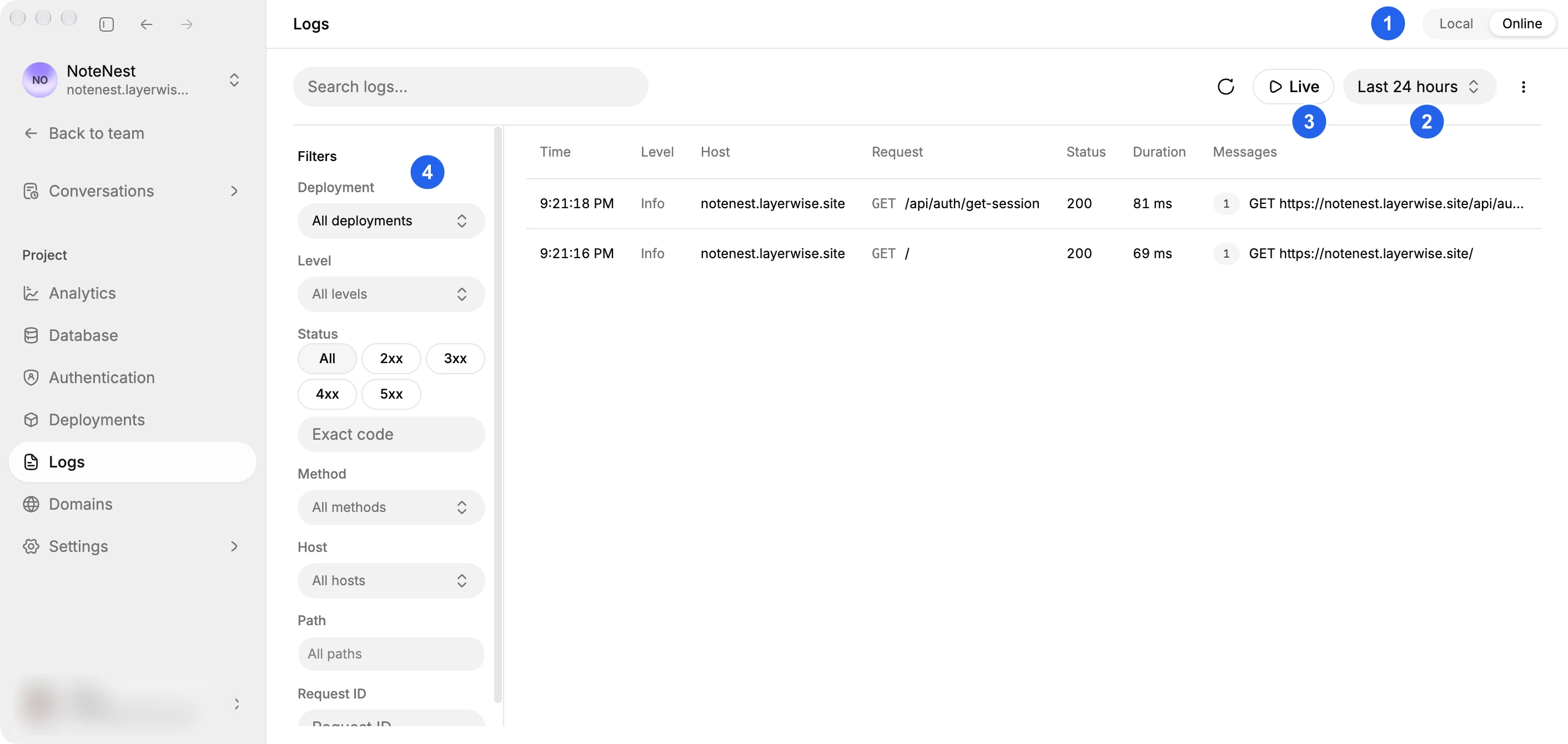
Inspect backend requests and follow logs live.
Replit also covers the full stack. It provides a built-in PostgreSQL database with separate development and production databases, and authentication through Replit Auth or Clerk. Published apps get monitoring with real-time logs and project analytics for visitors and traffic sources.
Layerwise keeps Local and Online data separate as well. Its Analytics include UTM campaign reports, CSV export, and scheduled email summaries on eligible plans. Server logs cover the local preview and the published app, with a Live view that follows incoming requests.
Which should you choose?
Choose Replit when you want a cloud workspace you can open from a browser, desktop app, or phone. It is also the stronger fit for projects beyond web apps, such as native mobile apps, bots, scheduled jobs, or code in a language Layerwise does not target. Its shared credits suit teams that want one balance for building and hosting.
Choose Layerwise when you build full-stack web apps and want to pick the model for each conversation, see per-token prices, and keep project files and the preview on your computer. AI building credits stay separate from the resources that keep your published app running.
To test the fit, start with the Layerwise quick start. Build a saved-data workflow, test sign-in, and publish it. That gives you a concrete basis for choosing your app builder.
Frequently asked questions
Is Layerwise a Replit alternative?
Yes, for full-stack web apps built through AI conversations. Layerwise runs project files and the preview on your computer, with a database, email authentication, publishing, analytics, and logs in each project. Replit covers more languages and app types in a cloud workspace.
Can I choose which AI model Replit Agent uses?
On Core and Pro, you can choose an available model in Power or Max mode, and Replit says model selection is rolling out. Free Mode always routes automatically. Layerwise lets you choose a supported model for each building conversation.
What happens when AI credits run out?
Layerwise model calls stop until credits are available; your published app remains governed by its separate resource limits. Replit's monthly credits cover Agent and cloud services together. After they are used, usage-based billing applies up to any usage limit you set. See each product's billing rules for the full details.
Can I use my Claude Code or Codex subscription in Layerwise?
Direct integration with your local Codex or Claude Code is coming soon. Today, you can use other development tools on Layerwise's local project files, while Layerwise conversations use Layerwise credits.
Is Layerwise cheaper than Replit?
Its first paid plan has a lower monthly starting price as of October 11, 2026: $15 for Layerwise Pro and $20 for Replit Core. Replit credits also pay for hosting, so compare a real task, the services your app needs, and the resulting costs.
Can I take my code with me?
Yes. Layerwise keeps source files on your computer and supports GitHub and ZIP export. Replit supports ZIP download and GitHub sync through its Git pane. Moving app services to another provider may require additional work.
For another app builder comparison, read Layerwise vs Lovable. To try the complete development and publishing workflow, follow Build a Full-Stack Web App with AI.
YOUR NEXT PROJECT
Give your idea a live URL.
Choose your model, build in a live preview, and publish with your project’s backend connected.
Download LayerwiseBuild your first app