

Deploy & host
Connect a custom domain
Point a hostname at a published Layerwise project and verify DNS.
Publish the project at least once before adding a custom domain.
Add the domain
- Open Domains in the project sidebar.
- Enter a hostname, such as
app.example.com, then select Add. - Copy the DNS record shown by Layerwise into your DNS provider.
- Keep the page open while Layerwise validates the domain.
For a subdomain, create a CNAME pointing to the Layerwise production domain. For an apex/root domain, use ALIAS, ANAME, or CNAME flattening when your DNS provider supports it.
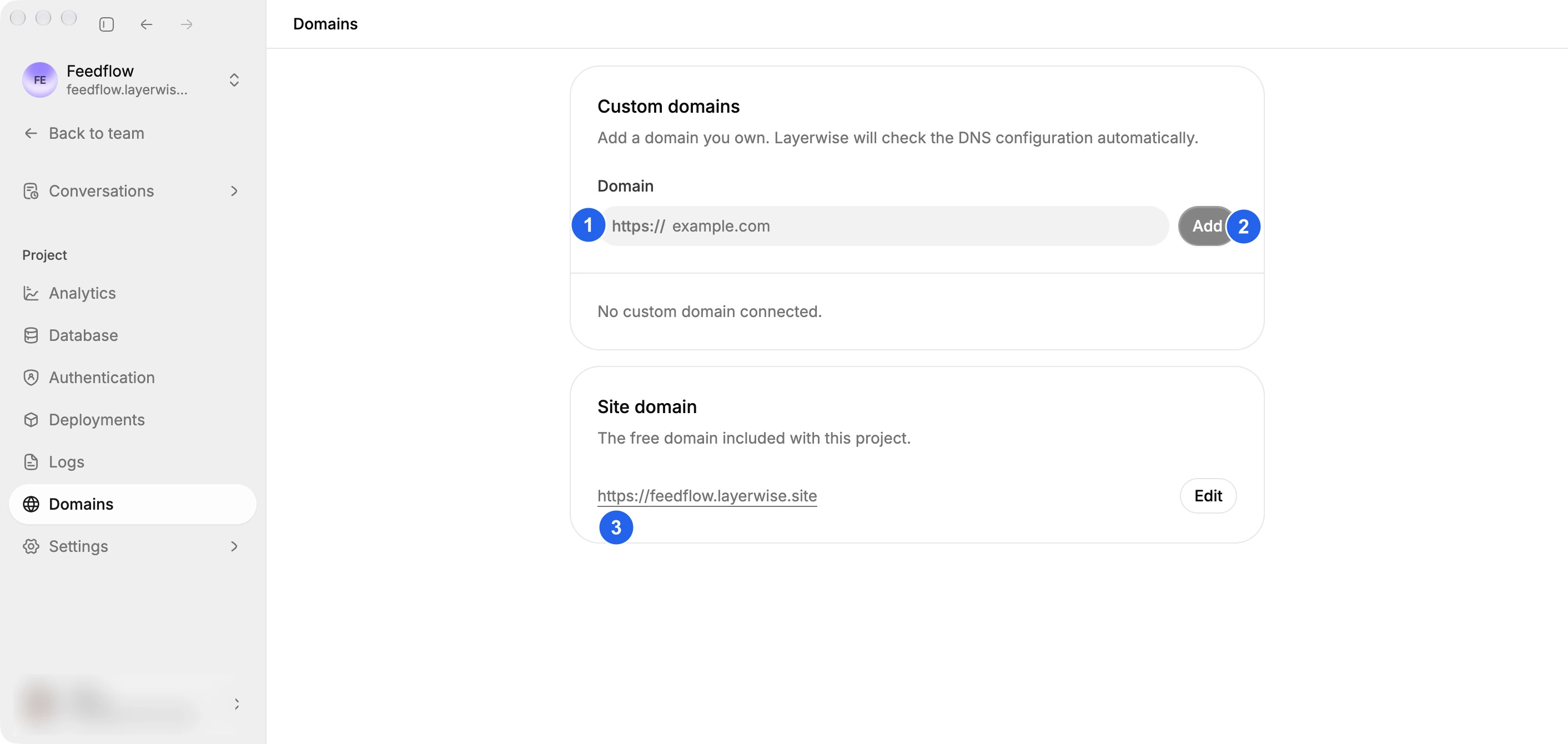
Enter (1) your hostname and select (2) Add. (3) shows the project's existing site domain.
Check validation
Layerwise refreshes domain status every 15 seconds while the page is open. The table shows the hostname, current status, last check, and whether it is canonical.
DNS propagation can take time. Do not remove the domain while validation is in progress. If validation does not complete, see Custom domain validation.