Layerwise vs Claude Code for Web App Development
Compare Layerwise and Claude Code for web app development: model choice, local previews, databases, authentication, deployment, analytics, and logs.
Table of contents
Choose Layerwise when you want a web app workspace with model choice and connected project services. Choose Claude Code when you want a coding agent that works with your repository and the development tools you already use.
Both can help build a full-stack web app. Both can work with local code. Claude Code's desktop app also has a running app preview. The main decision is how you want to manage the database, sign-in, deployment, and ongoing operation of your app.
Layerwise provides those services as part of each project. With Claude Code, you can work on the application and infrastructure you choose.
This comparison is written by Qing Wang. Competitor features were checked against official documentation on October 4, 2026. Availability varies by plan and configuration.
Layerwise vs Claude Code at a glance
| Development task | Layerwise | Claude Code |
|---|---|---|
| Main workflow | Build and operate a web app project. | Use a coding agent in your development environment. |
| Local preview | Run the project beside the conversation. | Desktop can preview a running app. |
| Model choice | Choose supported models across providers. | Choose available Claude models. |
| Database and authentication | Project database and email auth are included. | Integrate your project's chosen app services. |
| Deployment | Publish a release and connect your domain. | Use your project's deployment tools. |
| Analytics and server logs | Open built-in traffic and backend log views. | Use monitoring tools available to your project. |
| Direct code access | Use local files, editors, GitHub, and ZIP export. | Edit your codebase and run development commands. |
The Claude Code column describes a coding workflow with your chosen app stack. Service integrations can extend it.
Claude Code works with your development environment
Anthropic's overview describes Claude Code as a development agent that can inspect a repository, change its source, and execute commands. You can use it from several surfaces, including a terminal or IDE, the desktop app, and a browser.
That makes it a reasonable choice for an existing repository. You can ask it to investigate a bug, implement a feature, or run the project's checks. Your current framework and infrastructure remain the context for the work.
Its CLI workflows also support scripting and automation. Teams that already have a development process can fit a coding agent into that process.
Layerwise is more focused on creating and running web app projects. The project workspace includes a route from local development to a published app, plus views for the services attached to that app.
Both tools can preview a running web app
Claude Code's desktop preview can start a development server and open it in a browser pane. Claude can test API endpoints, inspect server logs, and verify changes there. Custom development commands can be configured for the project.
Layerwise runs a local development server and places the preview beside the conversation. The preview controls let you choose phone, tablet, or desktop widths and open the app in your browser.
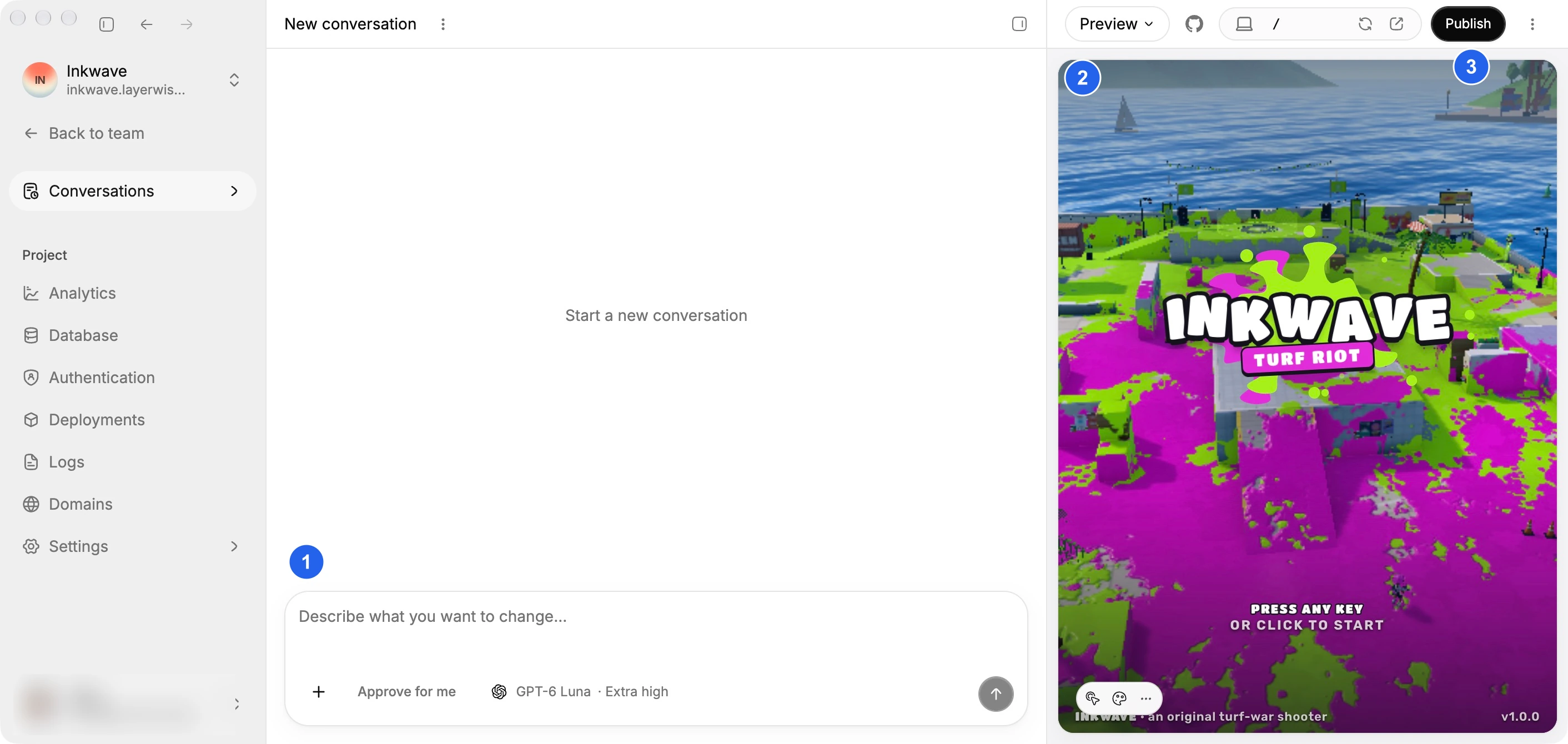
In either tool, use the preview to test behavior. Submit a form, refresh saved data, and try a second account. A visual preview helps you judge the interface; those checks establish whether the workflow works.
Layerwise includes the app's database and sign-in services
Consider a member directory. People create profiles, edit their own details, and browse published profiles. The application needs saved records and rules about who may change them.
Each Layerwise project includes a dedicated SQLite database and email authentication. Authentication includes verification, password reset, and delivery of the emails those flows need.
You still define the directory's records and permissions. Ask the assistant to implement server-side ownership checks, then test with separate accounts. Having sign-in available does not automatically decide who may edit a profile.
The project sidebar gives you a Database view for inspecting records and an Authentication view for managing users. Local and Online use separate data. Test accounts created locally do not become production accounts when you publish.
With Claude Code, the agent can help implement the directory against your chosen services. That flexibility matters if your existing app uses a particular database, identity provider, or hosting platform. You manage the service setup and access needed for that stack.
Choose model families in the same Layerwise project
Layerwise supports model families including Claude, GPT, Gemini, DeepSeek, and Kimi. Your team's plan determines the available options. Choose a model when creating a project or starting a conversation.
Claude Code's documented model configuration lets you select Claude models through aliases or model names. It also supports provider-specific configuration and gateways for routing Claude requests.
If you want to try models from several AI providers while keeping the same web app workspace, Layerwise gives you that choice in its model picker. The project keeps its source files, preview, and services as you begin another conversation.
Evaluate code quality by testing the model and workflow on a task you can verify in your own app.
Publishing and debugging stay with the Layerwise project
After testing the member directory, use Publish to create a production release. Layerwise provisions the project's production database and applies its schema migrations. You can open the live URL and configure a custom domain.
Once people visit, Analytics shows pageviews, estimated visitors, popular pages, and traffic sources. Logs groups backend messages by request so you can inspect a failed profile update.
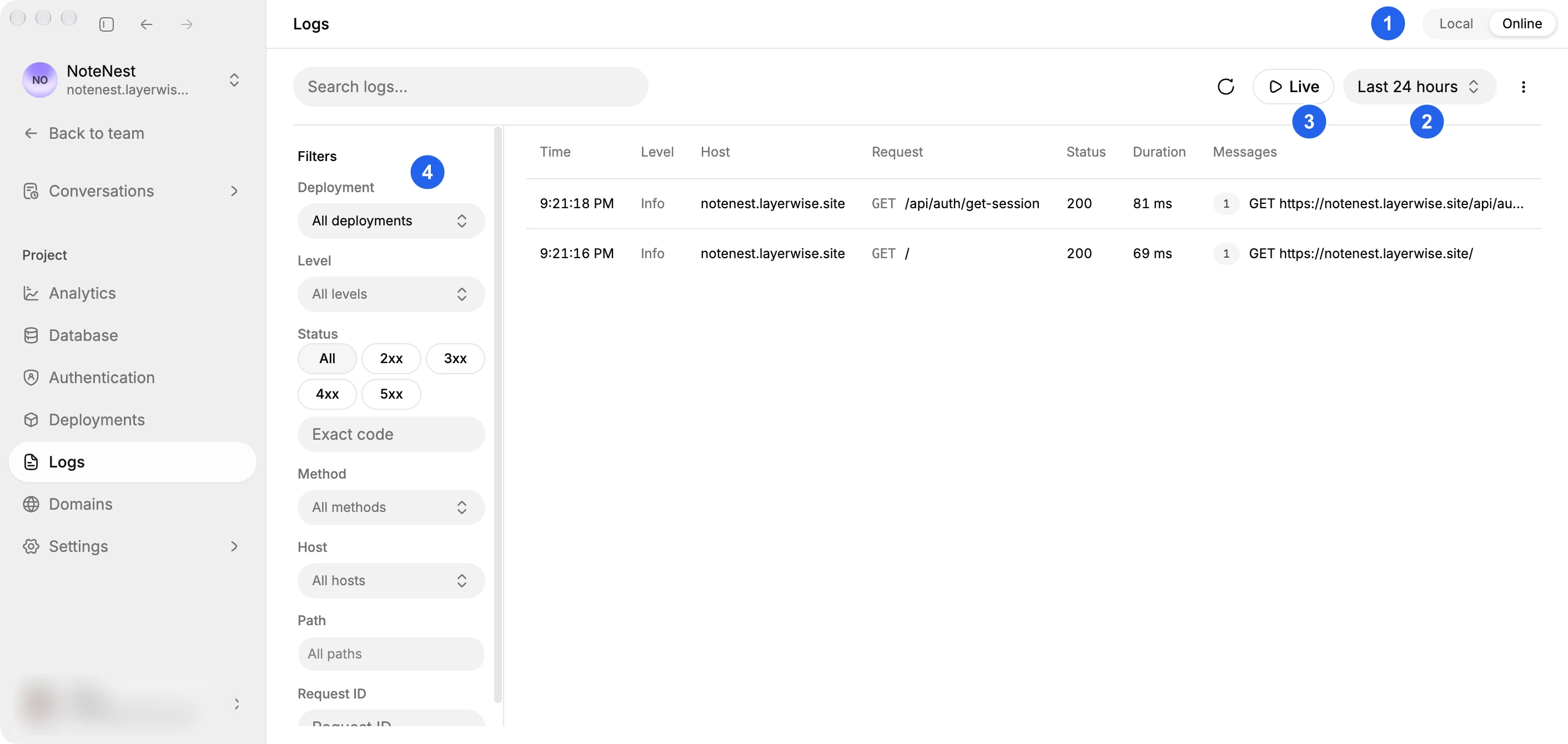
Those views give you a place to check the app after release. They help you move from a reported failure to a specific request and the next code change.
Claude Code can work with deployment commands and debugging tools available to your project. If you already have a hosting pipeline and monitoring setup, keeping that workflow may be the more practical choice.
Choose Claude Code for an established repository and stack
Claude Code fits a workflow where you already know how the application is built and operated. You may have a repository with test commands, infrastructure configuration, and a deployment process that the agent can use.
It is also worth evaluating when terminal automation or IDE work is central to your day. Start with a bounded task in your existing repository and review the code and checks it produces.
Choose Layerwise for a web app with connected services
Layerwise suits a new portal, directory, dashboard, or other web app where you want the local workspace and app services prepared together. You can describe the workflow, use the preview, inspect data, and publish from the project.
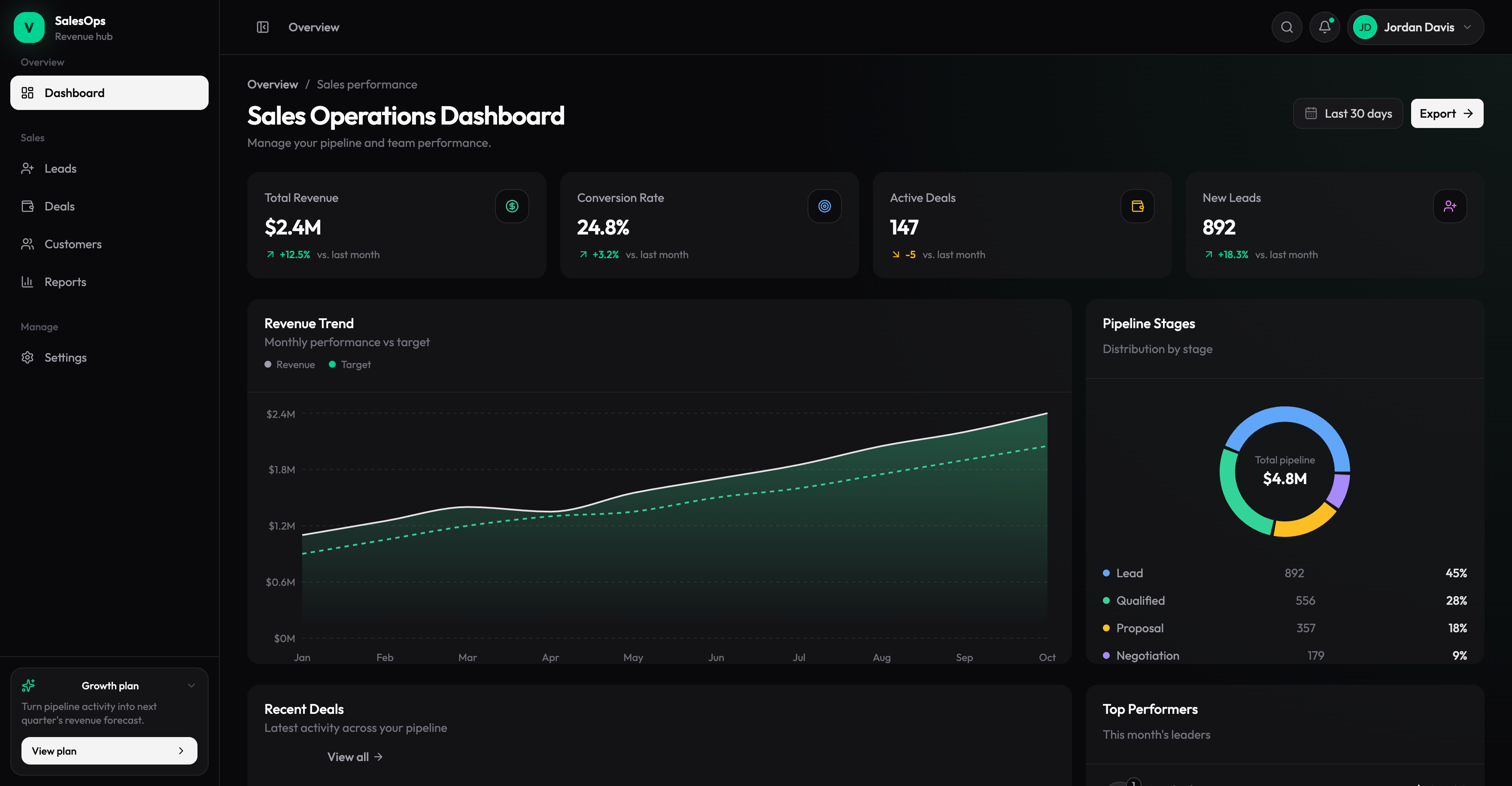
For example, start with the Sales Dashboard template if its layout fits your internal tool. Its charts use sample data, so define and connect your real records as you customize it. NoteNest provides a different starting point for a notes workspace.
Your source code stays local. Use the built-in editor, open the workspace in another editor, create a connected GitHub repository, or export the project. Before moving the app to different infrastructure, review its database bindings, authentication, and deployment configuration.
Frequently asked questions
Is Layerwise an alternative to Claude Code?
Yes, for building web apps through an AI conversation. Layerwise combines the coding workflow with local preview and connected app services. Claude Code is a coding agent that works with your codebase and development tools.
Can Claude Code build and deploy a full-stack app?
Claude Code can help implement frontend and backend code and run deployment commands available in its environment. You need to provide the project configuration, service access, and infrastructure that deployment requires.
Can I use Claude models in Layerwise?
Yes. Layerwise supports Claude models alongside models from other providers. Check the model picker for availability on your team's plan.
Does Claude Code have a live preview?
Yes. Its desktop app can start a development server and open the running app in a browser pane. Layerwise also provides a local app preview beside the conversation.
Can I use Claude Code on Layerwise project files?
Layerwise stores the project's source on your computer, so you can open that folder with other development tools. Changes affect the same code used by the local preview. Review and test the result before publishing through Layerwise.
Which tool costs less?
The answer depends on model usage and the services your app needs. Compare current Layerwise plans and team usage with your Claude Code access and chosen hosting, database, authentication, and monitoring costs. Test a representative task before estimating ongoing usage.
To compare a conversation-first workflow, read Layerwise vs ChatGPT. To build a small app end to end, follow Build a Full-Stack Web App with AI.
YOUR NEXT PROJECT
Give your idea a live URL.
Choose your model, build in a live preview, and publish with your project’s backend connected.
Download LayerwiseBuild your first app