

Welcome to Layerwise
Understand the Layerwise workflow, from an idea to a live full-stack web app.
Layerwise is an AI workspace for building full-stack web apps from your computer. Describe what you want to make, iterate on real project files with an assistant, test the app locally, and publish a production release when it is ready.
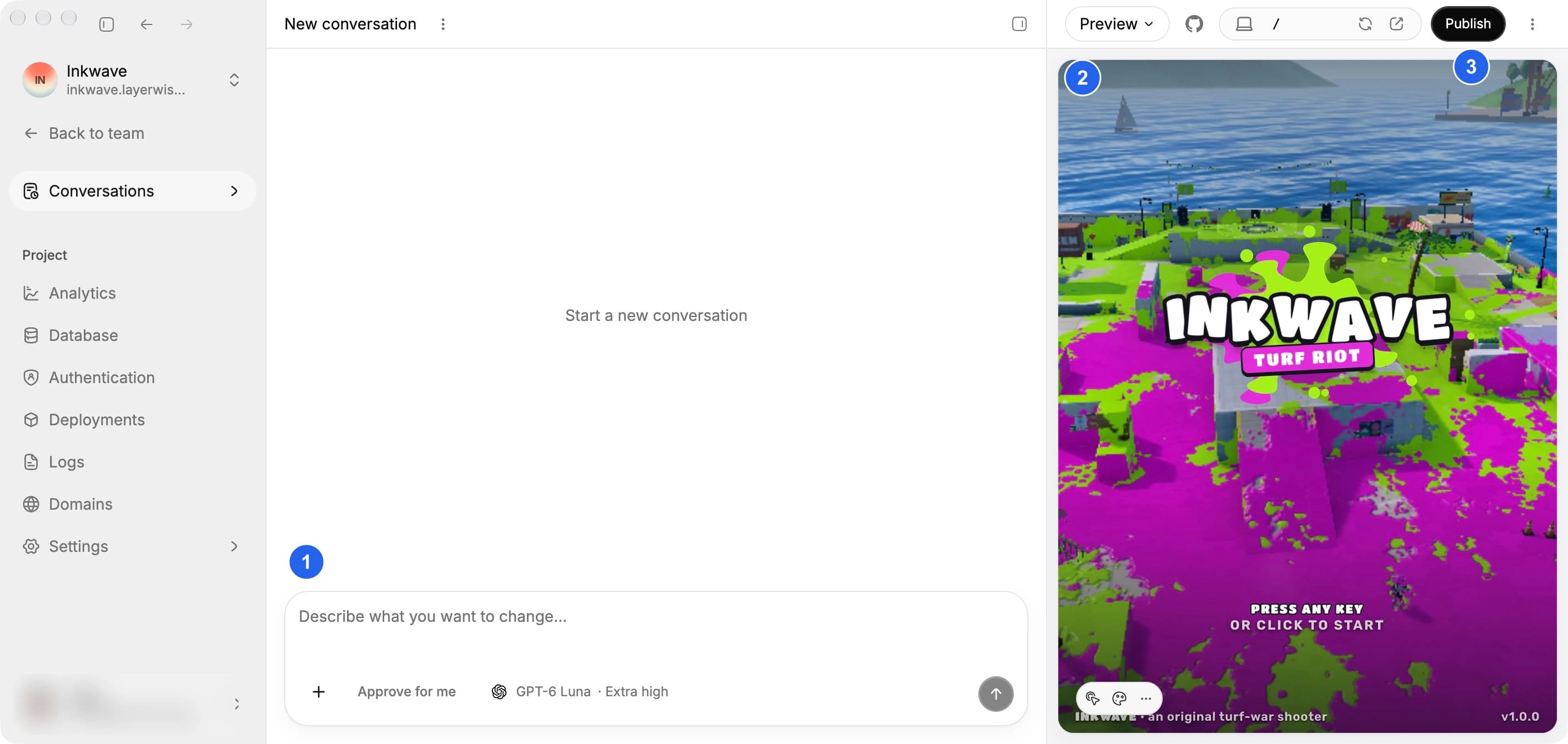
The workspace brings together (1) the conversation, (2) the local preview, and (3) Publish.
How Layerwise works
Layerwise organizes work around teams and projects:
- A team owns projects, members, a subscription, and usage credits.
- A project is one web application with a local workspace, conversations, preview, source code, and release history.
- A conversation is where you ask the assistant to create or change the project.
- A release is an immutable production deployment that you can inspect or roll back to.
You can work in the built-in editor or open the same local workspace in an installed editor, terminal, or file manager.
Included with every project
Every project ships with a working backend — no third-party accounts, API keys, or external services to wire up:
- Built-in analytics — see pageviews, estimated visitors, traffic sources, and more for your published website. Filter reports and export them to CSV. See Analytics.
- Backend logs — inspect local and published requests, follow incoming logs live, and export debugging context. See Logs.
- Built-in database — a dedicated database is provisioned automatically and bound to your app, with schema migrations applied on each release. See Database.
- Built-in authentication — email-based sign in, email verification, and password reset are wired in from the first release. This includes the transactional authentication emails your app sends, so you do not need a separate auth provider or email delivery service. See Authentication.
Describe the app, and the data and login layers are already there — for prototypes and production apps alike.
The product workflow
- Create a project from a detailed prompt.
- Build and preview it locally with the assistant.
- Edit the code and connect GitHub when you need direct control.
- Publish the project, then manage releases and domains.
Models
Choose a model available on your team's plan when you create a project or start a conversation. Prices below are per 1 million tokens.
Loading models…
Who Layerwise is for
Layerwise is for people who want to turn a product idea into a working application, as well as developers and teams who want local code ownership alongside AI-assisted iteration. Use it for prototypes, internal tools, customer-facing applications, and small production services.
Start here
If this is your first project, follow the Quick start. If you already have a project, go to Build or Deploy for the task at hand.