

Account & billing
Manage billing and usage
Review your team's plan, credits, costs, and invoices.
Billing and usage are managed per team. Every plan includes monthly credits, and one balance pays for AI while you build and everything your published apps use: traffic, databases, file storage, and email. AI is charged at each model provider's token price; the pricing page lists the rates for everything else.
Billing
Open Billing in the team sidebar to view and manage the current subscription, available plans, additional credits, payment methods, and invoices.
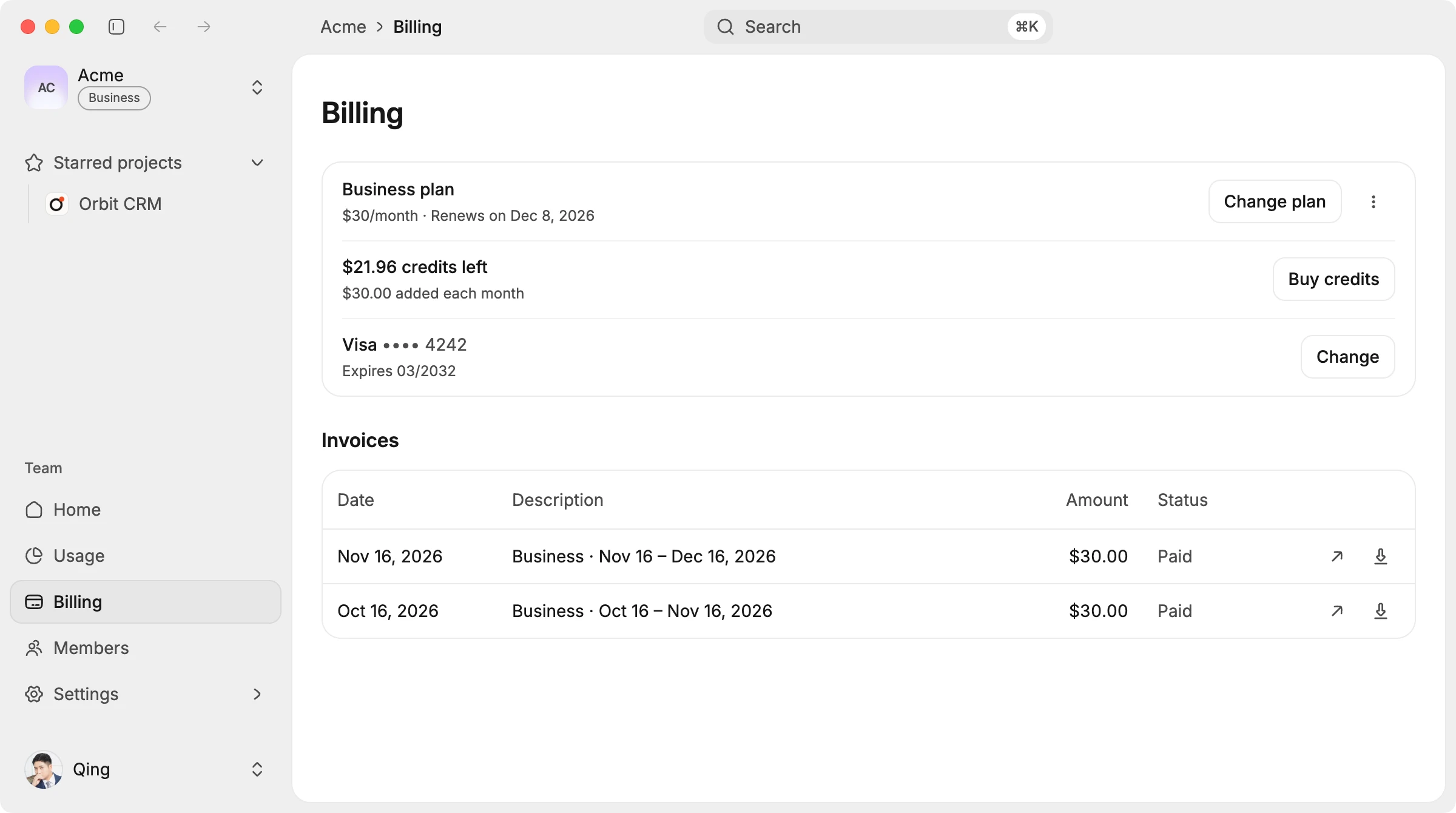
Review the active team's plan and billing options.
Choose Buy credits to add $5 to $1,000 at a time, and buy again whenever you need more. Purchased credits never expire, and they're used after your plan's credits.
Usage
Open Usage in the team sidebar to see where your credits went. Choose a Project and a Time range at the top. Each card summarizes one category and opens a page with the details:
- Credits: your balance, how it changed, and the grants it came from. Included credits arrive each billing period, and unused ones on paid plans roll over for one more month.
- AI: every AI request Layerwise ran, with its tokens and cost.
- Traffic: requests to your published apps, the CPU time they used, and their log lines.
- Database: rows your production databases read and wrote, how much data they hold, and every query they ran, from your app and from Layerwise.
- Files: files your projects store, including trash, and every change to them.
- Email: emails your apps sent. Blocked sends, such as to unsubscribed recipients, are listed but not charged.
- Plan: your plan's limits, and how each project and member used this period's credits.
App usage is billed hourly, a few hours behind, once Cloudflare's numbers settle.
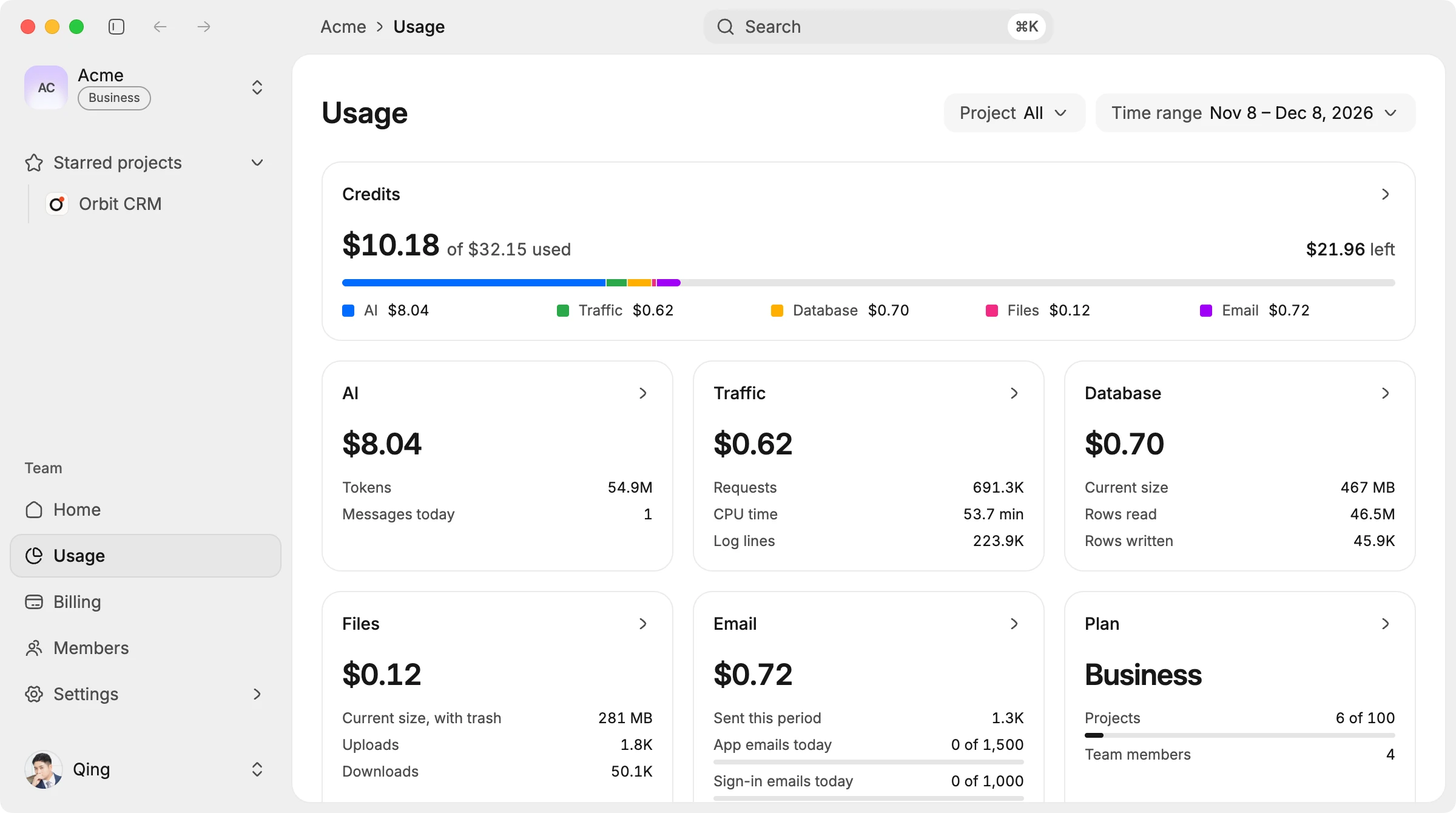
Review usage for the active team and selected period.
My Codex and My Claude chats draw on the ChatGPT or Claude plan, or the API key, that Codex or Claude Code signs in with. They don't use credits and aren't included in Usage.
The model picker only permits models available on the active team's plan. If you reach a model or usage limit, review the current plan and available credits, then retry after updating the plan or credits.
When credits run out
We email your team when 25% and 10% of your credits are left, and again when they run out. Your published apps then switch to read-only mode: pages keep loading, while sign-ins, form submissions, uploads, and email pause. Read-only apps can use up to $1 of usage a month on us; past that, they pause. Adding credits or upgrading brings everything back right away.
Databases and files keep using credits while an app is paused, so adding credits first covers that balance. If a paused app isn't restored within 90 days, we delete its database and files. We email you several times before then, and you can export everything until that date.