Best Base44 Alternatives in 2026
Compare the best Base44 alternatives in 2026, including Layerwise, Lovable, Bolt, Replit, v0, Bubble, and Softr, on model choice, code export, and pricing.
Table of contents
The best Base44 alternative depends on what you want to change: which AI model builds your app, where the code lives and runs, how you pay for usage, or whether you write code at all. This guide compares seven options against Base44, starting with Layerwise, which we make.
Base44 turns a description into a working app with a managed backend, user sign-in, and hosting. For many projects, that's a good fit. Other people reach a point where they want to pick the model, keep a copy of the app that runs somewhere else, or work with a no-code tool they can see and edit block by block. Each tool below handles those needs differently.
Published by Layerwise. Layerwise is our product, so it appears first. Competitor features and monthly starting prices were checked against official sources on November 28, 2026. Availability varies by plan and configuration.
Why people look for Base44 alternatives
Base44 is a no-code AI builder for full-stack apps, websites, and AI agents. Wix acquired Base44 in June 2025, and it runs as a separate product. Its documentation describes a managed backend, authentication, integrations, and hosting, so you can go from idea to live app without setting up servers.
People who compare alternatives usually do so because of a few product decisions:
- Choosing the model starts on Builder. Base44 uses automatic model selection by default. Its AI chat docs say you need a Builder plan or higher to choose a model yourself; on lower plans, the other models show a Builder+ badge. Builder is $40/month billed annually.
- Usage comes in two kinds of credits. Plans include message credits for building and integration credits for what your app does, such as workflows and built-in integrations. The pricing page lists 100 message credits and 2,000 integration credits a month on Starter.
- Exported code still runs on Base44. Base44 offers GitHub sync and a ZIP download from the Builder plan. Its developer tools docs say the exported code still relies on Base44 to run, so a ZIP is a copy of your code and not a way to move the app off the platform. App data exports separately, as CSV files per table.
- Busy apps work within platform limits. Base44 hosts and scales your app, with no limit on the number of users. Its performance docs list the limits a busy app can reach: database size by plan, a per-minute request allowance that returns a 429 error when used up, and up to 5,000 records per data request on every plan.
- Security comes up in reviews. In July 2025, Wiz Research reported an authentication bypass that let anyone register for private Base44 apps, including SSO-only ones. Wiz says Wix fixed it within 24 hours of disclosure, and SecurityWeek reported that Wix found no evidence it had been exploited. Base44 now documents a security scan and data permission tools for each app.
None of these is a problem for every project. If one matters to you, the options below make different choices. For a wider look at the category, see our guides to AI website builders and vibe coding.
Base44 alternatives at a glance
| Tool | Best for | Model for building | Backend and hosting | Code you can take with you | Starting paid plan |
|---|---|---|---|---|---|
| Layerwise | Full-stack web apps built in a local workspace | Choose models across providers, or your own plan | Database, Storage, email auth, email, publishing, logs | Local source files, ZIP export, GitHub | Pro: $15/month |
| Lovable | Building and hosting on one browser platform | Lovable selects the models | Lovable Cloud backend and hosting | Git sync on every plan; ZIP on paid plans | Pro: $25/month |
| Bolt | Web and mobile apps built in the browser | Choose an agent; Bolt selects the models | Bolt Cloud database, hosting, and domains | ZIP download and GitHub sync | Pro: $25/month |
| Replit | A cloud workspace for apps and other artifacts | Auto, or choose a model in Power and Max modes | Publishing and managed Postgres, paid with credits | ZIP download and GitHub | Core: $20/month |
| v0 by Vercel | Next.js apps deployed on Vercel | Model picker with v0 models | Vercel deployments; databases via Marketplace providers | GitHub sync | Plus: $30/user/month |
| Bubble | Visual no-code apps with AI help | Bubble AI | Bubble hosting and database | Data as CSV; Bubble apps run only on Bubble | Starter: $32/month, annual |
| Softr | Internal tools and client portals on your data | Softr AI | Softr Databases, hosting, and user sign-in | Not documented | Basic: $25/month |
| Base44 (reference) | No-code builders who want a managed backend | Auto; manual choice from Builder | Managed backend, authentication, and hosting | GitHub and ZIP from Builder; still needs Base44 | Starter: $16/month, annual |
Prices are monthly starting prices with monthly billing unless noted, checked on November 28, 2026. Credits, tokens, and message allowances are different units, so equal prices don't buy equal amounts of work.
1. Layerwise: choose the model and keep the project on your computer
Who it's for: People who want to build and publish a full-stack web app with AI, choose the model for each conversation, and keep the project's source files on their own computer. Typical projects include internal tools, client portals, booking and CRM apps, prototypes, and small production services.
What it does well: Layerwise is a desktop app for macOS, Windows, and Linux. Its model picker covers supported families including Claude, GPT, Gemini, DeepSeek, and Kimi, and every plan can pick a model. The model directory lists model names, providers, capabilities, and prices, and the Usage view records the model, tokens, and cost of each request.
If you already pay for ChatGPT or Claude, choose My Codex or My Claude for a project or chat. Those conversations run on Codex or Claude Code and draw on your own plan instead of Layerwise credits, on every Layerwise plan. See the Codex guide and the Claude guide.
The assistant, a local preview, and the built-in editor all work on the same project files. You can open them in another editor, export a ZIP, or connect a GitHub repository.
Each project includes a dedicated database, Storage for images and other files, email authentication, transactional email, publishing, analytics, and server logs. Paid plans add scheduled tasks and custom domains.
Plans are priced per team rather than per seat: Pro includes up to 10 members, and Business includes unlimited members. If your team runs out of credits or a database fills up, your published app becomes read-only, so pages that read data keep loading while saving pauses. Out of credits, it can use up to $1 of usage a month on us before it pauses.
Database
Store app data. Browse and edit your tables.
Authentication
Sign-in, verification, and password reset emails.
Publishing
Deploy a release and get a live URL to share.
Custom domains
Give your published app an address of its own.
Analytics
See visits, popular pages, and traffic sources.
Server logs
Inspect backend requests and follow logs live.
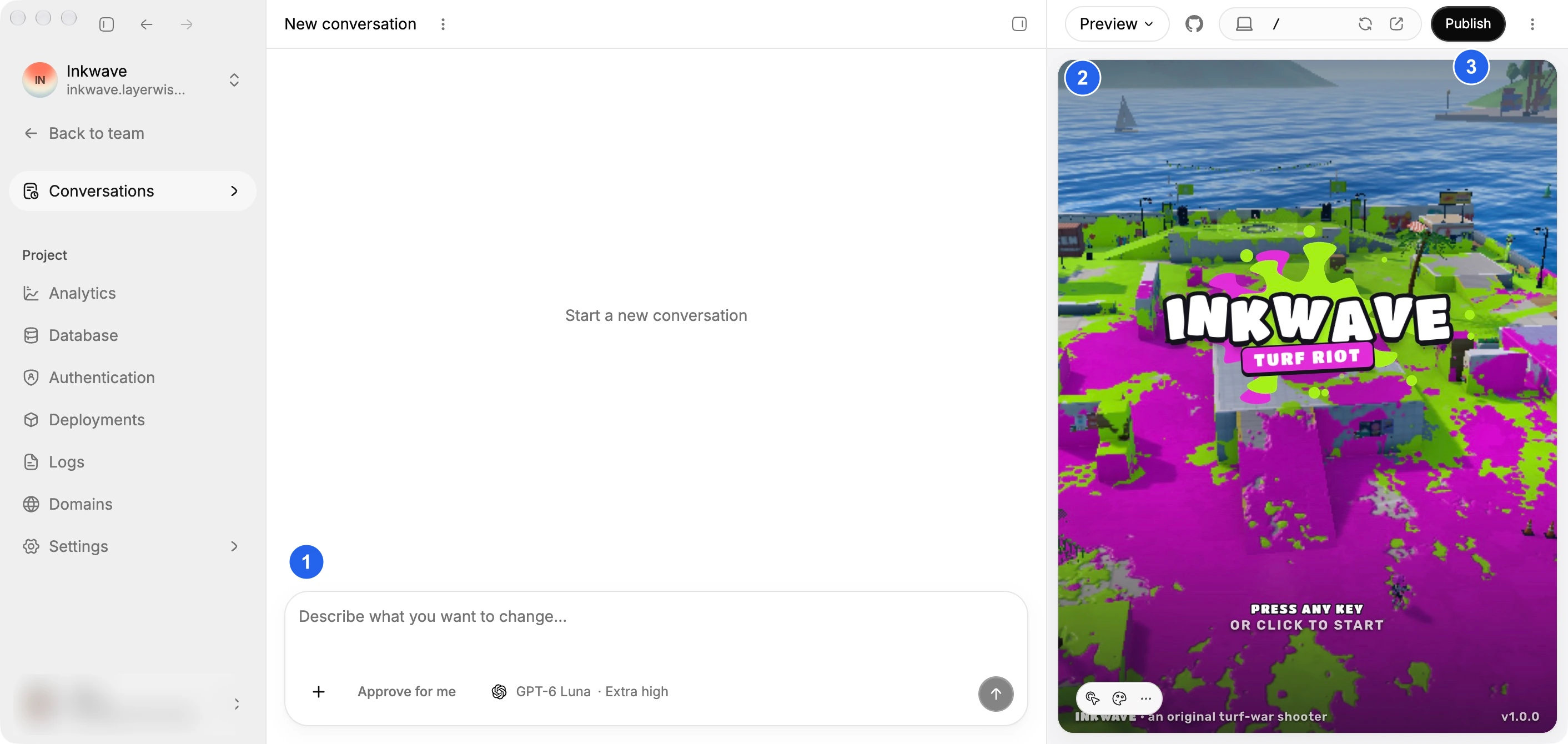
Trade-offs vs Base44: Layerwise is a desktop app, so you install it and keep your computer available until a publish completes. It builds with code you can read and edit, so it suits people who are comfortable seeing project files. It focuses on web apps, and its built-in authentication is email-based: sign-in, verification, and password reset. Base44 documents SSO through providers such as Google Workspace, Microsoft, and Okta.
The Free plan uses open-weight models (GLM, Kimi, MiniMax, and DeepSeek) with up to 10 messages per day; advanced closed-weight models start on Pro. Moving the app to different hosting may require changes to its backend, authentication, and deployment configuration.
Starting price: Free is $0 with $5 in monthly credits and 10 public projects. Pro is $15/month with $15 in monthly credits, and Business is $30/month with $30. One credit balance covers AI, hosting, databases, file storage, and email. See Layerwise plans.
2. Lovable: an AI builder with its own cloud backend
Who it's for: People who like Base44's describe-and-build flow and want a similar browser-based experience with a different backend and pricing model.
What it does well: Lovable Cloud includes a database, storage, authentication, realtime, and functions, with views for users, scheduled jobs, secrets, logs, and usage. Lovable manages hosting, and Pro adds custom domains.
On code ownership, Lovable's FAQ says Git sync to GitHub, GitLab, or Bitbucket works on every plan, and everyone with edit access on a paid plan can download the whole codebase as a ZIP.
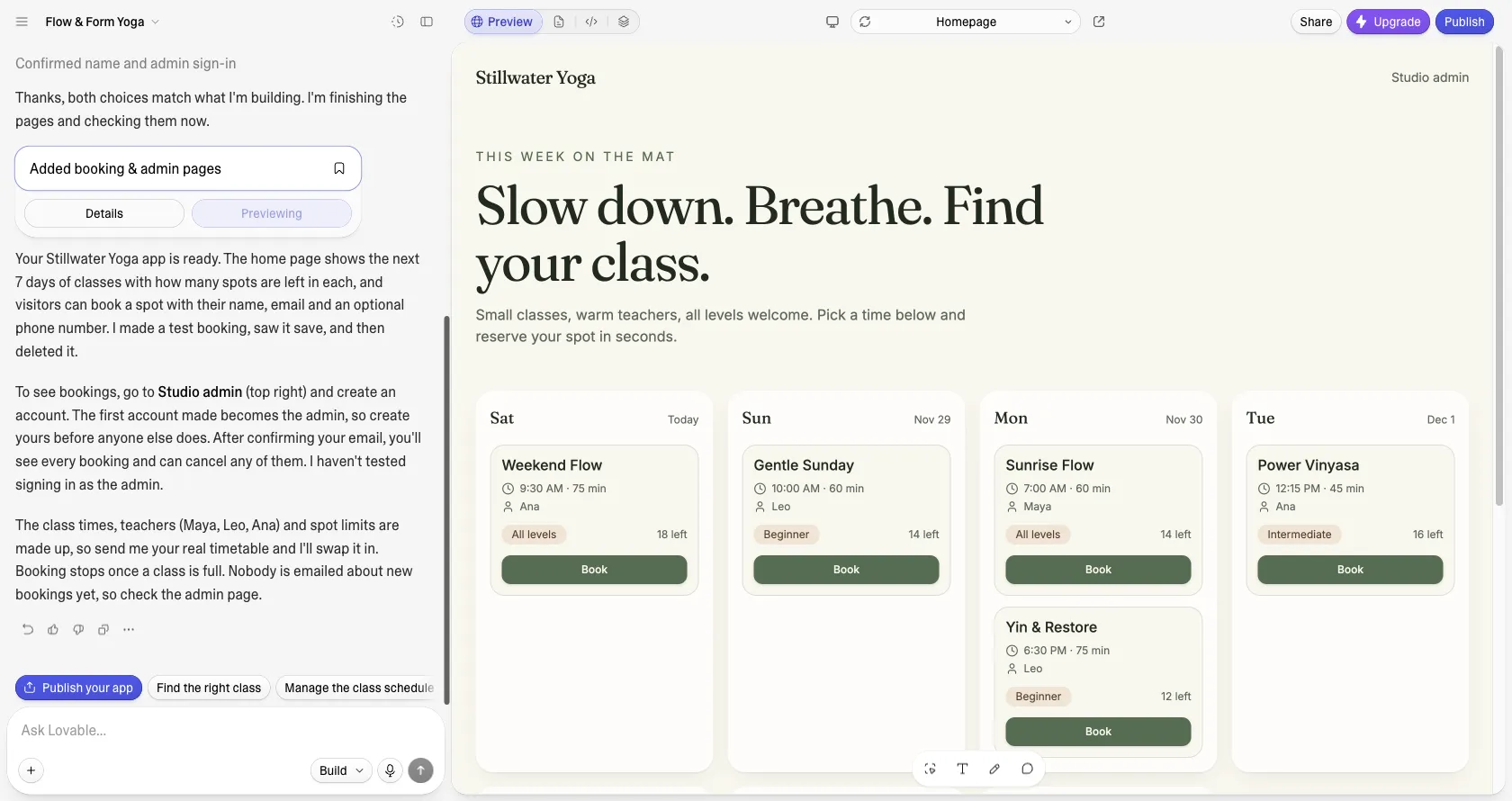
Trade-offs vs Base44: Lovable selects the model behind its Build, Plan, and Chat modes, so you can't pick one for building on any plan. Git sync creates a new repository from the project; you can't connect an existing one, though you can import a ZIP. Credits cover both building and the backend, so estimate the two together.
Starting price: Free includes 5 daily build credits, up to 30 a month. Pro is $25/month with 100 monthly credits plus the daily grant, according to Lovable pricing. For a detailed comparison, read Layerwise vs Lovable or our roundup of Lovable alternatives.
3. Bolt: build in the browser with Bolt Cloud
Who it's for: People who want nothing to install and may want a mobile app as well. Bolt runs in the browser and builds websites, web apps, and, through its Expo integration, mobile apps.
What it does well: The Bolt database is included on every plan, with authentication (email and Google sign-in), file storage, server functions, and logs. Pro and Teams users can connect their own Supabase account instead. Hosting is included on Free, and custom domains come with Pro.
You can also take Bolt code with you: download a project as a ZIP and run it with npm install and npm run dev, or connect GitHub for automatic commits.
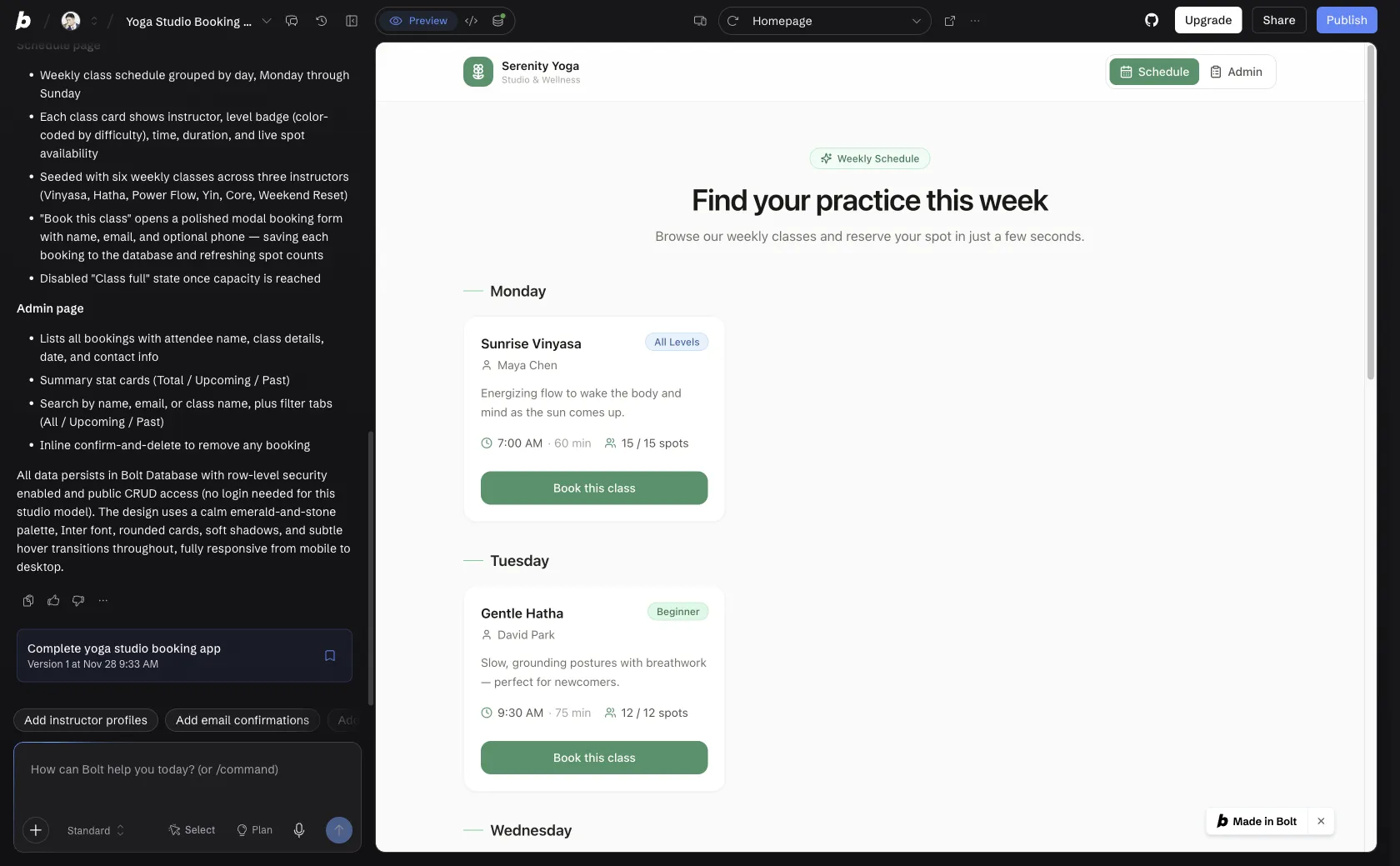
Trade-offs vs Base44: Bolt offers two agents, Standard and Max, and handles model selection behind the scenes. Only Standard is available on the free plan. Usage is measured in tokens, which is a different unit from Base44's message credits.
Starting price: Free includes 1M tokens a month with a 300K daily limit. Pro is $25/month billed monthly and starts at 10M tokens a month with rollover, according to Bolt pricing. Read Layerwise vs Bolt for more detail.
4. Replit: a cloud workspace beyond web apps
Who it's for: Builders who want an agent and a full cloud development environment in one place, for web apps, mobile apps, data visualizations, slide decks, and more.
What it does well: Core publishes an unlimited number of apps with built-in logging and analytics. Replit provides a managed Postgres database with separate development and production environments.
Replit Agent has a Free Mode plus paid Power and Max modes. In Power and Max, Core and Pro builders can let Replit route each task or use the model selector to choose a model. You can download any project as a ZIP or connect a GitHub repository.
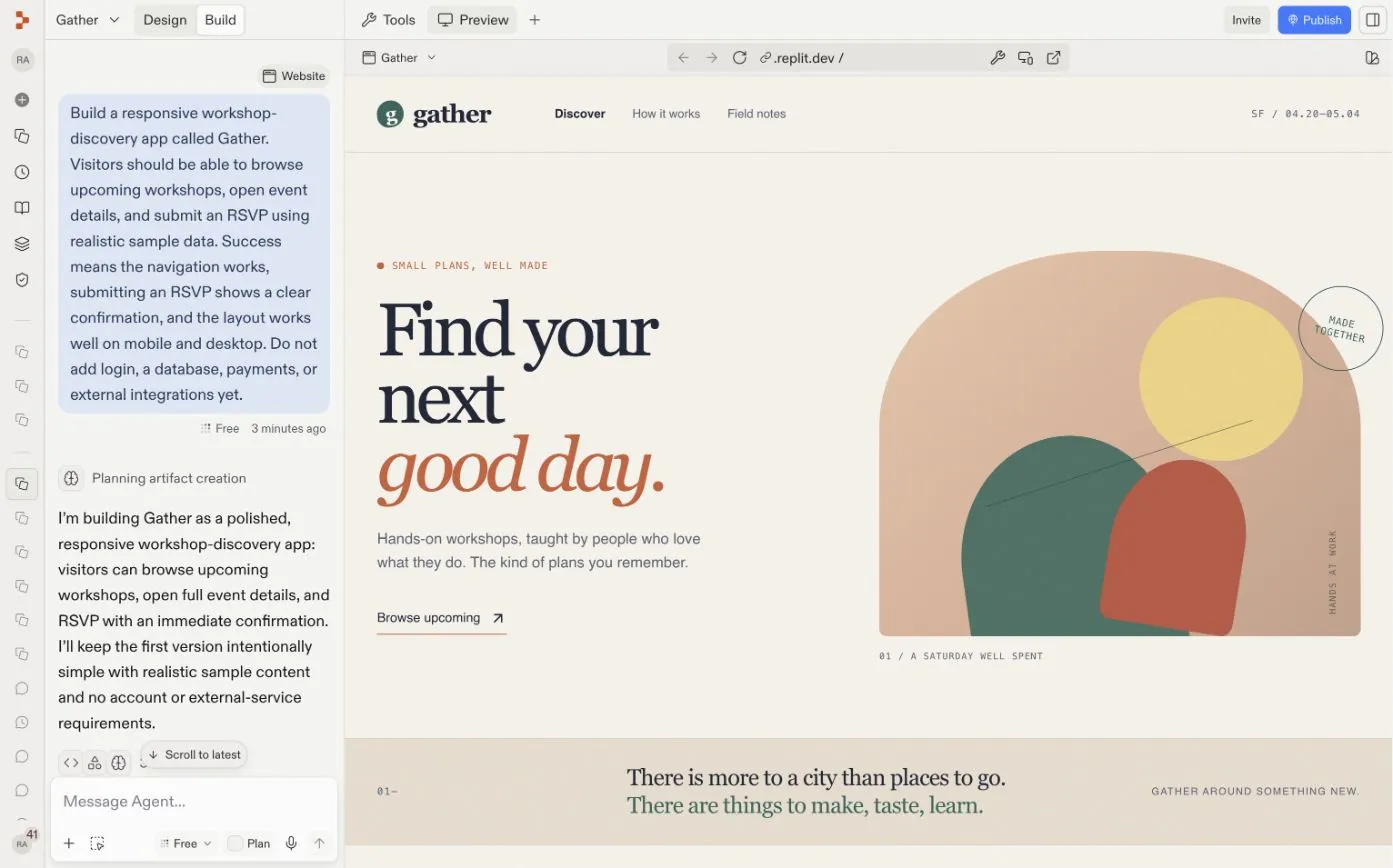
Trade-offs vs Base44: Replit exposes more of the development environment, which gives you more control and more to look at. Monthly credits apply to both Agent work and paid services such as publishing and database storage, so estimate both together.
Starting price: Core is $20/month, or $18/month billed annually, and includes $20 toward more powerful models, according to Replit pricing. Compare the details in Layerwise vs Replit.
5. v0 by Vercel: Next.js apps on Vercel
Who it's for: Product managers, designers, engineers, and founders who want to build with Next.js and deploy on Vercel.
What it does well: v0 defaults to Next.js and deploys to Vercel. Its pricing page lists deploying to Vercel, Design Mode for visual editing, and GitHub sync on the Free plan, so your code lives in a repository you control from the start. The model picker chooses among v0 models.
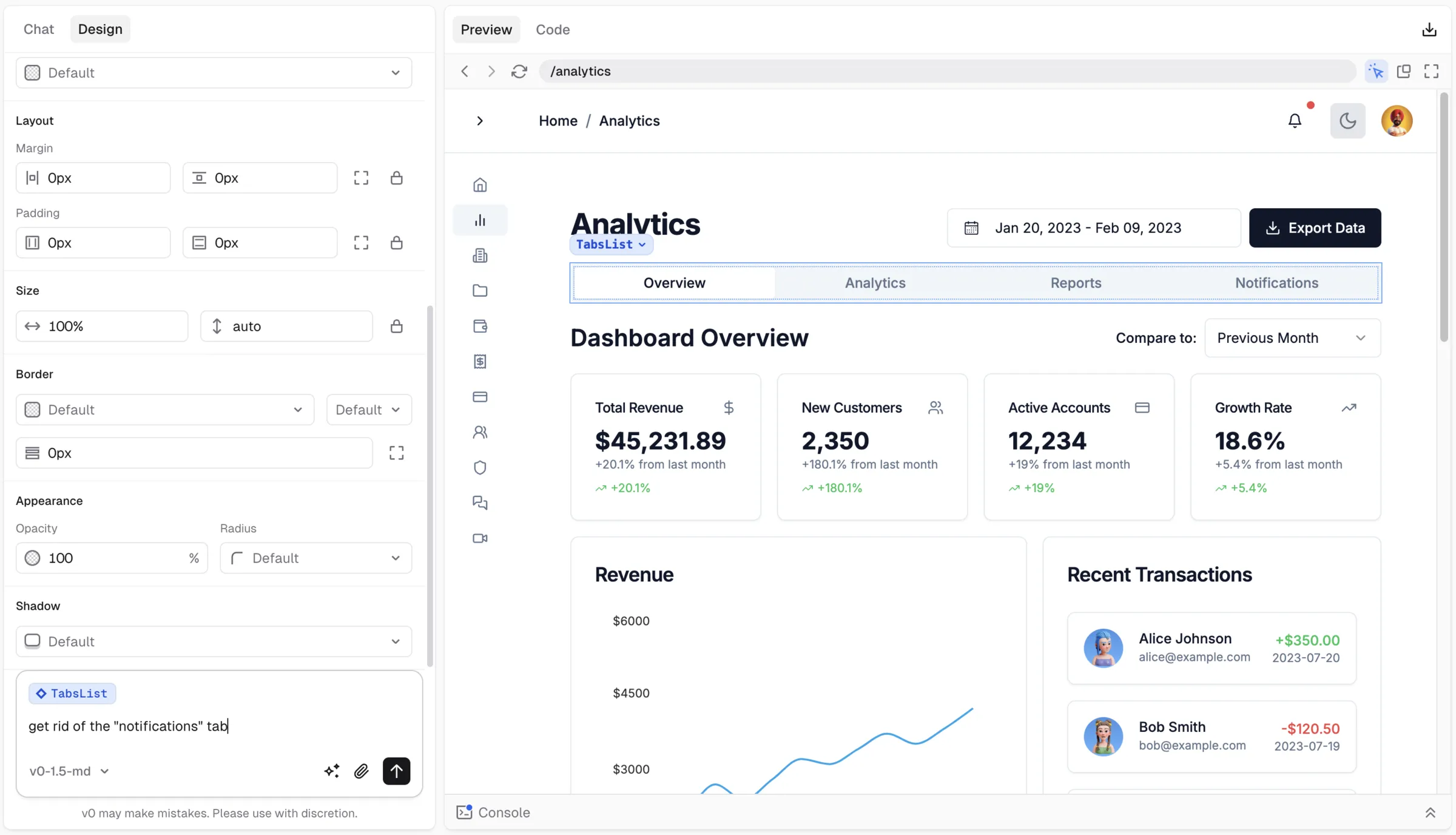
Trade-offs vs Base44: v0 adds databases through Vercel Marketplace integrations such as Supabase, Neon, Upstash, and Vercel Blob. Each one provisions an account with that provider instead of a single built-in backend, which means more pieces to understand than in Base44. Paid plans are priced per user.
Starting price: Free is $0 with a 7-message daily limit. Plus is $30/user/month with $30 of included monthly credits per user and $2 of free daily credits on login, according to v0 pricing. For a closer look, read Layerwise vs v0.
6. Bubble: a visual no-code builder with AI
Who it's for: People who chose Base44 because they don't want to work with code, and who want to see and edit every page, data type, and workflow in a visual editor.
What it does well: Bubble has an AI app generator that drafts an app from a prompt, which you then refine in the same visual editor. Bubble hosts the app and its database, and its mobile builder makes native iOS and Android apps that share a backend with the web app.

Trade-offs vs Base44: Bubble keeps your app on its platform. Its ownership page says Bubble apps can only run on Bubble and can't be exported as code, though you can export user data as CSV files. Usage is measured in workload units, which take some learning to estimate. Bubble's Universal Import, in beta for a subset of users, is designed to bring in code exported from Base44, Lovable, v0, Replit, and Claude.
Starting price: Free includes 50K workload units and 500 AI credits a month, with a development version of the app. Starter is $32/month billed annually, with 175K workload units, 1,000 AI credits, a live site, and a custom domain, according to Bubble pricing.
7. Softr: client portals and internal tools on your data
Who it's for: Teams that want a business app, such as a client portal, internal tool, or directory, with sign-in for clients and teammates and little setup.
What it does well: Softr describes itself on its pricing page as a hybrid AI app builder: you can generate an app with AI and edit it in a no-code editor. Apps include Softr Databases, workflow automation, and integrations, and every plan supports email and password sign-in for app users.
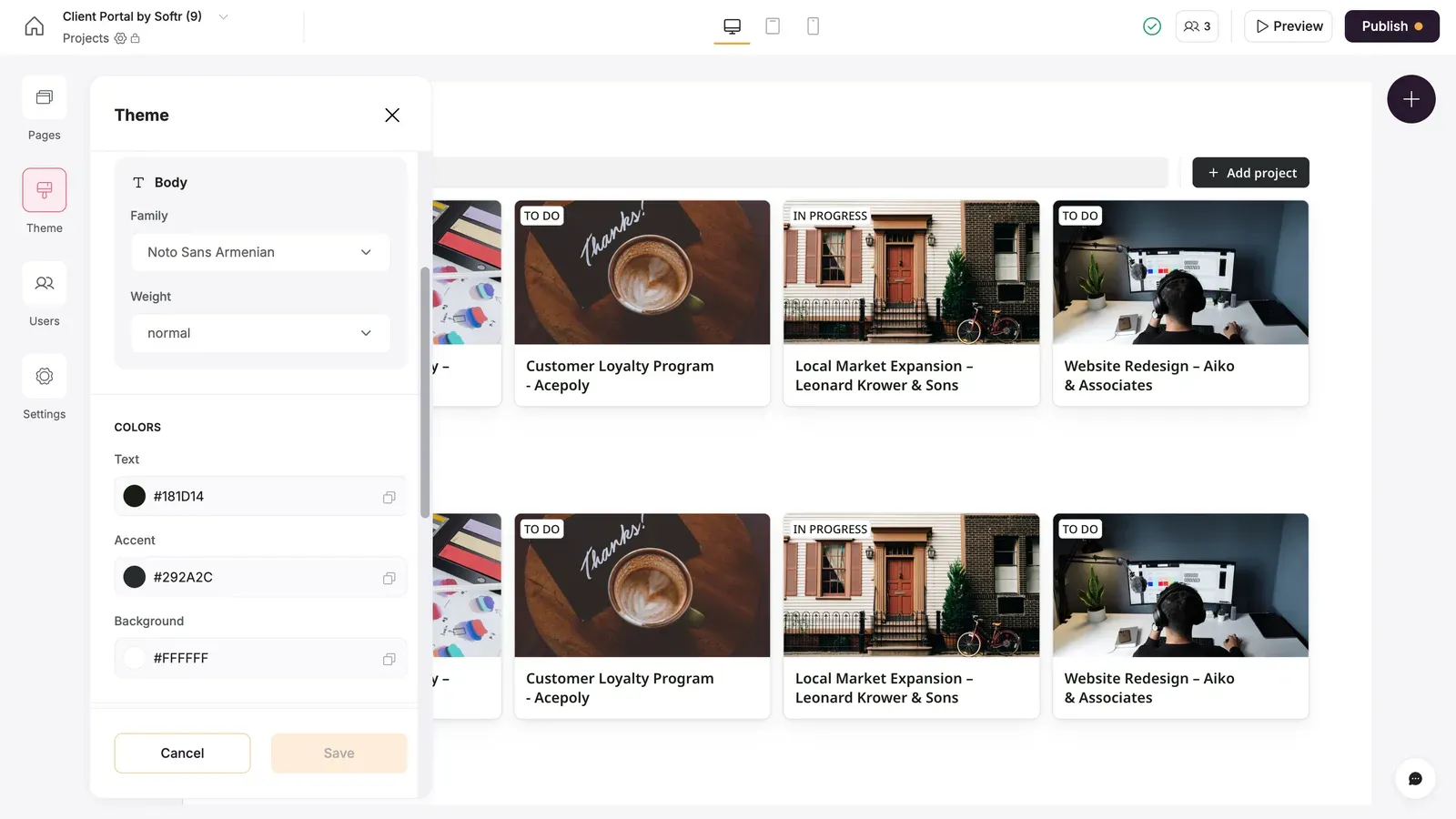
Trade-offs vs Base44: Softr plans are sized by builders, app users, records, and workflow actions, so check the limits against your audience. Basic includes 5 team users and 5 client users, 50,000 records per workspace, and 10 AI credits a month. Softr doesn't document a code export, so plan on staying in its editor.
Starting price: Free includes up to 3 builders, 5 app users, and 5 AI credits a month. Basic is $25/month billed monthly, or $19/month billed annually, with one custom domain, according to Softr pricing.
How to choose a Base44 alternative
Start with the reason you're leaving or comparing:
- You want to choose the building model on a starter plan: Layerwise lets you pick across providers on every plan, including Free. Replit lets Core builders choose a model in Power and Max modes, and v0 has its own model picker.
- You want to build with an AI plan you already pay for: Layerwise can run Codex on your ChatGPT plan or Claude Code on your Claude plan for project conversations.
- You want code that runs without the original platform: Layerwise keeps source files on your computer. Bolt and Replit offer ZIP downloads and GitHub, and v0 syncs to GitHub. Moving any app's database, sign-in, and hosting to a new provider still takes work.
- You want to stay fully no-code: Bubble and Softr keep you in a visual editor, and both host the app for you.
- Your app is a client portal or internal tool with a known audience: Softr is built around that use case.
- You need native mobile apps: Bubble, Bolt, and Replit all document mobile app workflows.
- Your app runs on Next.js and Vercel: v0 fits that stack most closely.
- You want a live app's pages to keep loading when credits run out: Layerwise switches published apps to read-only, so pages that read data keep working while saving pauses. They pause after $1 of read-only usage in a month.
- You want a managed backend with SSO for your app's users and no code in sight: Base44 may still be the right fit.
Compare what each starting plan includes
| Starting paid plan | Monthly price | Included usage |
|---|---|---|
| Layerwise Pro | $15 | $15 in monthly credits, shared with hosting, databases, and email |
| Lovable Pro | $25 | 100 monthly credits, plus 5 daily build credits |
| Bolt Pro | $25 | Starts at 10M tokens per month, with no daily limit |
| Replit Core | $20 | $20 toward more powerful models, plus up to 30 hours of Free Mode chat |
| v0 Plus | $30 per user | $30 in monthly credits per user, plus $2 in free daily credits |
| Bubble Starter | $32, billed annually | 175K workload units and 1,000 AI credits per month |
| Softr Basic | $25 | 10 AI credits and 2,500 workflow actions per month |
| Base44 Starter | $16, billed annually | 100 message credits and 2,000 integration credits per month |
These allowances use different units. A dollar of credits, a token, a message credit, and a workload unit don't represent the same amount of work, so compare plans by running the same task.
Test a representative feature
Pick your top two choices and build the same small feature in each: a form that saves data, sign-in, and one page that lists the saved records. Publish it, check it with a second account, and review what the task cost. That gives you better evidence than a feature list.
Plan the move from Base44
Base44's ZIP export, available from the Builder plan, includes a React project built with Vite, your backend functions, and your data structure. Your data comes out separately as CSV files, one per table. Because the exported code still calls Base44's backend, the move means replacing those calls with the new platform's database, sign-in, and file storage. Our guide to moving a Lovable project to Layerwise walks through the same kind of move, from porting the code to importing rows and users.
Frequently asked questions
What is the best Base44 alternative?
It depends on the gap you want to close. For model choice on every plan, building with your own ChatGPT or Claude plan, and source files on your computer, try Layerwise. For a similar browser-based AI builder, try Lovable or Bolt. For a cloud workspace that also covers mobile, try Replit. For Next.js on Vercel, try v0. To stay fully no-code, try Bubble or Softr.
Is there a free Base44 alternative?
Most of these tools have a free plan. Layerwise Free includes $5 in monthly credits, open-weight models, and 10 public projects. Lovable, Bolt, v0, Bubble, and Softr also have free plans with daily or monthly limits. Base44's own Free plan includes 25 message credits and 100 integration credits a month.
Is there a cheaper alternative to Base44?
Layerwise Pro is $15/month with monthly billing, and it includes model choice. Base44 Starter is $16/month billed annually, and choosing a model starts on Builder at $40/month billed annually. Each product measures usage differently, so the total cost depends on the model, the number of iterations, and what your app uses after launch.
Can I export my code from Base44?
Yes, from the Builder plan. Base44 offers two-way GitHub sync and a ZIP download of a Vite React project with your backend functions and data structure. Base44's docs say the exported code still relies on Base44 to run, and app data exports separately as CSV files.
Which Base44 alternatives let me choose the AI model?
Layerwise lets you choose supported models across providers on every plan, or use your own Codex or Claude Code. Replit allows model selection in Power and Max modes, and v0 has a model picker with its own models. Lovable selects the model for you, and Bolt lets you choose an agent while it selects the models.
Is Base44 safe to use?
Base44 documents a security scan, data permission rules, and SSO for each app. In July 2025, Wiz reported an authentication bypass on the platform, which Wix fixed within 24 hours of disclosure. Whatever tool you use, check your app's data permissions and test sign-in with a second account before you share it.
Do I own the code I build with these tools?
You retain rights to the content you create with Layerwise, including generated apps, and the source files stay on your computer with GitHub and ZIP export. Base44's pricing page says you own your code, data, and users. Bubble apps run only on Bubble. Check each vendor's terms for the details that apply to your plan.
For the complete Layerwise workflow, follow the quick start or read Build a Full-Stack Web App with AI.
YOUR NEXT PROJECT
Give your idea a live URL.
Choose your model, build in a live preview, and publish with your project’s backend connected.
Download LayerwiseBuild your first app