Layerwise vs v0
Compare Layerwise vs v0 on local development, model choice, built-in database and sign-in, publishing, and pricing to pick the right AI app builder.
Table of contents
Layerwise is a v0 alternative for people who want to build on their own computer, with a database, sign-in, analytics, and logs included in every project. v0 is a strong choice when you want a browser workspace built around Next.js, visual design tools, and deployment to Vercel.
Layerwise and v0 both turn a description into a full-stack web app with a live preview and a published URL. Both let you choose the AI model and edit the generated code. The differences show up in where the project runs, which app services come with it, and how each plan is priced.
This Layerwise vs v0 comparison covers those decisions, including design tools, Git workflows, publishing, and upcoming support for your own Codex or Claude Code.
Published by Layerwise. Competitor features and monthly starting prices were checked against official sources on October 11, 2026. Features marked Coming soon are in development. Availability varies by plan and configuration.
Layerwise vs v0 at a glance
| What matters | Layerwise | v0 |
|---|---|---|
| Where you build | Desktop app with local project files and preview | Browser workspace with a cloud sandbox for preview and terminal |
| AI model for building | Choose supported models across providers | Choose v0 model tiers and other models listed in the picker |
| Existing AI subscription | Coming soon: use your local Codex or Claude Code | Connect ChatGPT Plus or Pro for eligible OpenAI model responses |
| Database and sign-in | Included project database and email authentication | Marketplace integrations; Neon, Drizzle, and Better Auth by default |
| Visual design tools | Reference images, preview widths, and a built-in code editor | Design Mode, Figma import, and a community templates gallery |
| Git workflow | Create a connected GitHub repository; ZIP export | Branch per chat, preview deployments, pull requests, and CI |
| Hosting | Publish a release to a live URL; custom domains on Pro and up | Publish to Vercel with preview and production deployments |
| Analytics and logs | Built into the project workspace, including UTM reports | Vercel Web Analytics and runtime logs in the deployment inspector |
| Starting paid plan | Pro: $15/month | Plus: $30/user/month |
The model row describes the agent that builds your app. Models used by AI features inside the finished app are a separate choice.
Where v0 is strong
v0 is built by Vercel, and its defaults reflect that. Its FAQ says v0 uses Next.js, React, TypeScript, Tailwind CSS, and shadcn/ui. Its full-stack guide explains that Next.js gives the most reliable results. If your team already ships Next.js apps on Vercel, v0 fits that workflow closely.
Its GitHub integration is thorough. Each chat works on its own branch, changes are committed automatically, and you can preview changes, run CI, and publish through pull requests. You can also import an existing repository and work from an isolated branch.
v0 also offers more visual editing tools than Layerwise today. Design Mode lets you select an element in the live preview, adjust its styles in a panel, and apply the edit back to the source. On paid plans, you can paste a Figma link and have v0 build the frames as a working app. The community templates gallery gives you published chats to fork.
Build on your computer instead of a cloud sandbox
v0 runs project chats in a Vercel Sandbox, an isolated virtual machine that hosts the project files, the live preview, and a terminal. You work in the browser, and v0's FAQ also mentions an iOS app. To work locally, you export the code or use GitHub sync between local development and v0.
Layerwise creates real project files on your device. The assistant, built-in editor, and local preview use the same workspace. You can open that folder in an installed editor or terminal and work directly on the source.
Suppose you want to adjust a component manually, run a project command, or ask another coding agent to inspect a bug. You already have the files. Make the change, check it in the preview, and return to Layerwise to continue developing or publish a release.
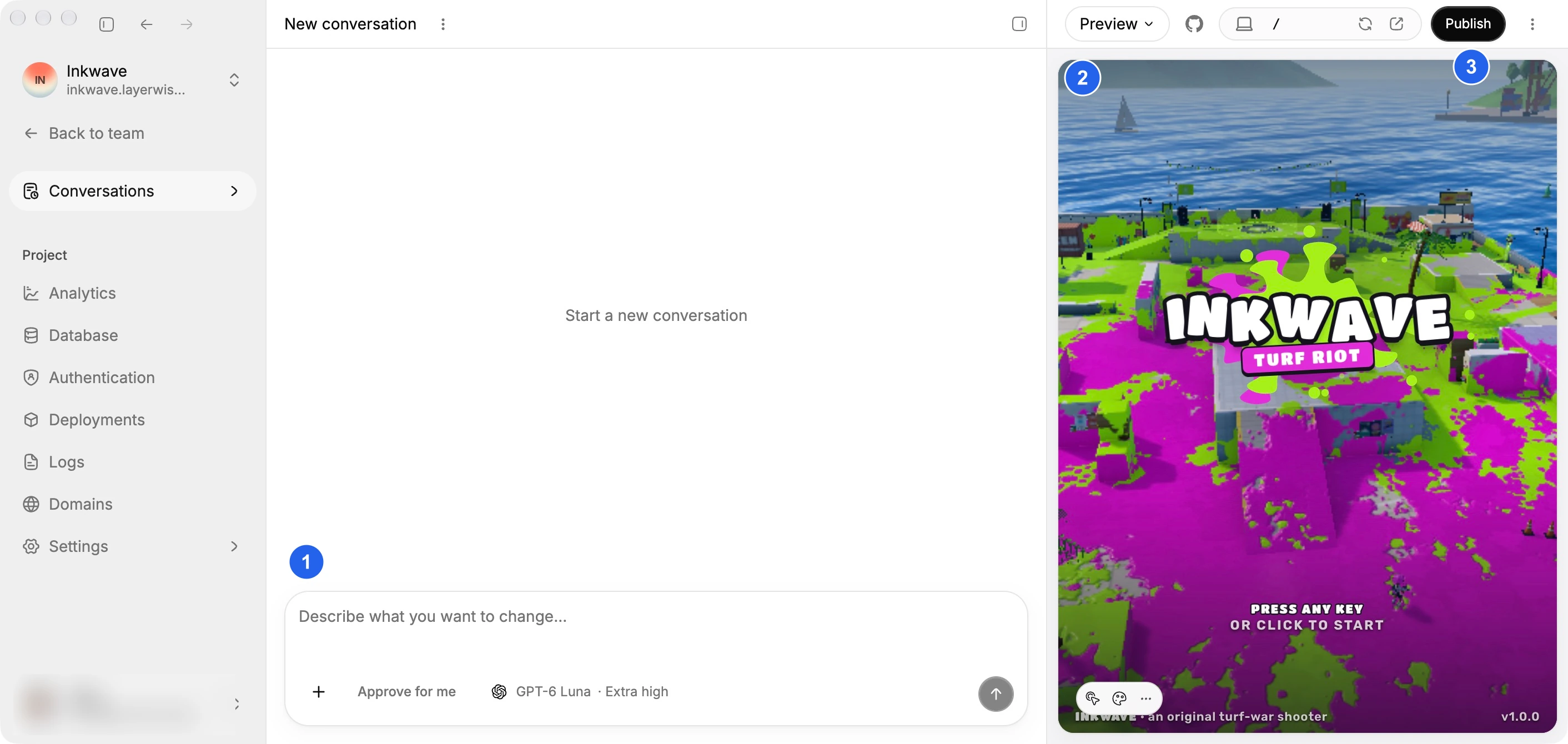
The code and GitHub guide covers opening the workspace, ZIP export, and creating a connected repository. Layerwise's documented GitHub option creates and connects a repository. Teams that review every change through branches and pull requests may prefer v0's workflow.
Local development still uses online AI services for model requests. You own the generated code in either product; v0's FAQ states that Vercel does not own code generated from your prompts.
Get a database and sign-in with every project
Each Layerwise project includes a dedicated SQLite database and email authentication. There is no separate database service to sign up for. Authentication includes verification, password reset, and delivery of the emails those flows need.
Local and Online use separate databases. Test records and accounts you create in the local preview do not become production data when you publish. The project sidebar gives you a Database view for browsing and editing records and an Authentication view for managing users.
Database
Store app data. Browse and edit your tables.
Authentication
Sign-in, verification, and password reset emails.
Publishing
Deploy a release and get a live URL to share.
Custom domains
Give your published app an address of its own.
Analytics
See visits, popular pages, and traffic sources.
Server logs
Inspect backend requests and follow logs live.
v0 connects databases through the Vercel Marketplace. Its database guide lists one-click integrations with Upstash, Neon, Supabase, and Vercel Blob, where you accept the provider's terms during setup. According to the v0 changelog, new apps that need a database and authentication scaffold with Neon, Drizzle, and Better Auth by default, and v0 can draft SQL for you in DB Studio.
That gives v0 users a choice of hosted PostgreSQL providers. Layerwise suits people who would rather have the database and sign-in ready inside the project without connecting another service.
Choose the AI model that builds your app
Both products have a model picker. Layerwise supports model families including Claude, GPT, Gemini, DeepSeek, and Kimi. Choose an available model when creating a project or starting a conversation. Your team's plan determines which models you can use.
The Layerwise model directory lists model names, providers, capabilities, and prices for input, output, cache reads, and cache writes. The Usage view records the model, token consumption, and cost of requests, so you can see where your budget goes.
v0's pricing page lists four v0 model tiers, Mini, Pro, Max, and Max Fast, with prices per million tokens. The v0 changelog also lists Claude Opus 5 and GPT-5.6 Sol in the model picker. Enterprise teams can add custom models from the Vercel AI Gateway catalog when a team owner allows them.
Both approaches show token prices before you build. Test a representative task in your own app to decide which model and workflow fit it.
Use an AI subscription you already have
v0 is ahead here today. ChatGPT Plus and Pro subscribers can connect their ChatGPT plan so eligible responses from supported OpenAI models count toward that plan instead of v0 credits. Image generation, delegated subagents, and some supporting work may still use v0 credits.
v0 sandboxes also include pre-installed coding agents such as Claude Code in the terminal. That traffic routes through Vercel AI Gateway and uses the team's credits, the same as other v0 usage.
Coming soon: use your own Codex or Claude Code
We are developing support for using Codex or Claude Code already installed on your device, with your own account allowance. The goal is to let you continue AI development in the Layerwise workspace when your Layerwise building credits run out. Your chosen agent's limits would still apply.
This integration is in development. Choosing a Claude or GPT model in Layerwise today uses Layerwise's model access and credits.
Publish, analytics, and logs
v0 publishes to Vercel. Its deployments guide covers preview deployments for working branches and production releases when you publish. The deployment inspector opens Vercel controls for environment variables, Web Analytics and Speed Insights, runtime logs, and rollbacks. Deployments get a vercel.app URL, and you can add a custom domain from v0.
Vercel's platform offers a broad set of production controls. Layerwise keeps the operating views for each app inside its project workspace.
Publish creates a production release from your local workspace. Layerwise provisions the production database and applies schema migrations. On Pro and higher, you can connect a custom domain, and Deployments let you roll back to a previous release.
Analytics is enabled by default for the published website. It shows pageviews, estimated visitors, bounce rate, and visit duration, and you can break down traffic by UTM source, medium, and campaign. Export filtered reports as CSV, or receive a monthly or weekly email summary, depending on your plan.
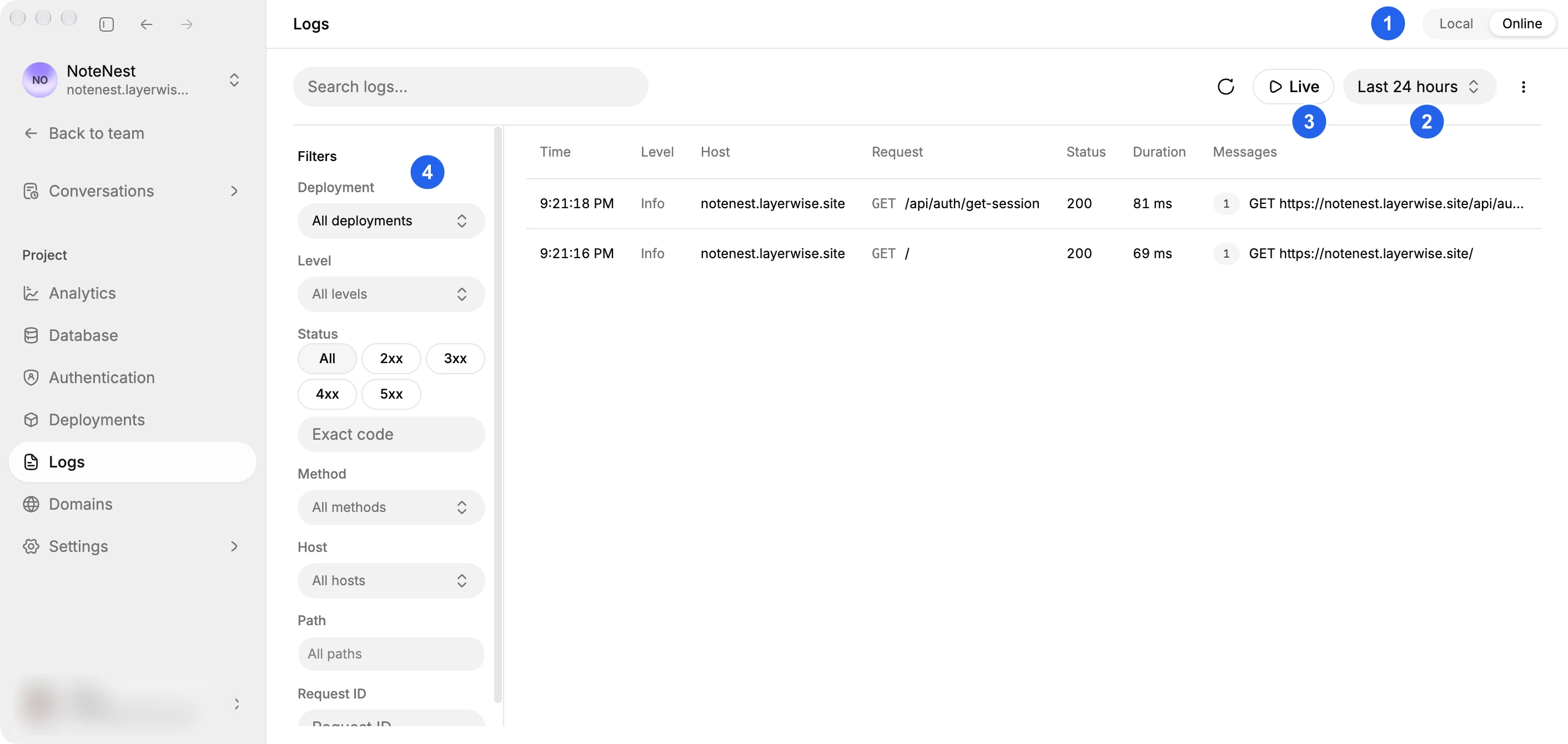
Server logs cover both the Local preview and the Online published app with the same table, filters, and export controls. Turn on Live to follow incoming requests while you reproduce a problem. Log and analytics history depend on your plan.
Layerwise vs v0 pricing
Layerwise has a lower starting monthly price, and its plans are not priced per user. Compare the included resources alongside those prices:
| Monthly plan | Layerwise | v0 |
|---|---|---|
| Free | $0; $5 monthly AI credits; 1 public project; daily message limits | $0; 7 messages per day; deploy apps to Vercel |
| Entry paid plan | Pro: $15; $15 included monthly AI credits; up to 10 team members | Plus: $30 per user; $30 included monthly credits per user |
| Business | $30; $30 included monthly AI credits; unlimited team members | $100 per user; $30 included monthly credits per user |
Prices above are the monthly starting prices checked on October 11, 2026. See the current Layerwise plans and v0 pricing for included resources, annual billing, and additional usage.
Layerwise manages billing and usage per team. v0 Plus and Business are priced per user, and each user receives included credits plus daily login credits. v0's pricing documentation notes that new Free users receive a one-time $5 credit and that the older $20 Premium plan is no longer available to new users.
The credit units differ. A dollar of Layerwise AI credits and a dollar of v0 credits buy different amounts of work, depending on the model, iterations needed, and services your app uses. To estimate your own costs, build a representative feature, verify it works, and review the usage it consumed.
Which should you choose?
Choose v0 if
- Your team builds Next.js apps and deploys them on Vercel.
- You want Design Mode, Figma import, or a community template as your starting point.
- You review changes through GitHub branches, pull requests, and CI.
- You want to build in the browser or from an iOS app, or use your ChatGPT plan for eligible responses.
Choose Layerwise if
- You want the project files and preview on your own computer.
- You want a database, sign-in, analytics, and logs in every project without connecting other services.
- You want a lower starting price that is not charged per user.
- You want to compare model prices and review token costs as you build.
If you are evaluating a v0 alternative for a portal, dashboard, or small SaaS app, start with the Layerwise quick start or a Layerwise template. Build a saved-data workflow, test sign-in, and publish it.
Frequently asked questions
Is Layerwise a v0 alternative?
Yes. Layerwise builds full-stack web apps through AI conversations, with local previews and connected project services. Its main differences are the local development workspace, the included database and email authentication, and per-team pricing.
Can I build with v0 on my own computer?
v0 runs projects in a cloud sandbox and requires an internet connection. You can export the code or sync it through GitHub to work locally. Layerwise keeps project files on your computer by default, while model requests still use online AI services.
Can I choose the AI model in both products?
Yes. Layerwise supports models from several providers, depending on your team's plan. v0 offers its own model tiers and lists other models in its picker, and Enterprise teams can add custom models.
Do I need a separate database or auth provider?
Not in Layerwise. Each project includes a database and email authentication. v0 connects databases through Vercel Marketplace integrations, such as Neon and Supabase.
Can I use my ChatGPT or Claude Code subscription?
v0 can use a connected ChatGPT Plus or Pro plan for eligible OpenAI model responses. Direct integration with your local Codex or Claude Code in Layerwise is coming soon. Today, Layerwise conversations use Layerwise credits.
Is Layerwise cheaper than v0?
Its starting monthly Pro and Business prices are lower as of October 11, 2026, and they are not charged per user. The cost of completing your app depends on usage and the services it needs. Compare a real task and its resulting costs.
Can I take my code with me?
Yes. Layerwise keeps source files on your computer and supports GitHub and ZIP export. v0 also supports code export and GitHub sync. Moving app services to another provider may require additional work.
For other comparisons, read Layerwise vs Lovable and Layerwise vs Claude Code. To try the complete development and publishing workflow, follow Build a Full-Stack Web App with AI.
YOUR NEXT PROJECT
Give your idea a live URL.
Choose your model, build in a live preview, and publish with your project’s backend connected.
Download LayerwiseBuild your first app