Introducing Layerwise: build and run web apps with AI
Choose your AI model, preview changes locally, and publish a full-stack web app with built-in data, sign-in, analytics, and server logs.
Table of contents
Layerwise is a desktop workspace for building, previewing, and publishing full-stack web apps with AI. Describe the app you want to make, choose a model, and work on it through a conversation. A local development server runs your app beside the conversation so you can see changes as they happen.
Each project also includes a database, authentication, analytics, and server logs. You can publish it to a live URL and connect your own domain.
We built Layerwise for people who want to turn an idea into an app other people can use. That includes the work that comes after the first screen looks right.
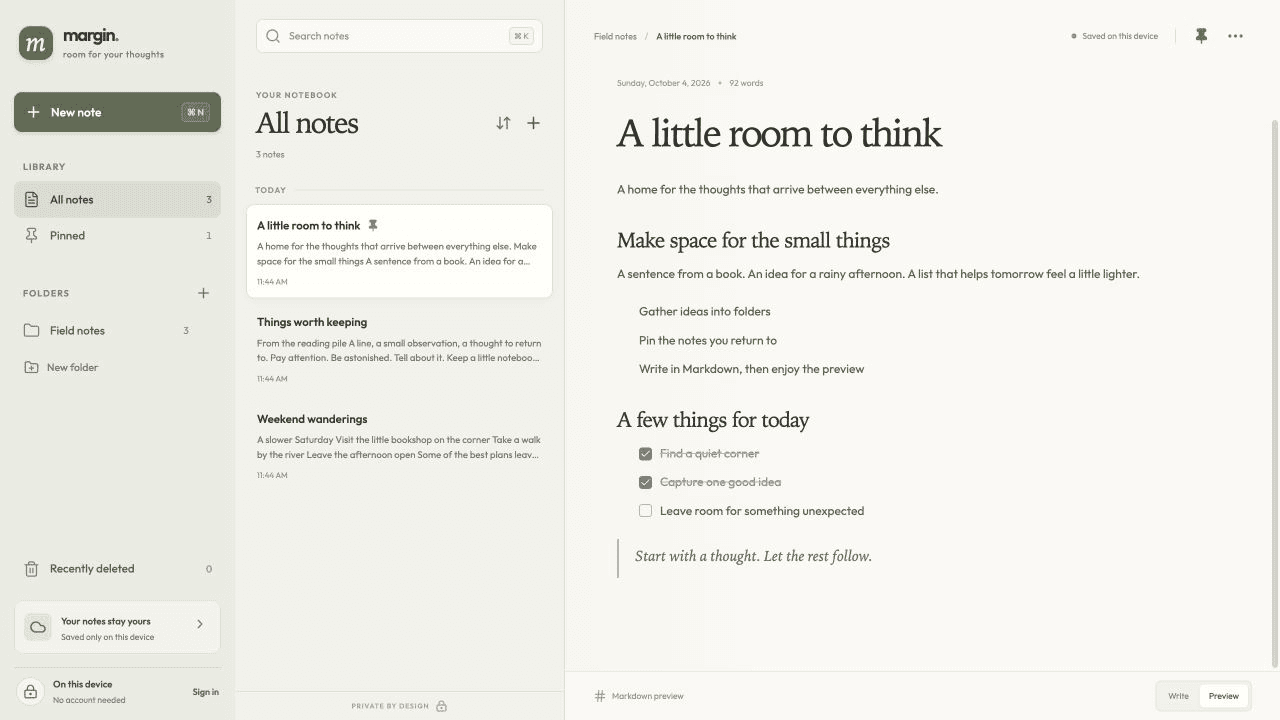
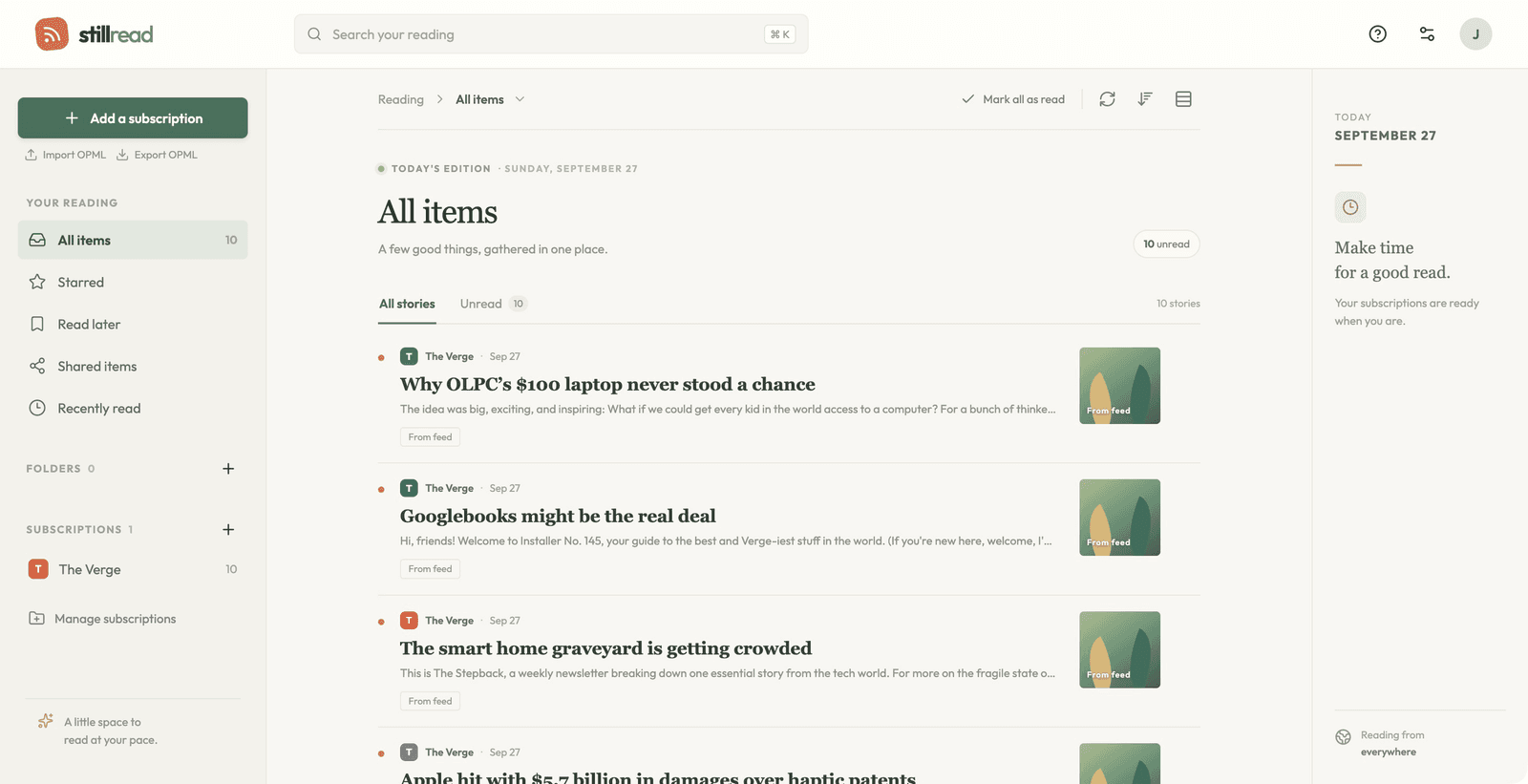
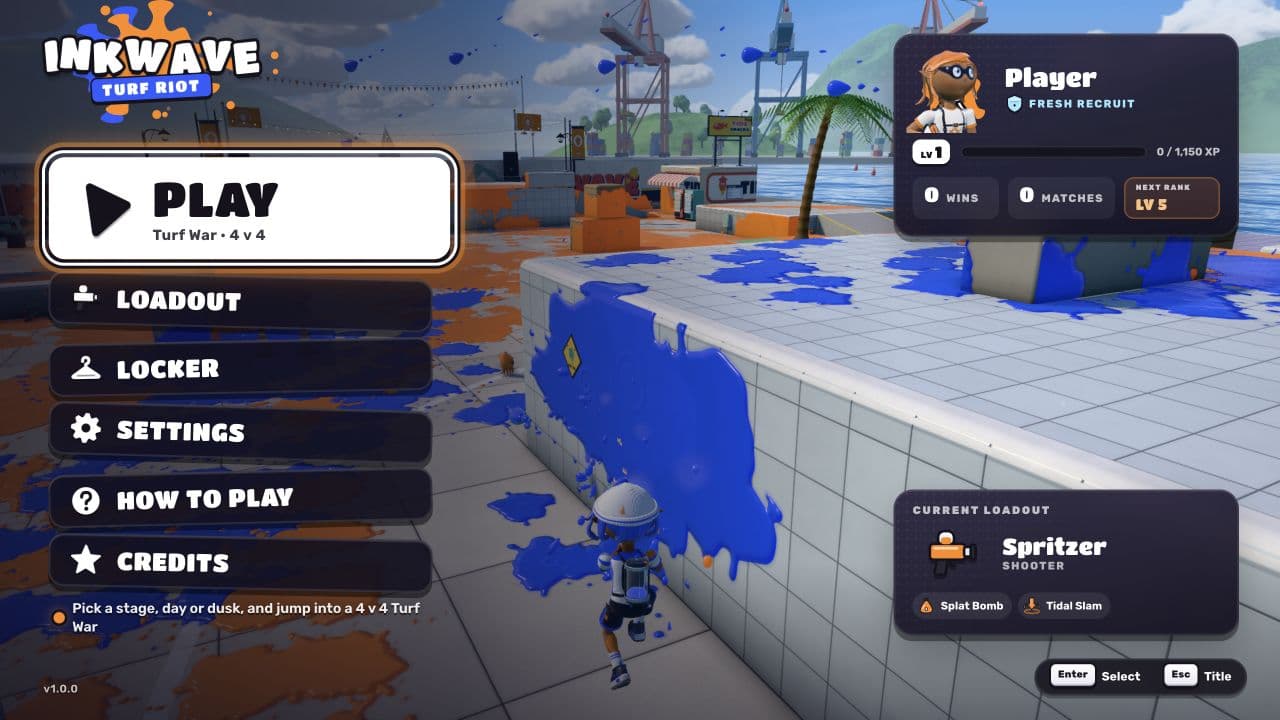
A notebook, an RSS reader, and a 3D game. Open a published app above, or use its template as the starting point for your own project. Feedflow requires sign-in.
A working app needs more than its first screen
Take a client portal. AI can help you build a dashboard with a list of projects and a form for submitting requests. To use it with clients, those requests need to be saved. Each client needs an account. The app needs a public address.
After launch, you need to know whether people are visiting. When a request fails, you need to see what happened on the server.
These are ordinary parts of running a web app. They also mean choosing services, connecting accounts, configuring environments, and moving between dashboards. AI can help with that work, but someone still has to bring the pieces together.
Layerwise brings those pieces into the project you're already building. You can work on the interface and the backend, test them locally, publish a release, and inspect the running app from the same workspace.
Your app's data, users, releases, and server activity belong with the project you're building.
Where Layerwise fits alongside ChatGPT and Claude Code
ChatGPT can help you write and edit code, including previewing supported HTML and React code. Claude Code can work directly with a codebase, edit files, run commands, and build features across a project.
You can build web apps with these tools. Layerwise exists because we wanted a workspace organized around building and operating a full-stack web app, with the services attached to each project.
The model handles the coding work. Layerwise provides the local development environment and the path to publishing, alongside tools for managing the app's data, users, traffic, and server activity.
- 1
Describe
Choose a model and explain your idea.
- 2
Preview
Try the changes in your running app.
- 3
Publish
Share a live URL on your own domain.
- 4
Improve
Use traffic and logs to guide the next change.
Choose the model you want to build with
Different people prefer different models. You might like one model's approach to interface design and another's help with a backend problem.
Layerwise lets you choose from supported models across providers, including Claude, GPT, Gemini, DeepSeek, and Kimi. You select a model when creating a project or starting a conversation. Available models depend on your team's plan.

Claude

GPT

Gemini

DeepSeek

Kimi
Your project stays in the same workspace as you make that choice. Its code, preview, and connected services remain part of the project.
Watch your app change on a local development server
Layerwise runs your app locally and displays the preview beside the conversation. As the assistant changes the code, you can see the app update in real time.
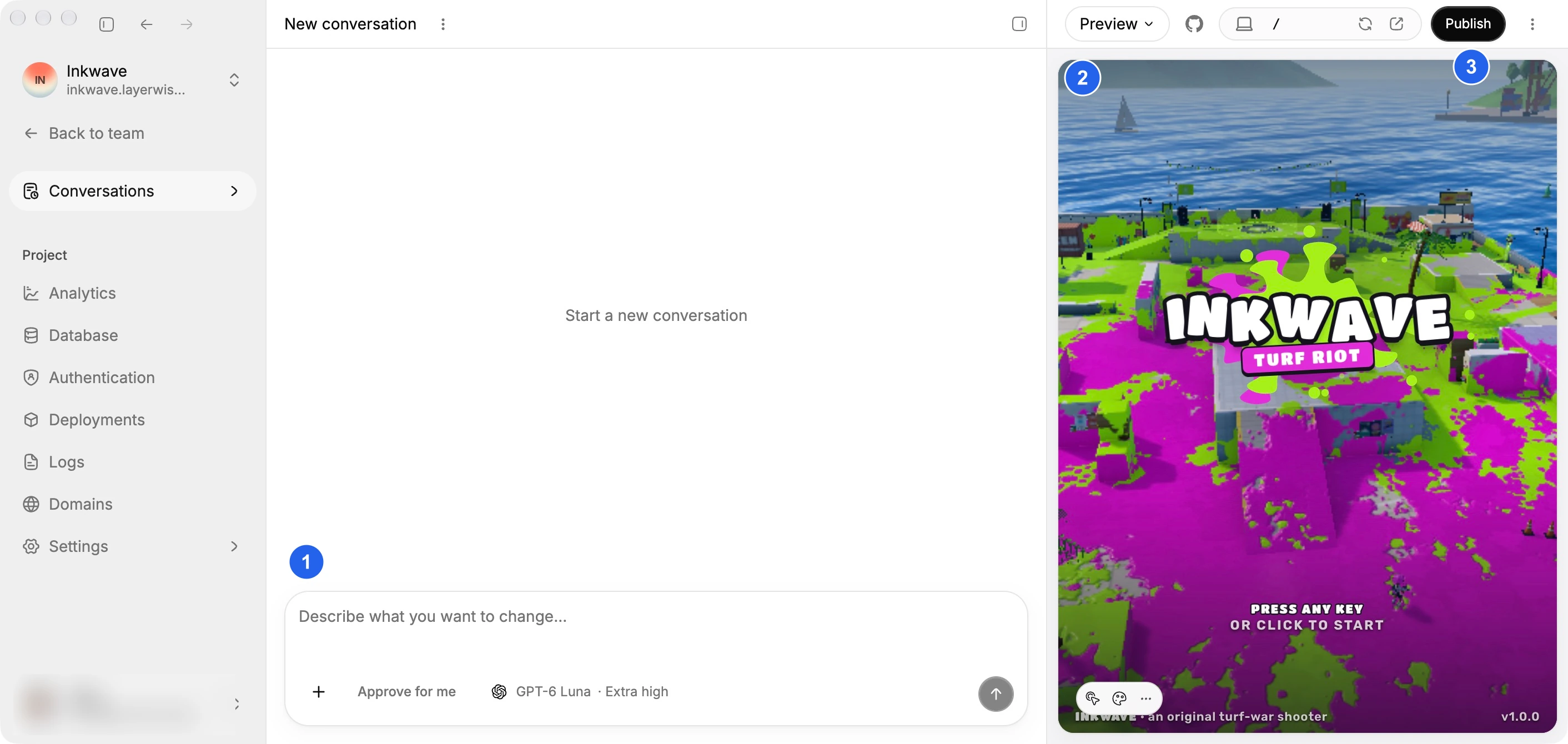
Ask for a clearer navigation menu, then try it. Change a form, submit it, and check the result. Switch the preview to a phone width to see whether the layout still works.
You get to judge the change by using the app. That makes the next request more specific: the button is hard to find, the form needs another field, or the mobile layout needs more space.
The local preview also lets you test the paths that depend on your backend, including sign-in and saving data, before publishing a release.
A prompt to try:
Build a client portal where clients can sign in, submit project requests, and check their status. Give each client a dashboard showing their own requests. Make it work on a phone.
Give each project a backend and a public address
Each project has the services you need to store information, welcome users, publish a release, and understand how the app is running. Open a feature below to see how it works.
Database
Store app data. Browse and edit your tables.
Authentication
Sign-in, verification, and password reset emails.
Publishing
Deploy a release and get a live URL to share.
Custom domains
Give your published app an address of its own.
Analytics
See visits, popular pages, and traffic sources.
Server logs
Inspect backend requests and follow logs live.
Local development and the published app use separate databases, so test data stays separate from live data. When you publish, Layerwise provisions the production database and applies your project's schema migrations.
Authentication includes the delivery of sign-in, verification, and password reset emails. You can manage users in both environments while you refine the app's screens.
When you're ready, publish a release and share its URL. To use your own domain, add the hostname and configure the DNS record Layerwise provides.
See what happens after people arrive
Built-in analytics shows pageviews, estimated visitors, popular pages, and traffic sources for your published app. Collection is enabled by default. You can see which pages get attention and where visitors come from without installing a separate tracking script.
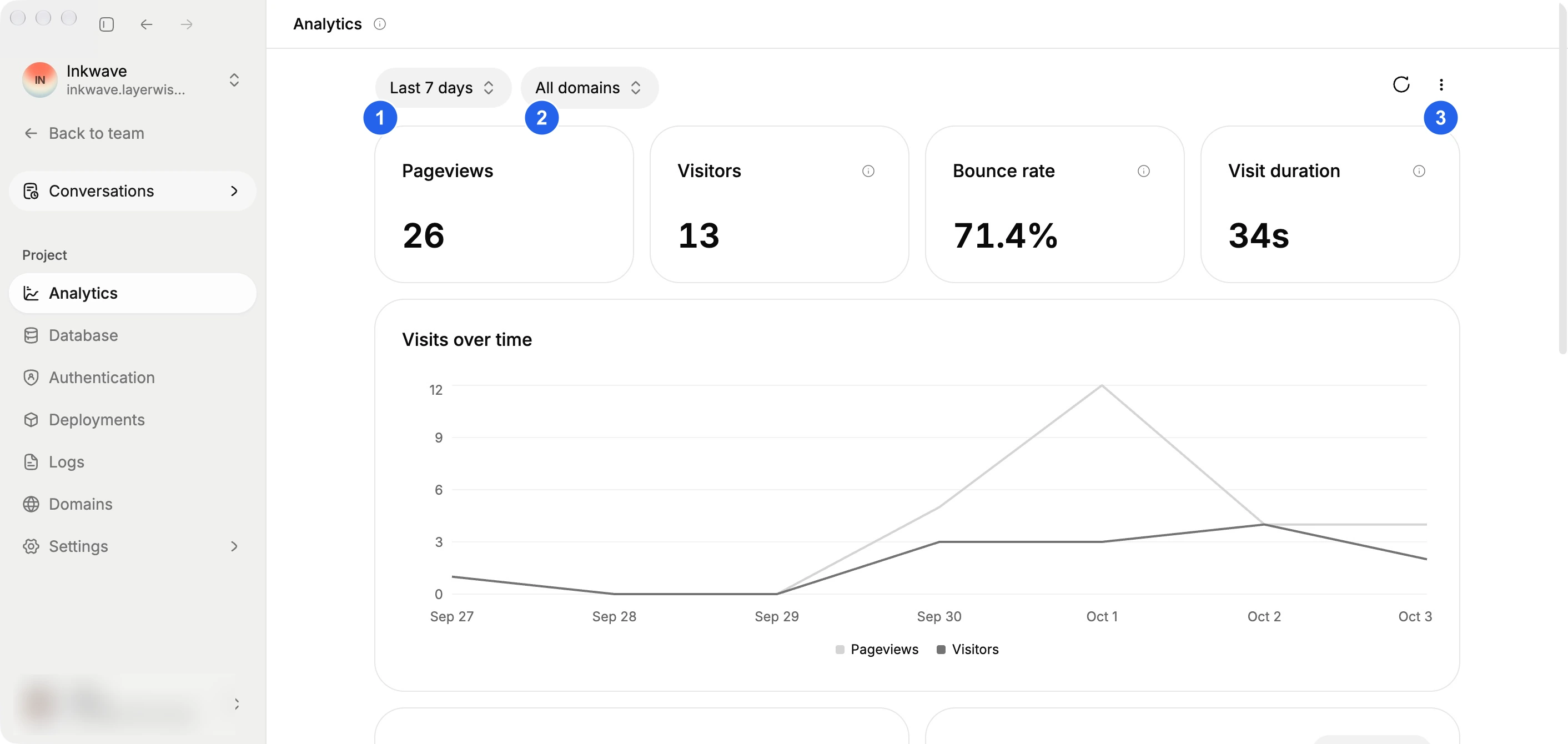
Server logs help you investigate the app's behavior. Inspect backend requests, status codes, timing, and messages grouped by request. Follow incoming logs live or narrow the view to the requests you're investigating. Both local and published environments have a Logs view.
For the client portal, that means you can see visits to the app and inspect a failed submission in its backend logs. You have evidence to guide the next change.
Keep direct access to your code
Your project's source files live on your computer. You can work in Layerwise's built-in editor, open the same workspace in your preferred editor, connect GitHub, or export the project.
That gives you room to work through a conversation and make direct edits when you want more control. Both use the same project files and local preview.
Start with a workflow you want to improve or a small app you want to share. Build it locally, then publish a version people can use.
For a closer look at the workflow differences, read Layerwise vs ChatGPT and Layerwise vs Claude Code. Each comparison covers previews, model choice, and the services around your app.
YOUR NEXT PROJECT
Give your idea a live URL.
Choose your model, build in a live preview, and publish with your project’s backend connected.
Download LayerwiseBuild your first app