How to Build a UX Designer Portfolio with AI
Build a UX designer portfolio in Layerwise where visitors can try your work, with live product demos, purposeful motion, and 3D that falls back well.
Table of contents
A screenshot shows what a product looked like. A UX portfolio has to show how it behaves: what happens when someone drags a class to another day, interrupts an agent mid-draft, or misses a dose. With an AI agent, rebuilding a project's key screens as working components takes an afternoon, so visitors can try the interaction your case study is about.
This guide builds that kind of portfolio with Layerwise. You will decide how much the site itself should perform, turn screenshots into live demos, give motion a job, add 3D that still works without it, test, and publish. There are five templates to start from, each a complete site with a fictional owner and finished sample work: Playroom, Plainsight, Nightshift, Deskside, and Fieldglass.
1. Decide how much the site should perform
Some portfolios step back so the work can speak. Others are part of the pitch. Pick deliberately, because a loud site around quiet work makes the work look smaller.
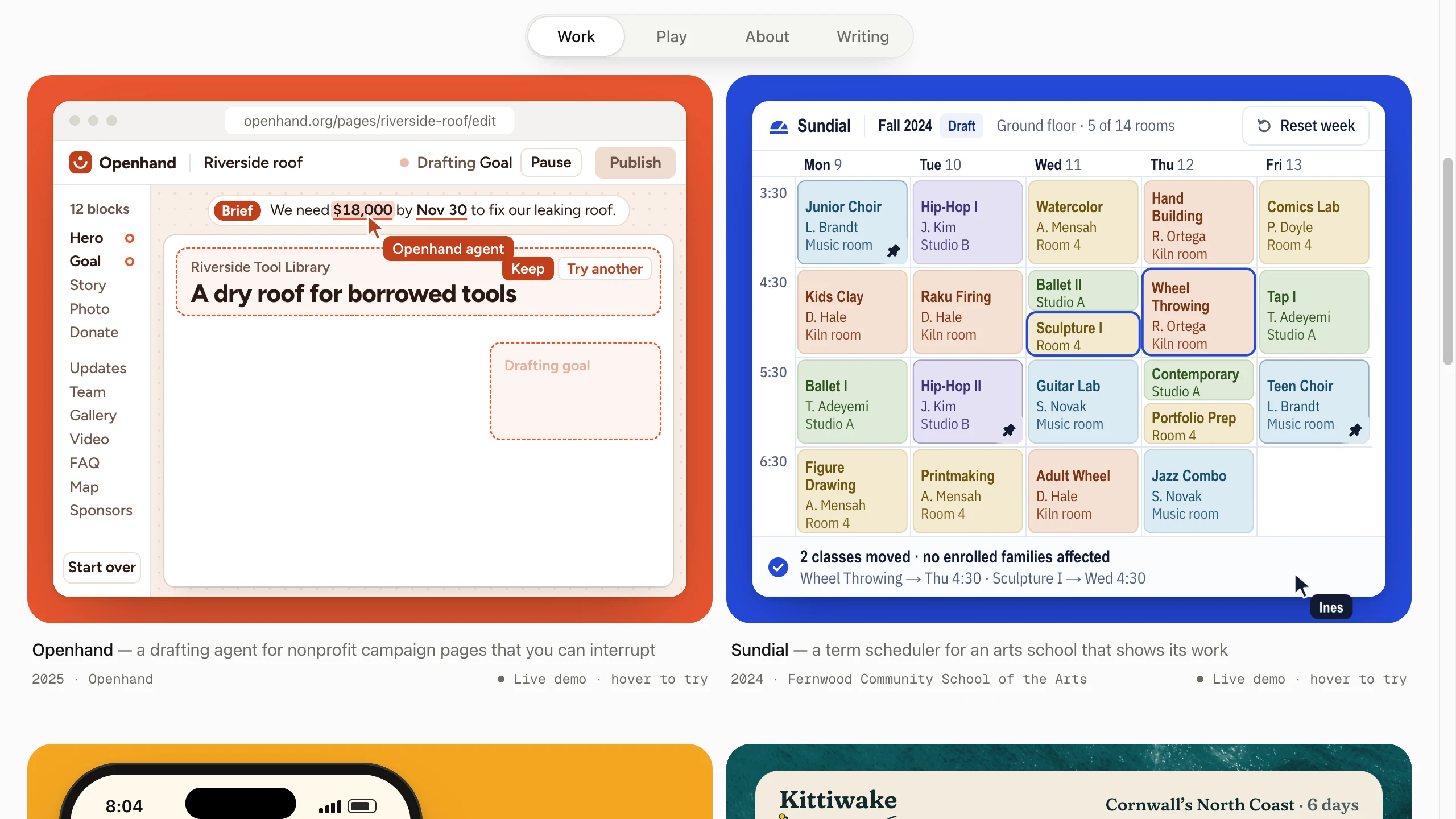
Playroom keeps the site calm and lets the work move. Every card on the Work wall runs a small demo of its product on a loop, and hovering a card pauses it so you can use it yourself.
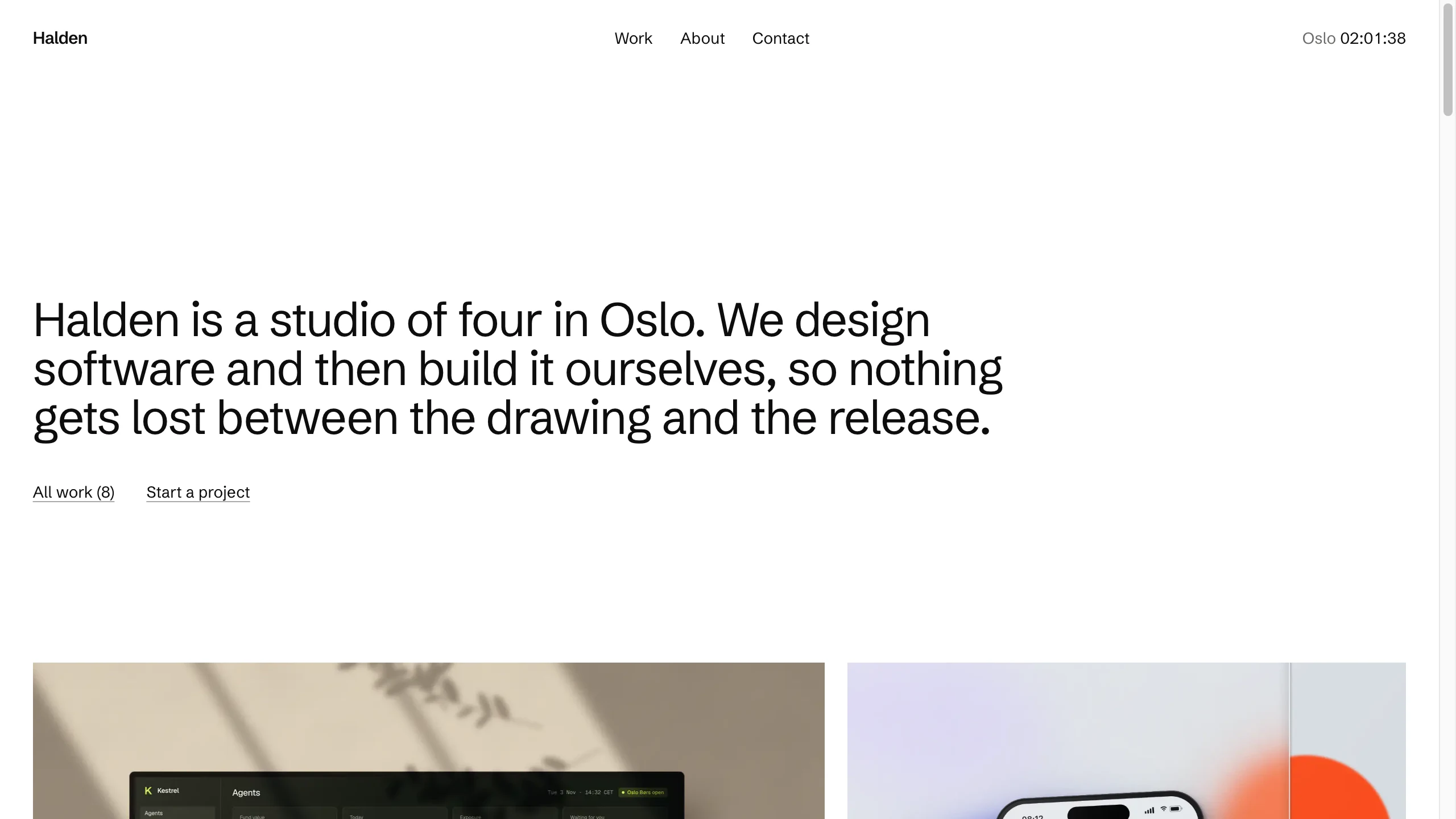
Plainsight is for a studio that lets the work carry all the color. The pages are white with one typeface, and each project is art directed like a campaign.
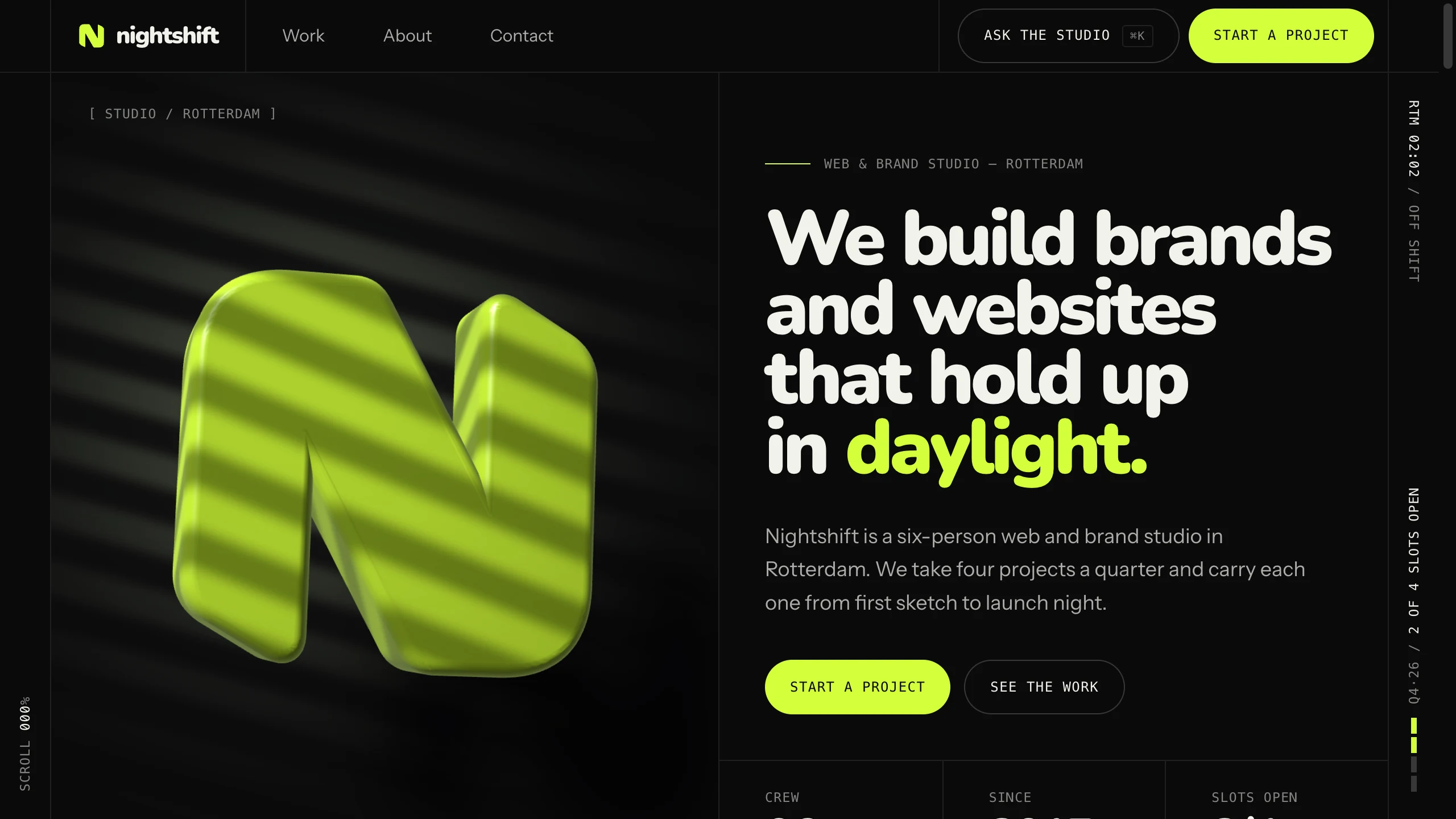
Nightshift is the studio site with the most energy. A 3D logo tilts toward the pointer, a rail of case studies pins as you scroll, and ⌘K opens a panel that answers questions about pricing and process.
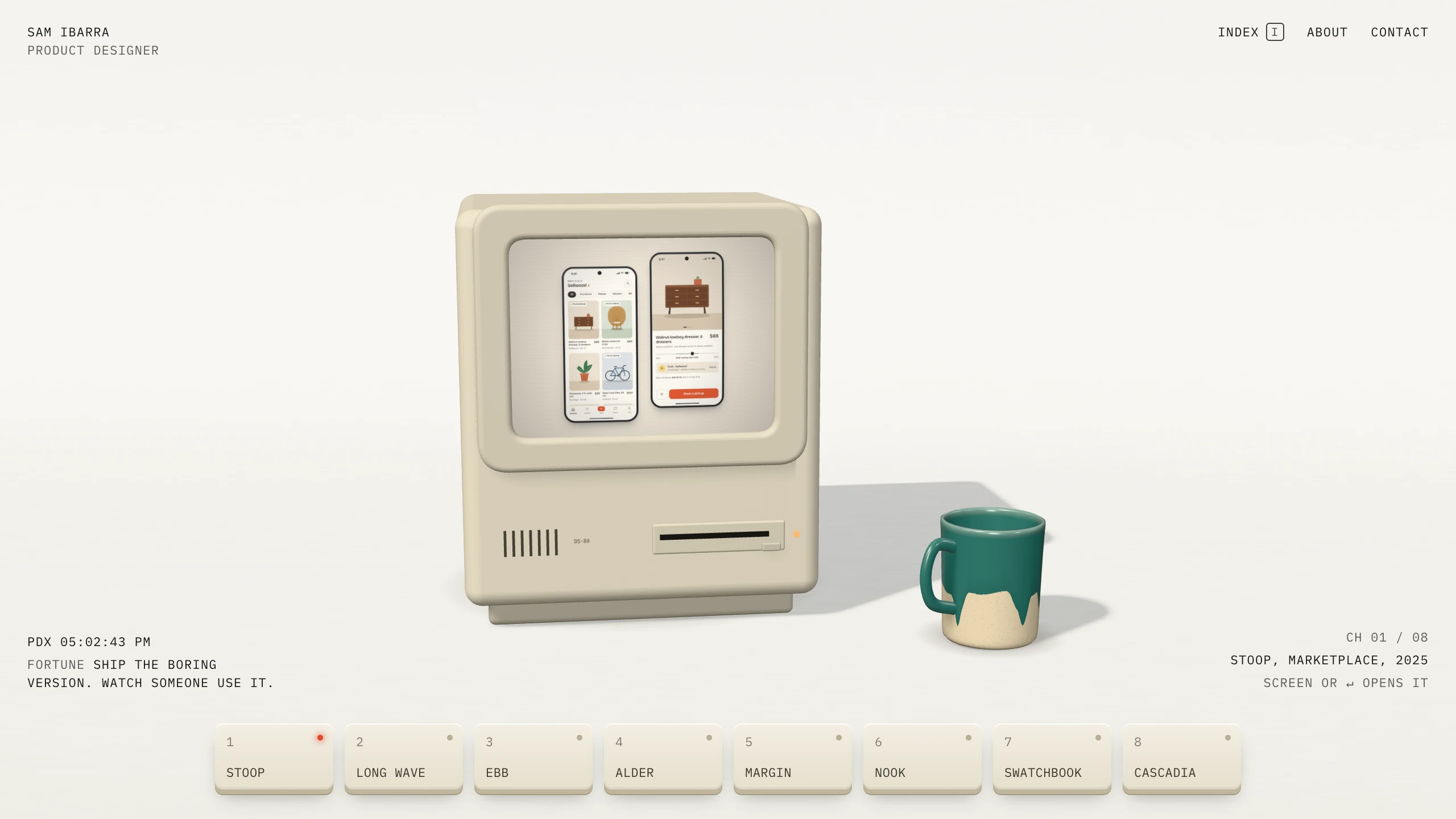
Deskside puts the whole portfolio on one object. A beige 1980s computer sits on a desk, and a row of keys changes the project on its screen.
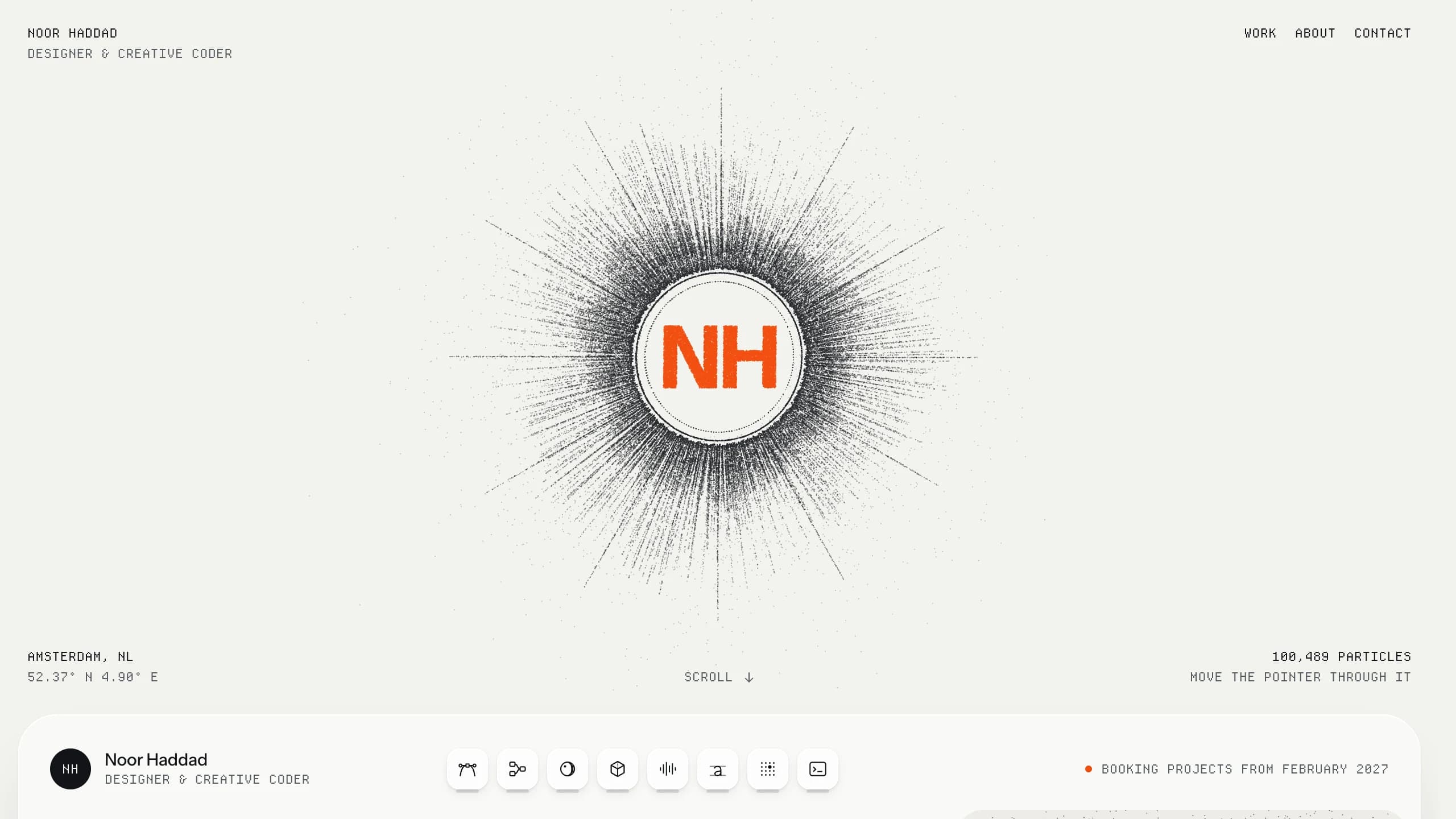
Fieldglass makes a live particle field the material of the site. About 100,000 particles gather around the owner's initials, settle behind a glass dashboard as you scroll, and take a new shape for each project.
2. Turn screenshots into demos
In these templates, each project's key screens are React components with their own type, color, and data. A live demo block mounts those components on the page, and the still images come from the same components, so the two never drift apart.
Demo one interaction per project: the one the case study argues for. If the story is "parents couldn't tell which classes had moved," the demo should move a class and show the notice parents see. Seed it with believable data and let it play on a loop until a visitor takes over. To add one, ask the agent:
Build the weekly schedule from my attached screens as a live demo for the
Fernwood Arts case study. Use its own colors and the class names in my notes.
Loop a class moving from Tuesday to Wednesday and the notice parents get, pause
on hover so visitors can drag classes themselves, and render a still for the
cover.
Real product work is often under NDA. In that case, rebuild the interaction with invented content and say so in the case study. If a metric isn't yours to share, describe the outcome in words.
3. Give every animation a job
Motion should lead the eye, show a state change, or reward someone for exploring. If it does none of those, cut it. These templates follow the same rules, and they make a good brief for your own:
- Text is readable on first paint, so there is no preloader to wait through.
- With reduced motion turned on, every animation shows its finished state.
- Phones scroll normally, with no custom cursor and nothing that only appears on hover.
- Animation and WebGL pause when they scroll off screen.
Plainsight is a good example of restraint. Each piece rises into place once as it enters, and on devices that can hover, a still swaps for a short motion clip. Nothing loops in the corner of your eye while you read.
4. Add 3D that still works without it
3D gets a portfolio remembered, but it fails in more ways than HTML does. Deskside and Nightshift model their scenes in code with Three.js, with no downloaded models, and Fieldglass draws its particle field directly with WebGL. All three ship a rendered still of the same scene. If WebGL is missing or a visitor prefers reduced motion, they show the still instead.
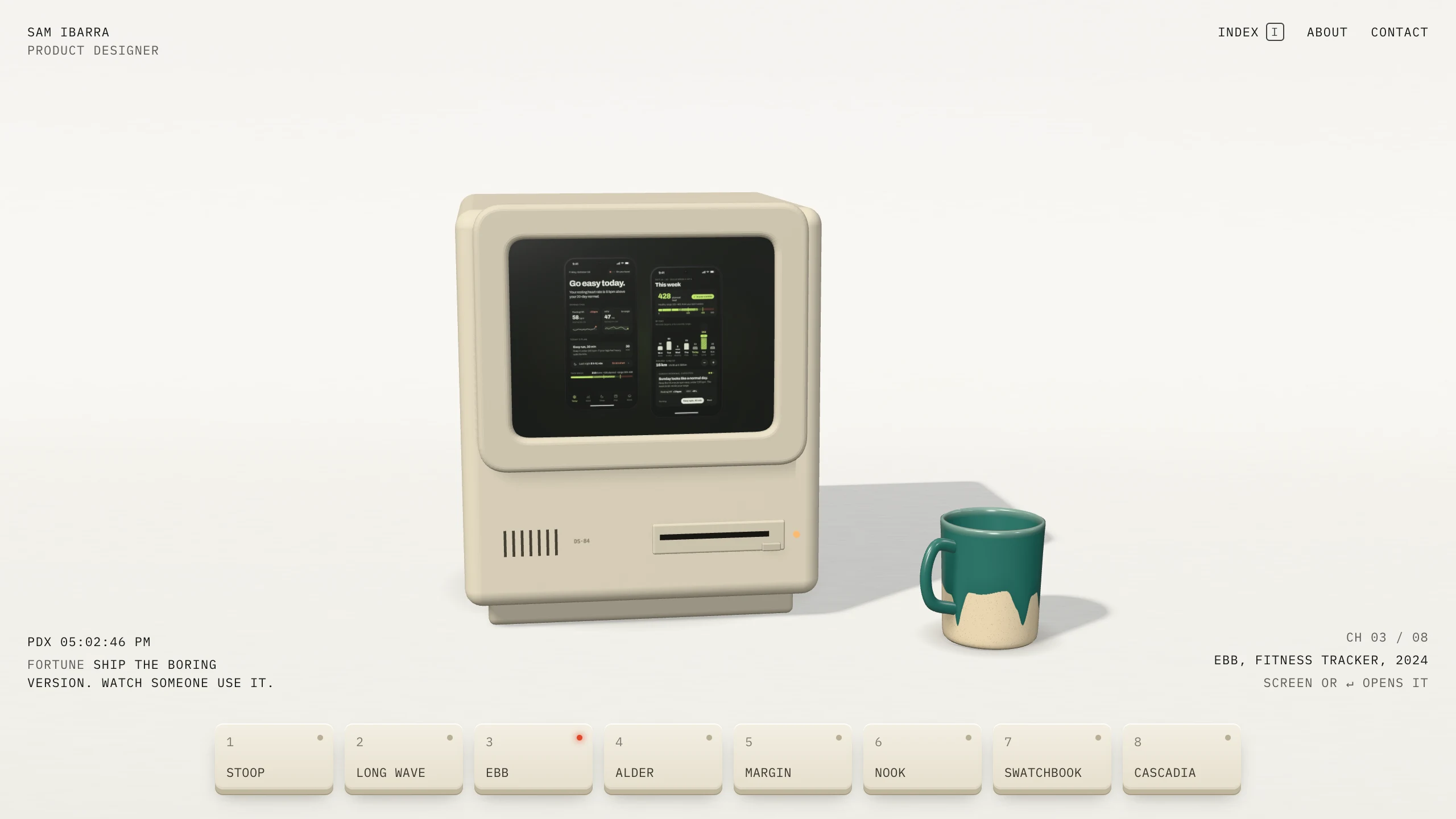
Deskside goes further. Its home page has a plain text index one keypress away, and that index is the home page on phones. Clicking the computer's screen opens the case study as an ordinary scrolling page, so search engines and screen readers get the same content as everyone else.
Fieldglass fits the work to the device instead. A laptop draws about 100,000 particles and a phone about 30,000, so the field stays smooth on both.
5. Write case studies around decisions
A hiring manager wants to know what you decided and why. Each case study in these templates opens with the client, year, role, and team, then the problem, the decisions, and the outcome. Content blocks follow: live demos, images, image pairs, video, quotes, before and after sliders, and metrics.
Put each demo next to the decision it proves, and use before and after sliders where the change is visual. For how the content files, image script, and contact form work, see How to Build a Designer Portfolio with AI. All of these templates use the same setup.
6. Start from a template or a prompt
Download Layerwise, sign in, and select a team. Open a template page and choose Use this template to copy it into a project. Then ask the agent to make it yours:
Make this portfolio mine: I'm Priya Shah, a product designer in Austin.
Remove the sample projects and add a case study from the screens I attached,
using pnpm add-images. Build the booking flow as a live demo. Keep the layout
and type, and check Work and the new case study at phone width.
To start from scratch, enter a description in Describe the app you want to build... on the team home page. Name two or three portfolios you admire and say what you like about each one: the type, the layout, how it moves. Then ask for an original design that borrows that feel without copying text, images, or code.
7. Test it the way a recruiter will
Most people will see your portfolio once, on whatever device they have open. Check it at desktop and phone widths, and on a phone-width window make sure nothing scrolls sideways.
Use every live demo. On Playroom's Work wall, a card should pause when you hover it, respond to clicks, and resume when you move away. Press Tab through the home page and confirm every link shows a focus ring. Turn on reduced motion in your system settings and reload: nothing should move on its own, and every page should still make sense.
Send the contact form, then find your message under Database in Local. Paste a case study link into a chat app after publishing to check its share image.
8. Publish and share
New projects on paid plans start private, so turn off Private in the Publish menu, then choose Publish in the preview header. Before you do, replace the fictional owner, clients, figures, and social links, and connect a custom domain with your name.
Pick the template that matches how much you want the site to perform, then spend your time on the demos. They are what visitors will remember.