

Find and organize projects
Navigate a team's project list and return to the work that matters.
The team home page lists all projects owned by the active team. Open a project to return to its conversations, local preview, code, settings, and releases.
Filter the list
Use the project filter to sort by:
- Most recent or least recent activity.
- Title, ascending or descending.
- Projects you created or updated.
- Projects you starred.
Star a project from its conversation header to make it easier to find later.
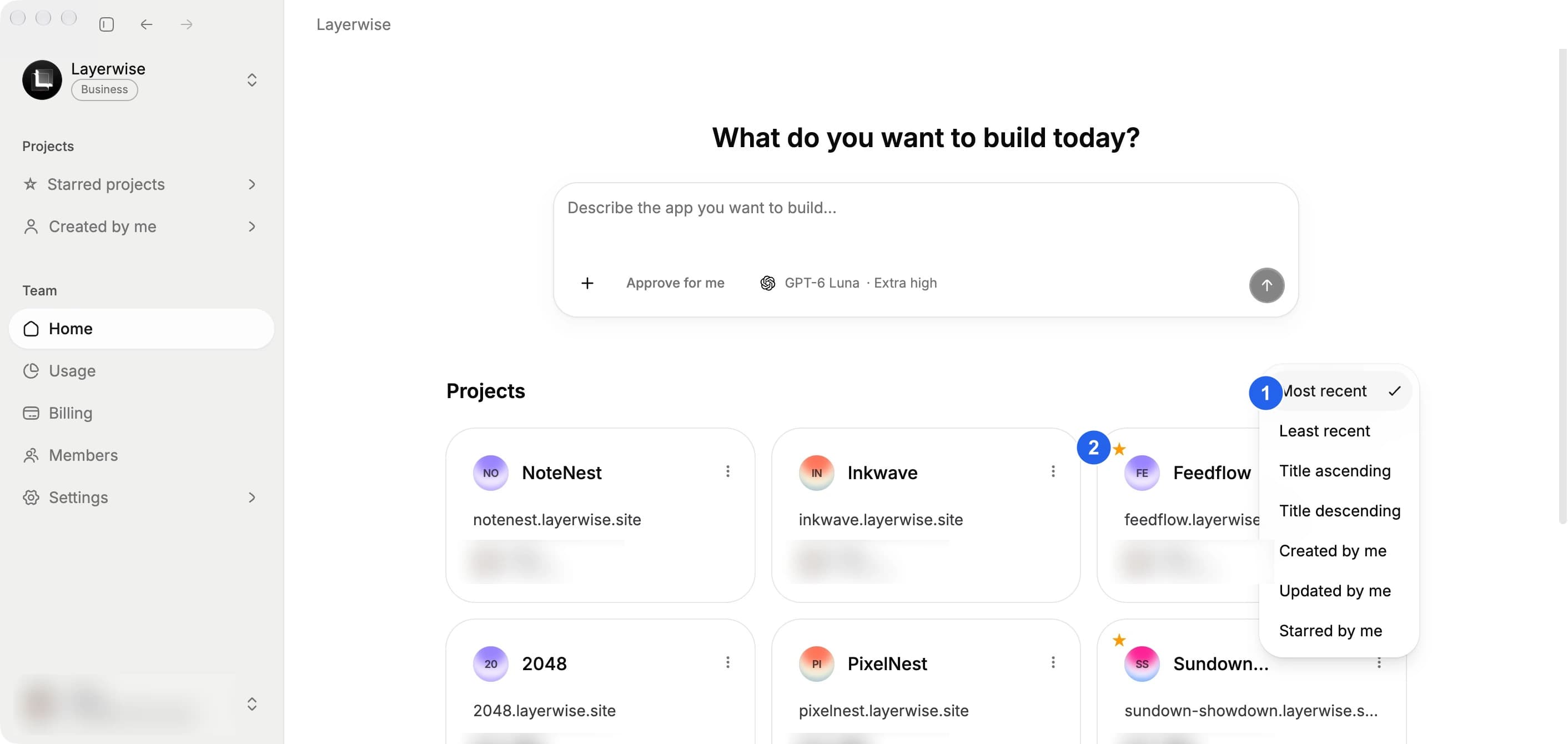
Use (1) the project filter to find your work. (2) identifies a starred project.
Keep experiments separate
Open the three-dot menu beside the conversation title and choose Fork project when you want to explore a variation. The fork starts from the current state but keeps releases, custom domains, and GitHub connections separate from the original.
Delete a project
Use the project card's delete action only after exporting or publishing anything you need to keep. Deleting a project removes it from the team.