How to Build a Language Learning App Like Duolingo with AI
Build a Duolingo-style language app in Layerwise with lessons as data, server grading, hearts, streaks, a weekly leaderboard, audio, and guest lessons.
Table of contents
A language app looks like a quiz with a friendly mascot. The decisions behind it determine whether progress means anything. Where do lessons live, so a typo takes one line to fix? Who decides that an answer is right? What does a streak mean for someone who travels? Who are the other names on the leaderboard? Answer those before asking an AI to build screens, and the first version is much easier to check.
This guide builds a Duolingo-style Spanish course for English speakers with Layerwise. You will write lessons as data, grade answers on the server, set the game rules, decide who appears on the leaderboard, record the audio, let guests start without an account, start from the Polylingo template or a prompt, test, and prepare for launch.
1. Write lessons as data
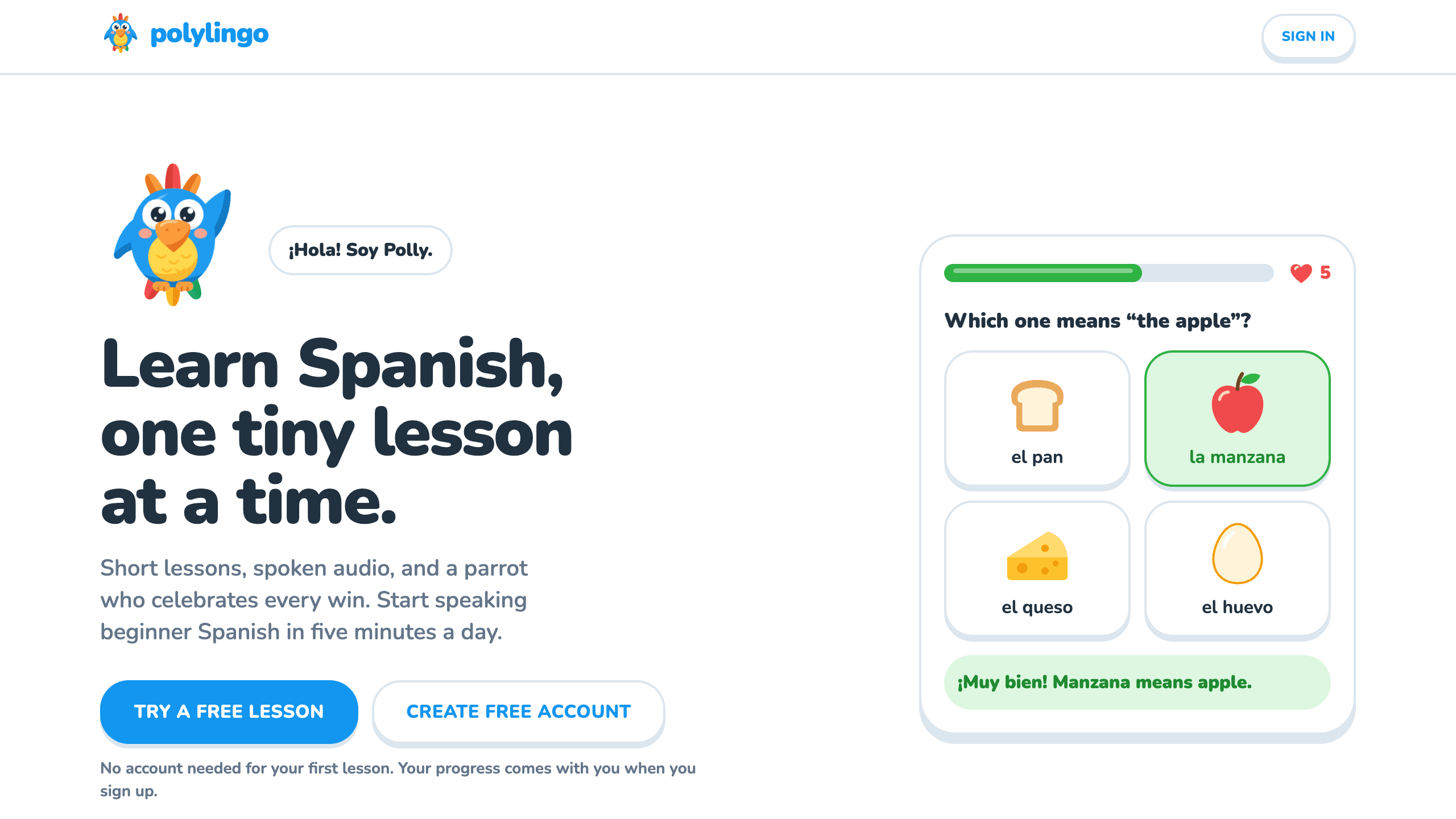
Polylingo's course has 10 lessons, from Greetings to Travel, and 98 exercises. Each lesson is one file in src/content/lessons/ with an id, a title, its vocabulary for tap-to-translate, and 8 to 10 exercises. The list in src/content/course.ts sets the order of the path, and learners unlock a lesson by finishing the one before it. Grading, audio, and the lesson player all read the same files:
const exercise = {
  id: 'greetings-04', // progress and mistakes are stored against this
  type: 'build_sentence',
  en: 'Good morning, how are you?',
  es: 'Buenos días, ¿cómo estás?', // its words become tiles
  distractors: ['noches', 'adiós'], // extra wrong tiles
  hint: '“Good morning” is literally “good days” in Spanish.'
};
Every lesson uses all five exercise types. Picture choice offers four illustrated answers. Build a sentence translates English with Spanish word tiles. Listen and type plays a sentence at normal or slow speed, with buttons for characters such as ñ and ¿. Match pairs checks itself after the last pair, and one wrong pairing along the way marks it wrong. Fill in the blank offers options, or asks for the word to be typed when it has none.
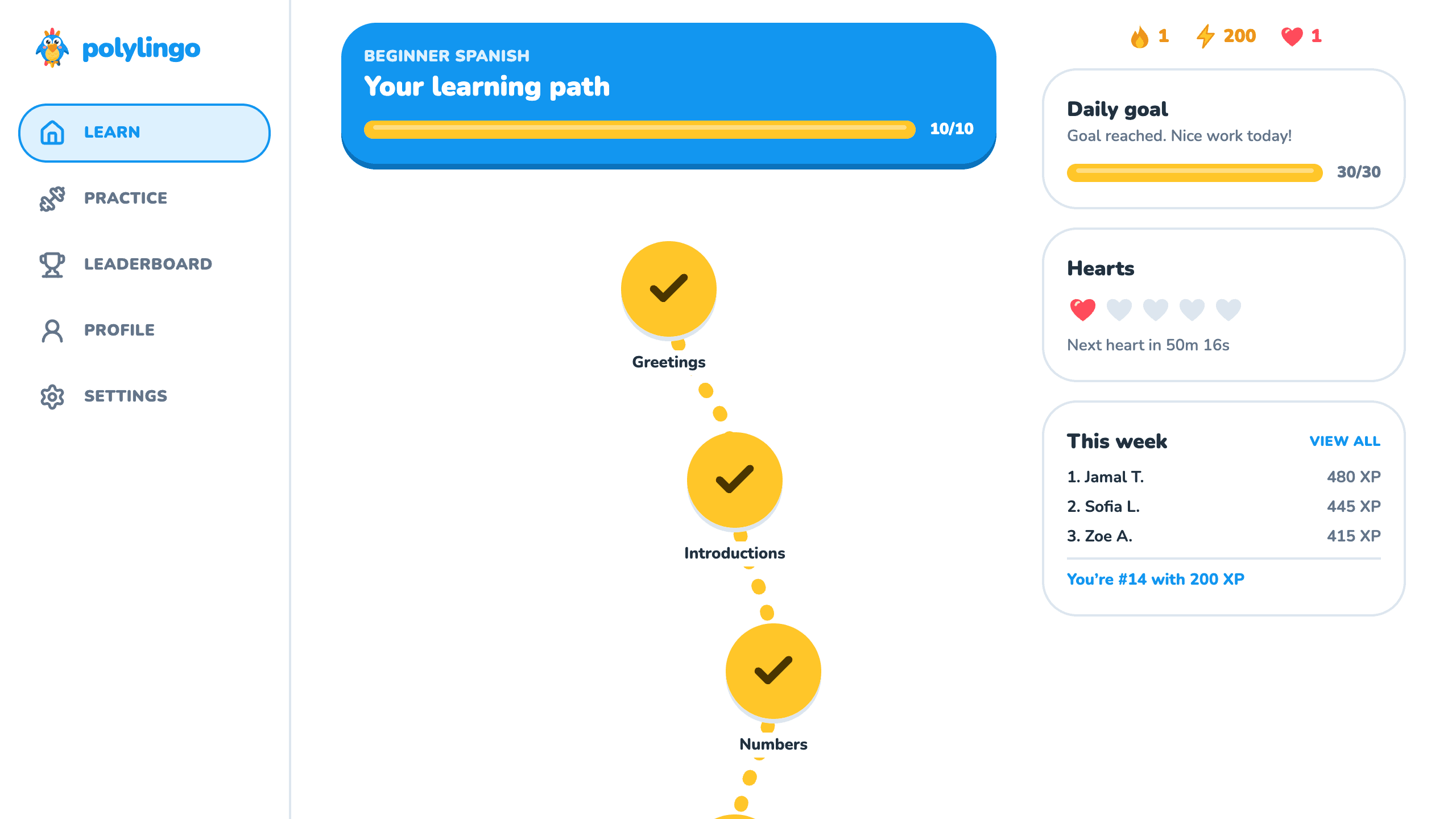
pnpm test runs the course checks in src/content/course.test.ts. They fail on a duplicate id, a lesson outside 8 to 10 exercises, a lesson missing one of the five types, an answer that does not grade as correct, a word with no translation, a missing picture, or a missing audio clip. They also list the 10 lesson titles in order, so adding or renaming a lesson means updating that list, and the Course Champion badge in src/content/achievements.ts is set to 10 lessons as well. Keep ids stable after launch. Removing an exercise is safe, because attempts that included it start over, and a lesson inserted mid-path becomes the current lesson for anyone already past that point.
2. Grade every answer on the server
If the browser reports the score, anyone with developer tools can award themselves XP. Polylingo's browser sends only what the learner chose. The server in src/server/engine.ts grades it with the functions in src/lib/grading.ts and calculates hearts, XP, and streaks itself. Each lesson attempt is a row on the server with a queue of exercises and a position, which gives you these behaviors:
- Wrong answers come back. A miss adds the exercise to the end of the queue, and the lesson ends when the queue does. Accuracy counts first tries only, so one miss in a 10-exercise lesson reads 90%.
- Leaving and double clicks are safe. Quitting or reloading resumes at the same exercise. Only the update that moves the current position succeeds, so a repeat cannot take two hearts or award XP twice.
- Locked lessons stay locked. Opening one by URL shows This lesson is still locked.
- Typing is forgiving. Typed answers ignore case and punctuation. Missing accents pass, including
nforñ, and the feedback says Correct! Watch the accents and shows the spelling.
This protects progress more than it protects answers. The player renders exercises from the course files, so they ship to the browser and a determined learner can read them. The browser also reports its own count of wrong pairings in match exercises. That is a fair trade for a free course. If you add certificates or prizes, ask the agent to send exercises from the server and grade each pairing there.
3. Set the rules for hearts, XP, and streaks
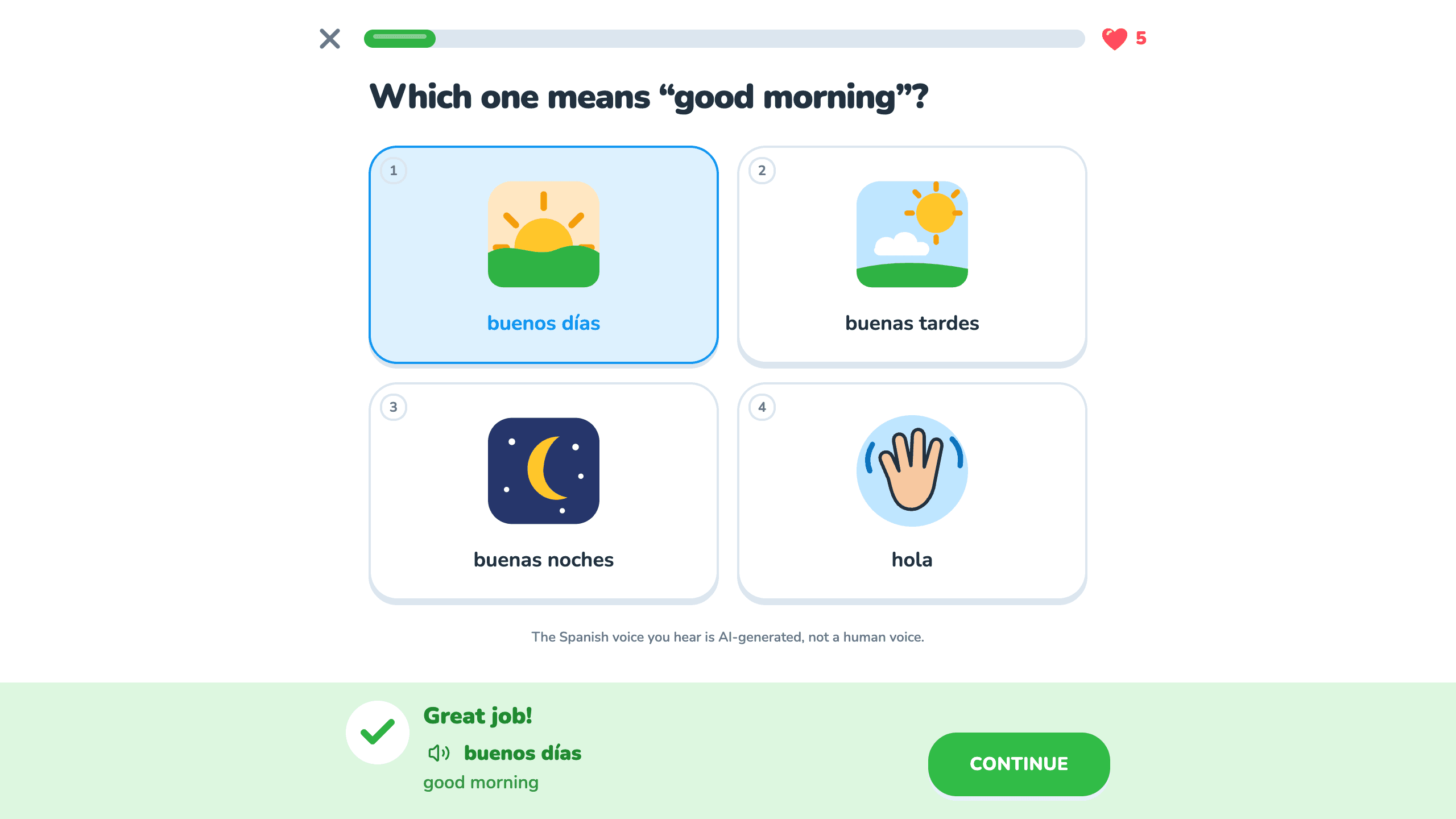
The numbers live in src/config/game.ts, and the rules are unit-tested functions in src/lib/game-rules.ts:
- XP. A first finish earns 15, plus 5 with no mistakes. A replay earns 5, and a practice session earns 10. XP arrives only at the end, so quitting earns nothing, and neither replays nor practice have a daily cap.
- Hearts. Learners hold at most 5, lose one per mistake in a lesson, and get one back every hour. At zero, lessons stop on You're out of hearts.
- Practice. A session has 8 exercises: past mistakes first, oldest first, then exercises from finished lessons. It never costs hearts and earns 1 back. A mistake leaves the list only when the learner gets it right in practice.
- Daily goals. Learners choose Casual (10 XP), Regular (20), Serious (30), or Intense (50) in Settings. The default is 20.
A streak is a promise about days, so decide whose days count. Polylingo stores each learner's last active date in their own calendar. The browser sends its time zone whenever the dashboard loads, and the server uses UTC if the value is unusable. A finished lesson or practice session keeps the streak alive, and the streak reads 0 once a full day has been missed. Daily goals use the same calendar, while the leaderboard week starts Monday at 00:00 UTC for everyone, which falls on Sunday afternoon or evening in the US. A learner who flies west can finish a session on a date earlier than their last active date, which restarts the streak at 1, and there is no streak freeze. Turn on Plan mode, described in Direct the agent, to review a change first:
Explain how streaks are counted today. Then propose two changes. Finishing a
session on a date earlier than the last active date leaves the streak unchanged.
A learner earns one streak freeze at a 7-day streak, holds at most one, and it
covers one missed day automatically. Keep the rules in src/lib/game-rules.ts as
pure functions and add tests beside them.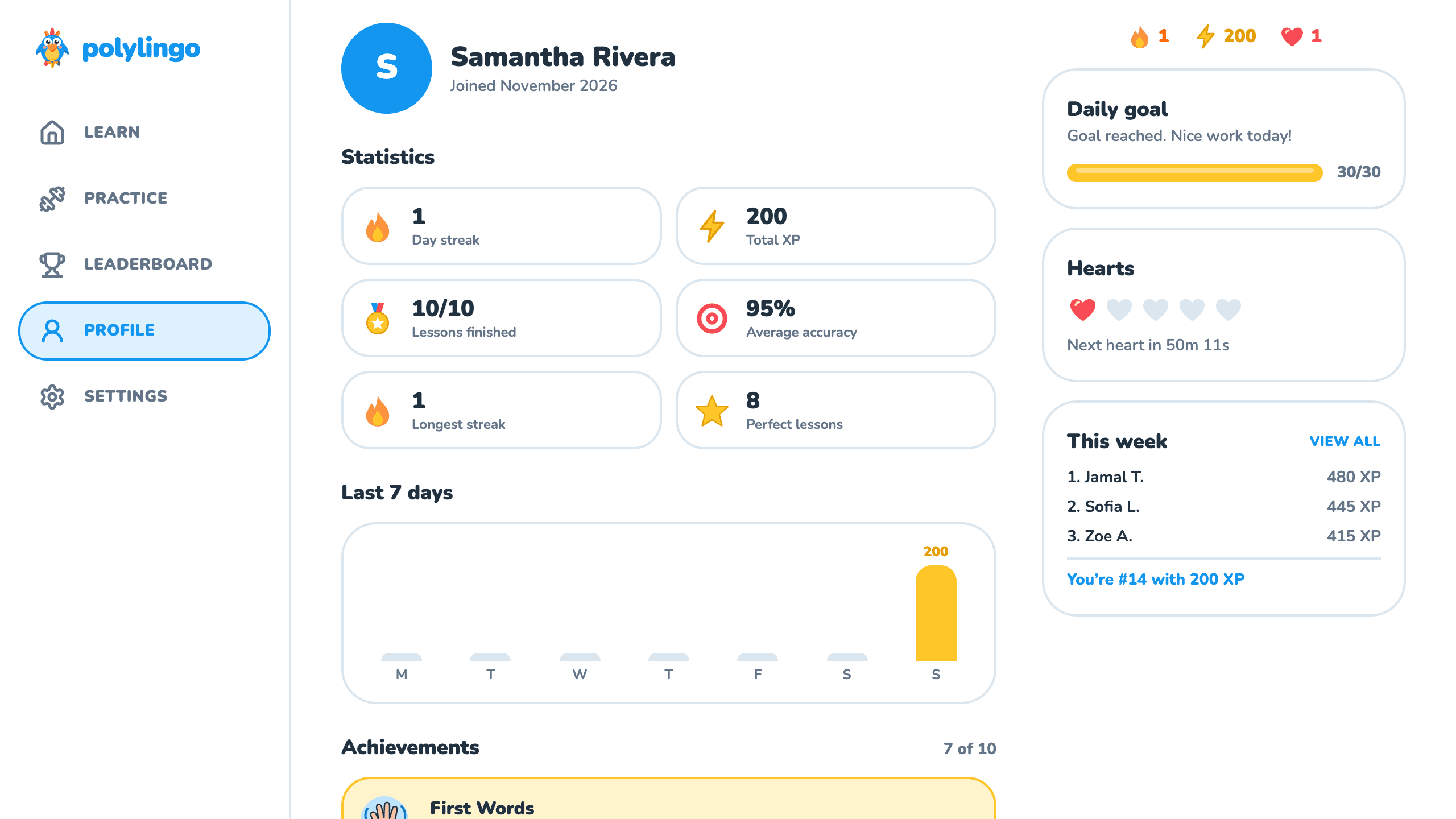
4. Decide who is on the leaderboard
An empty board looks dead on day one, and invented rivals are a trust problem unless you say so. Polylingo ranks real users by XP since Monday and shows a first name and last initial, so Sam Rivera appears as Sam R. A learner can turn off Show me on the leaderboard in Settings and still sees their own row. The board prints whatever name someone typed at sign-up, and the template has no name filter or admin page. Authentication lets you ban an account, which ends its sessions and takes it off the board.
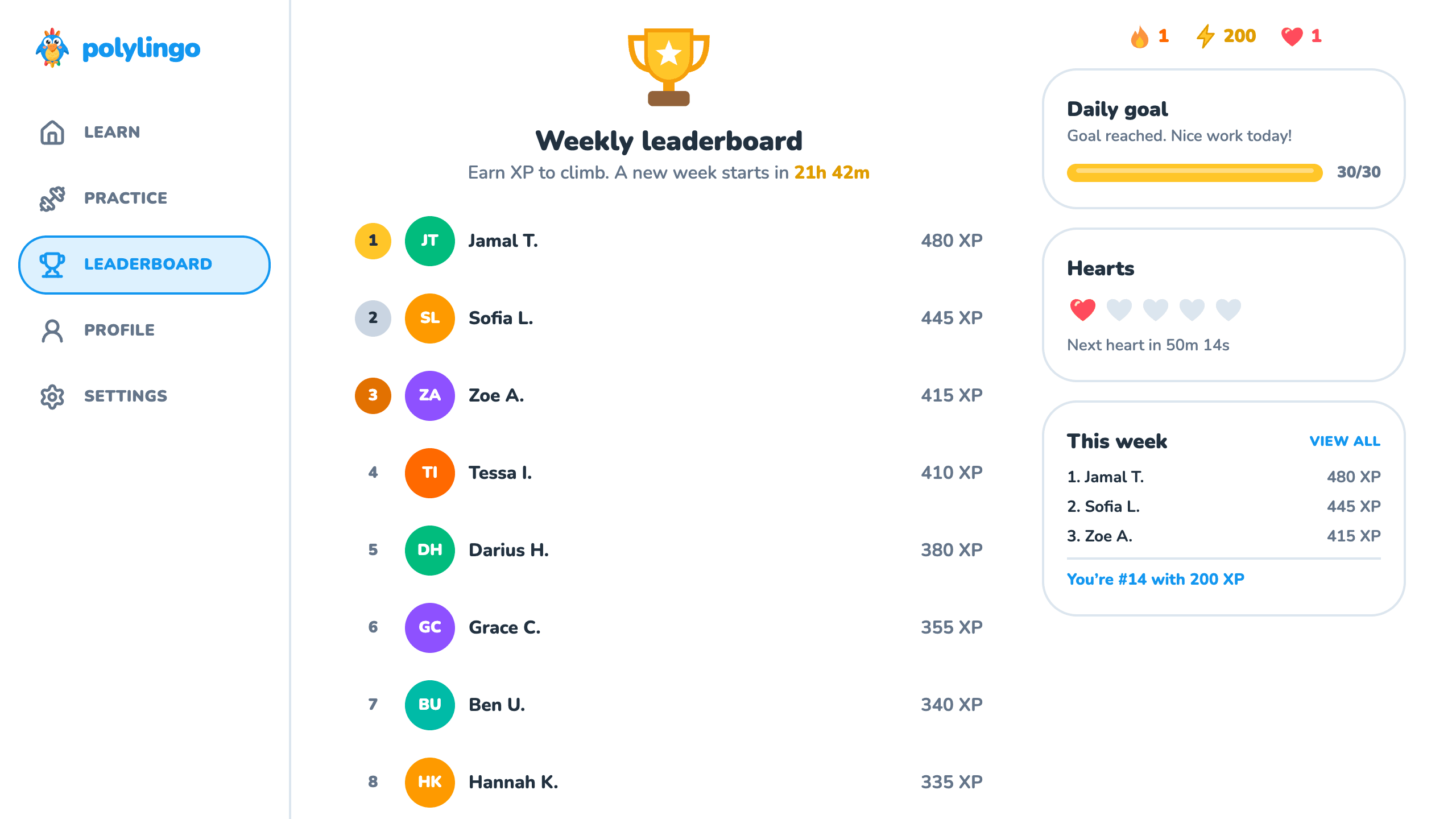
Sample learners from src/content/seeded-learners.ts fill the empty places up to leaderboard.size, which is 20. They are calculated from the week and the time and never stored, so their XP climbs during the week and starts over on Monday. They drop off as real learners earn XP, and a board with 20 real learners shows none. The note Some learners on this board are sample profiles. appears under the board while any are listed, and leaderboard.seededDisclosure sets its text. The This week card beside the path on wide screens lists the top three without that note, so add it there if you keep them. To turn them off, set leaderboard.size to 0 in src/config/game.ts. The board then shows the top 10 real users and the learner's own row, and a new site shows only the learner until others join.
5. Record the audio ahead of time
Generating speech on each tap adds delay, a cost per play, and a dependency on another service. Polylingo generates no speech at runtime. Each of the 325 Spanish words and sentences in the course has a normal and a slow MP3 in public/audio/, 650 files and about 9.5 MB in all, and the list of clips comes from the course data. Learners only listen; the app has no microphone exercises and does not grade pronunciation. The Sound effects switch silences answer sounds and spoken tiles, while Type what you hear still plays, because the exercise depends on it.
pnpm audio:generate records anything missing and removes clips the course no longer uses. It needs OPENAI_API_KEY in .env and ffmpeg on your computer. Only recording uses the key, so it stays out of Environment variables. The voice is marin on gpt-audio-1.5, directed to speak neutral Latin American Spanish with a Mexican accent. Each take is compared to the script through several transcripts, and a clip that never passes stops the run. The script refuses to mix voices, so changing voices means pnpm audio:render --all, then pnpm audio:manifest. OpenAI requires telling listeners that the voice is AI-generated. The note comes from voiceDisclosure in src/config/game.ts and appears under each exercise, in the landing page footer, and under Sound effects in Settings, so keep it if you keep this audio. The checks catch wrong words and miss an unnatural accent, and no person has reviewed these clips: scripts/audio/generation-report.json says humanReviewed: false. Have a Spanish speaker listen before you launch. To fix a clip, delete its two files and run pnpm audio:generate. If the voice keeps misreading it, add the text it should say to spokenOverrides in scripts/audio/build-clip-list.ts.
6. Let guests start before signing up
A sign-up form in front of the first lesson loses people who only wanted to try. /try runs Greetings with no account, and guests can reach only that lesson. The attempt lives on the server under a random token kept in localStorage, so guests get the same player and the same grading. Their hearts live on the attempt and never refill, and practice needs an account. At zero, a guest can create an account or choose Start the lesson over. After a guest signs up or signs in, the dashboard claims the token and sends the time zone first, so the lesson counts on the right day. A finished lesson awards its XP and streak, and an unfinished one continues at the same exercise. A new learner keeps the guest's hearts, with at least 1, and an account that already finished Greetings earns no XP from the claim. The token lives in one browser, so signing up on another device starts fresh. Unclaimed attempts older than 30 days are deleted when a new guest starts a lesson.
7. Choose a starting point
Download Layerwise, sign in, and select a team. Polylingo is a Duolingo-style template with the course, rules, audio, and guest lesson above. To start from it, open Polylingo, choose Use this template, pick a team and project name in Layerwise, then choose Copy to Layerwise. Other workflows are in the template gallery.
To rebrand it, start with src/brand.config.tsx, which holds the name, tagline, description, language label, support email, colors, and mascot, then run pnpm brand:assets to redraw the favicons, app icons, and share image. Some wording sits outside that file: src/routes/index.tsx mentions the parrot and Spanish on the landing page, and the guest sign-up prompt in src/components/lesson/CompletionScreen.tsx names Introductions and Numbers. The language value is only a label. Teaching another language means rewriting the lessons, changing the voice direction in scripts/audio/render-clips.mjs and recording everything again, and updating the accent buttons and Spanish wording in src/components/lesson/exercises.tsx. A new Spanish course, such as Spanish for restaurant staff, needs only new lessons and clips.
To start from scratch, enter a description in Describe the app you want to build... on the team home page, including the decisions above:
Build a language learning app like Duolingo that teaches Spanish to English
speakers. Store lessons as data files, with picture choice, word tiles, listen and
type, match pairs, and fill in the blank. The server grades every answer and
calculates XP, hearts, and streaks. A wrong answer costs one of five hearts and
returns at the end of the lesson. Count streaks on each learner's own calendar
day. Let visitors take the first lesson without an account and keep it at sign-up.
A blank start lets you choose each rule, but you must verify each one yourself, and you will need your own plan for audio. The prompting guide explains how to describe users, data, and screens.
8. Test the whole loop
Once the local preview loads, choose Try a free lesson and miss the first question on purpose. Hearts should drop from 5 to 4, and the feedback should say Not quite and This one will come back at the end of the lesson. Choose Continue, then reload the page; you should return to the same exercise. When Type what you hear plays Hola, ¿cómo estás?, type hola como estas; it should pass with Correct! Watch the accents. Finish, and the missed question should return under Previous mistake. Lesson complete! should show 15 XP and 90% accuracy. Choose Create free account and fill in the form. Signing up with a password needs no code. The dashboard should show Your lesson is saved. +15 XP!, a streak of 1, 15 XP, and 4 hearts, with Greetings complete and Introductions next. Opening /dashboard/lesson/travel should show This lesson is still locked.
Open Introductions and miss answers until You're out of hearts appears, then choose Practice to earn a heart and finish the session. You should see Practice complete! and You earned 1 heart back, and your XP should read 25. Open Leaderboard: a new local database should show 20 rows, your name with a last initial and (you), and the sample note. Set leaderboard.size to 0, and the note and the sample learners should disappear. Set it back when you finish. To test streaks, open Database from the project sidebar, select Local, and open learner_profile. time_zone should show your own zone. Double-click last_active_date, enter a date two days ago in YYYY-MM-DD form, and reload: the streak should read 0. Enter yesterday's date, finish a practice session, and the streak should read 2.
Ask the agent to run pnpm test and pnpm test:e2e. The second plays the product in a phone-sized browser from the guest lesson through all 10 lessons, settings, and signing back in. It needs pnpm exec playwright install chromium once and BASE_URL set to the local preview, and it creates a new user on each run, so keep it away from production. If a check fails, open the preview console from Preview actions, or find the failed request in Logs.
9. Publish and prepare for launch
Choose Publish in the preview header, then Publish in the menu, and open the live URL when the release finishes. New projects on paid plans start private, so turn off Private in that menu before you share the link. The publishing guide covers release status, and Search and sharing covers Google and custom domains. The course and audio ship with each release. Local and Online use separate databases, so no test accounts or progress reach the live site.
Handle these before real learners arrive:
- Support email.
supportEmailis the placeholderhello@polylingo.example, and the Contact link in the landing page footer uses it. - Terms, privacy, and billing. The template has none of these. Add your own terms and privacy pages and link them from the landing page footer. Everything is free until you add billing.
- Sign-in email. Password sign-up sends no email and does not verify the address. Continue with email and password resets use codes, and on Free a project can send 10 sign-in emails a day. See Email.
- Guest endpoints. Starting a guest lesson and submitting a guest answer accept anonymous writes, and the template has no rate limit on them. On Free, a database holds 100 MB, and a published app turns read-only at its limit, so ask the agent to limit attempts and answers per visitor before you expect traffic.
After launch, Analytics shows traffic across the site, and the mistake table in Database shows which exercises trip learners up, so you can rewrite a hint or a question. Start from Polylingo if its course model fits your learners, or from a prompt if you need a different one. Either way, settle where lessons live, who grades answers, and who appears on the leaderboard before adding features. For the full project workflow, follow the Quick start.