Games
Inkwave 3D Turf-War Game Template
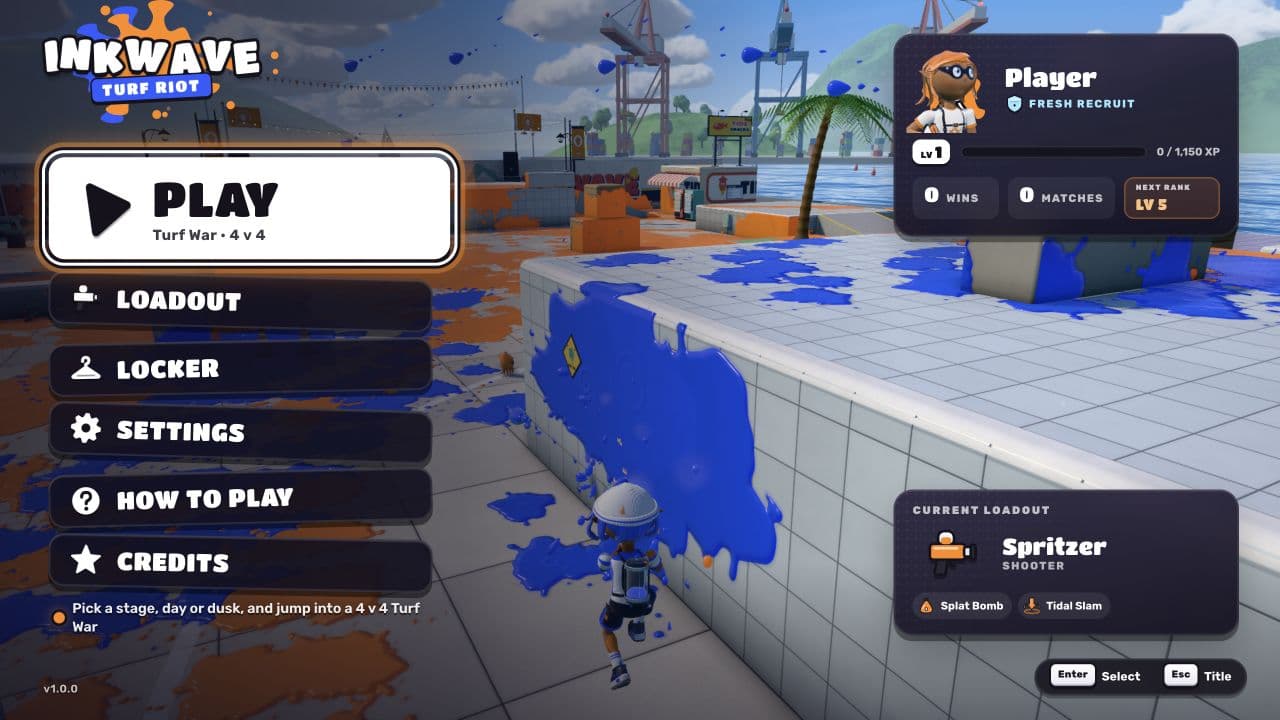
Paint the ground, swim through your ink, and claim more turf than the opposing team. Inkwave features 4v4 turf-war matches, weapon loadouts, special abilities, and stages with day and dusk options. Built with Layerwise, React, TanStack Start, and Three.js, it is ready to customize into your own ink-splashed arena game.
The button opens Layerwise on your computer. If it does not open, download the app first and try again.
Open itBuild your own version of Inkwave
Use Inkwave as a starting point for an arena game built around painting territory and moving through ink. Begin with a stage, palette, or loadout change and play a full match to assess it.
What the template includes
- 4v4 turf-war matches with ink painting and swimming.
- Weapon loadouts and special abilities.
- Three.js stages with day and dusk options.
The template opens as a local project you can change through the conversation or the code editor. You can inspect the source for this template version before choosing how to extend it.
Copy it and make one useful change
- Install Layerwise and sign in. Choose Use this template, select a team and project name in the app, then choose Copy to Layerwise. Wait for setup and the local preview to finish.
- Choose a change that preserves the territory-control loop. When adding a weapon or ability, describe how it paints, how it affects movement, and how players recognize its feedback.
- Ask for the change in the project conversation. This prompt is a starting point; adjust it to describe your intended result.
Give this turf-war game a new coral and teal team palette. Keep the existing match rules, loadouts, and ink swimming. Check that team colors remain distinct on both day and dusk stages, and make the match result readable on a narrow screen.
Check the result before publishing
- Play a complete match and confirm painting changes territory and ink swimming still works.
- Try the affected loadouts and special abilities on both lighting options.
- Check the result screen and start another match to verify the game resets.
If your goal is online multiplayer, define networking, matchmaking, and server-side rules as additional work. A 4v4 game format by itself does not establish support for remote players.
Use the local preview controls to test the affected path. When it works, publish a release and repeat the check at the live URL. For saved records or accounts, read about the separate Local and Online databases.
Preview