Productivity
Feedflow RSS Reader App Template
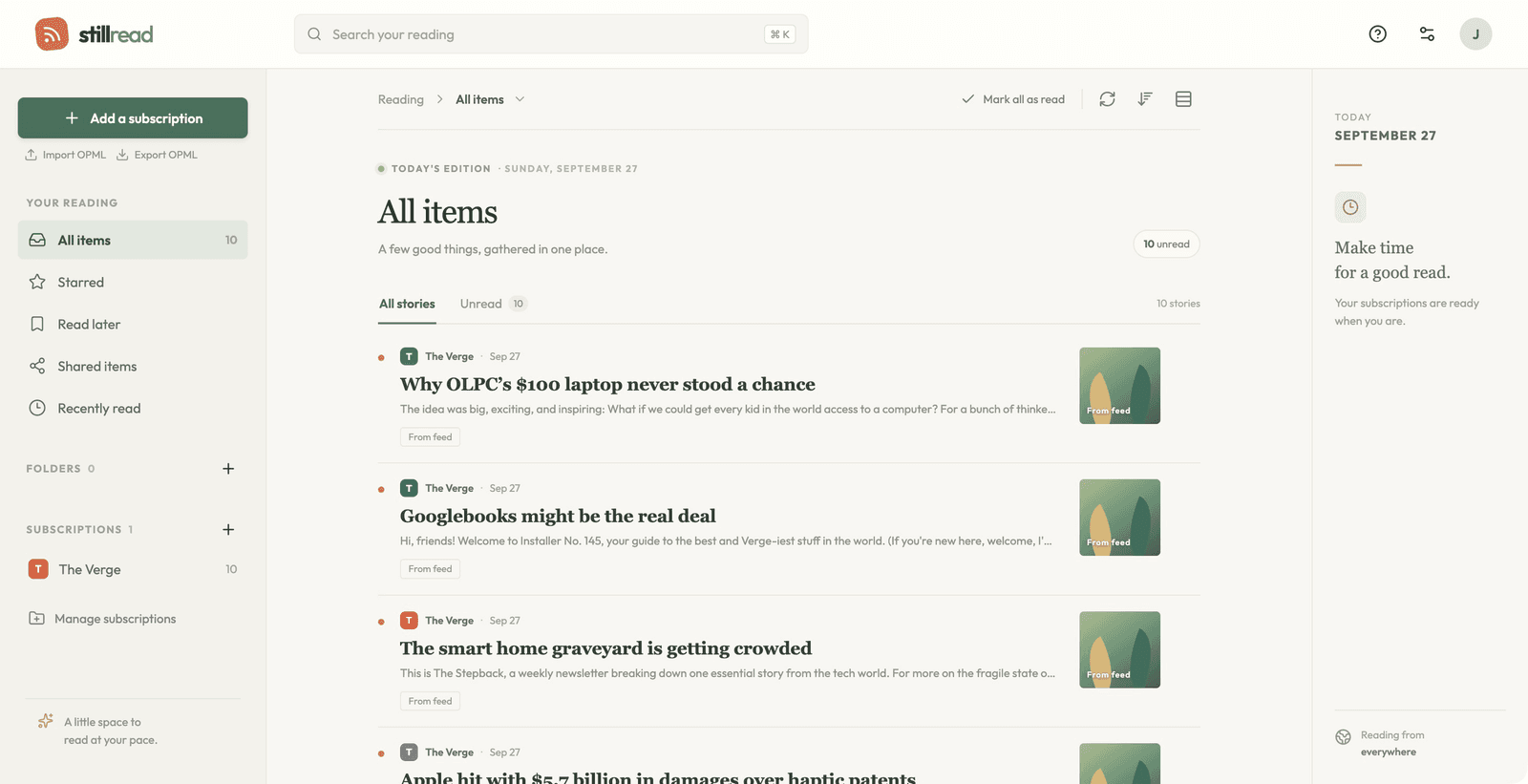
Bring your RSS subscriptions together in a focused reading workspace. Organize feeds, search stories, star favorites, save articles for later, and import or export subscriptions with OPML. Built with Layerwise, React, and TanStack Start, Feedflow includes sign-in and saved reader state. The live demo requires an account.
The button opens Layerwise on your computer. If it does not open, download the app first and try again.
Open itBuild your own version of Feedflow
Use Feedflow to build a personal RSS reading workspace or a reader for a particular topic. The live demo requires an account, and the template already includes sign-in and saved reader state.
What the template includes
- Feed subscriptions, story search, starred stories, and a read-later list.
- OPML import and export for moving subscriptions between readers.
- A Google Reader-inspired interface with saved reader state.
The template opens as a local project you can change through the conversation or the code editor. You can inspect the source for this template version before choosing how to extend it.
Copy it and make one useful change
- Install Layerwise and sign in. Choose Use this template, select a team and project name in the app, then choose Copy to Layerwise. Wait for setup and the local preview to finish.
- Define the reading workflow you want to improve, such as organizing a large subscription list or finding saved articles. Use a few known feeds to test the change before importing your entire collection.
- Ask for the change in the project conversation. This prompt is a starting point; adjust it to describe your intended result.
Make this RSS reader easier to use for a daily technology reading routine. Add a clear entry point to starred stories and the read-later list, and show useful empty states for each. Keep subscription management and OPML import and export working.
Check the result before publishing
- Sign in, add a feed, and confirm its stories appear in the reader.
- Star a story and save one for later; refresh and sign back in to check saved state.
- Export subscriptions, import the OPML into a test account, and compare the feed list.
Test separate accounts to confirm each reader sees its own saved state. Published users and local preview users belong to separate environments.
Use the local preview controls to test the affected path. When it works, publish a release and repeat the check at the live URL. For saved records or accounts, read about the separate Local and Online databases.
Preview